EasyManua.ls Logo

Olympus CAMEDIA D-630 ZOOM - User Manual

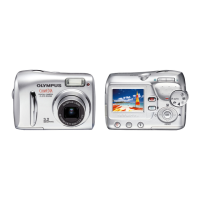
Olympus CAMEDIA D-630 ZOOM
100 pages
Print Icon
To Next Page IconTo Next Page
Loading...
D-630 ZOOM
FE-5500
X-600
DIGITAL CAMERA
Shoot and Play!
B
a
s
i
c
M
a
n
u
a
l
2
26
50
74
ENGLISH
d4261_e_basic_01_cover_abc_7.fm Page 1 Tuesday, February 15, 2005 5:16 PM

Questions and Answers

  • V
    Veronica HamiltonSep 8, 2025
    Why does my Olympus Digital Camera battery drain so fast?
    • L
      lbrownSep 8, 2025
      If your Olympus Digital Camera is experiencing brief battery run time, it could be because: * You are using the camera in a cold environment; battery performance deteriorates in low temperatures. Keep the camera warm by putting it inside your coat or clothing. * The remaining battery power is not indicated correctly; when battery consumption fluctuates considerably, the camera may turn off without displaying the battery warning indicator. Charge the battery.
  • A
    Angela JonesAug 23, 2025
    What to do if my Olympus CAMEDIA D-630 ZOOM Digital Camera says 'CARD FULL'?
    • A
      Anita HuynhAug 23, 2025
      If your Olympus Digital Camera displays 'CARD FULL', it means that the card has no available space to record new data. To resolve this, replace the card or erase unwanted pictures. Remember to download important pictures to a computer before erasing them.
  • D
    Danielle CarpenterAug 25, 2025
    What does 'MEMORY FULL' mean on my Olympus CAMEDIA D-630 ZOOM?
    • R
      Robert StrongAug 25, 2025
      If your Olympus Digital Camera displays 'MEMORY FULL', it indicates that the internal memory has no available space to record new data. Insert a card, transfer pictures to a card, or erase unwanted pictures. Download important pictures to a computer before erasing.
  • M
    Mike DavisAug 26, 2025
    Why are my Olympus Digital Camera pictures too dark?
    • D
      davisdavidAug 27, 2025
      If the picture from your Olympus Digital Camera is too dark, it could be because: * Your finger was blocking the flash; hold the camera correctly, keeping your fingers away from the flash. * The subject was out of the flash's working range; shoot within the flash working range. * The flash was set to [$]; select a different flash mode. * The subject was too small and backlit; set the flash to [#], or use the n metering mode.
  • R
    Richard StewartAug 27, 2025
    What does 'CARD ERROR' mean on my Olympus Digital Camera?
    • B
      bryansanfordAug 27, 2025
      If your Olympus Digital Camera displays 'CARD ERROR', it means that there is a problem with the card. This card cannot be used, so insert a new card.
  • B
    brookspatriciaSep 22, 2025
    Why isn't my Olympus CAMEDIA D-630 ZOOM Digital Camera showing pictures on the TV?
    • T
      Tonya MendozaSep 22, 2025
      If no picture is displayed on the TV when your Olympus Digital Camera is connected, it could be due to: * The video output signal is incorrect; set the video output signal according to the region where used. * The TV video signal setting is incorrect; set the TV to the video input mode.
  • B
    Benjamin SimmonsSep 16, 2025
    Why is the flash not working on my Olympus Digital Camera?
    • T
      Tina VelasquezSep 16, 2025
      If the flash on your Olympus Digital Camera does not fire, it could be due to the following reasons: * The flash is set to [$]; select a flash mode other than [$]. * The subject is illuminated; if you want the flash to fire on a brightly illuminated subject, set the flash to [#]. * The camera records movies; the flash does not fire in movie mode. Select a shooting mode other than n. * Panorama mode is set; the flash does not fire in panorama mode.
  • A
    atkinsonrobertaSep 18, 2025
    Why can't I view internal memory photos on my Olympus CAMEDIA D-630 ZOOM?
    • A
      Anthony HamiltonSep 18, 2025
      If pictures in the internal memory of your Olympus Digital Camera cannot be played back, it is because a card is inserted in the camera. When a card is inserted, only pictures on the card can be played back. Remove the card.
  • A
    Anthony KaneSep 7, 2025
    What does 'CARD SETUP POWER OFF FORMAT SELECT GO OK' mean on my Olympus CAMEDIA D-630 ZOOM Digital Camera?
    • K
      Krystal JohnsonSep 7, 2025
      If your Olympus Digital Camera displays 'CARD SETUP POWER OFF FORMAT SELECT GO OK', it means this card cannot be used with this camera or the card is not formatted. Format the card or replace it. Select [POWER OFF] and press Z. Insert a new card. Select [FORMAT] and press Z. Note that all data on the card will be erased.
  • P
    pelliottSep 4, 2025
    What does 'WRITE-PROTECT' mean on my Olympus CAMEDIA D-630 ZOOM Digital Camera?
    • M
      Melissa FergusonSep 4, 2025
      If your Olympus Digital Camera displays 'WRITE-PROTECT', it indicates that writing to the card is prohibited. The recorded image has been protected (read-only) on a computer. Download the image to a computer and cancel the read-only setting.

Olympus CAMEDIA D-630 ZOOM Specifications

General IconGeneral
Sensor TypeCCD
Image Resolution2048 x 1536
Optical Zoom3x
DisplayLCD
Effective Pixels6.0 Megapixels
Lens38 - 114 mm
Storage MediaxD-Picture Card
Sensor Resolution6.0 million pixels

Related product manuals