OLYMPUS CIX100 Cleanliness Inspector System
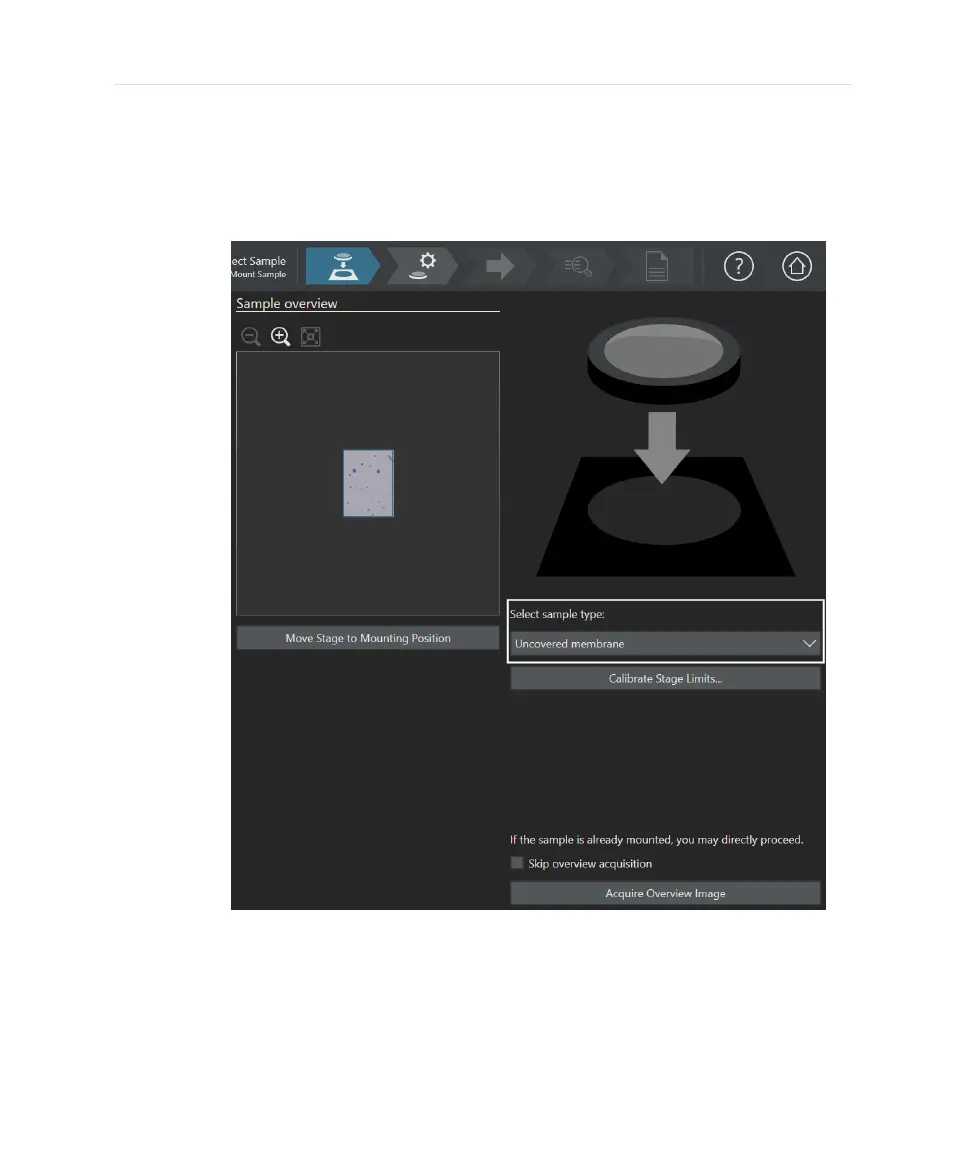
4. Having activated additional samples in the [Hardware] > [Device List] >
[Device Settings] dialog box, each of these new sample types will be listed in
a drop down menu. Select the sample type you are currently using. By
default the last sample type used with your CIX100 system will always be
activated here.
Usually, it is not necessary to calibrate stage limits in this dialog box when EVIDENT
CIX100 accessories are used. If you have trouble finding the autofocus during the
[Inspect Sample] workflow, it may still be useful to recalibrate the stage limits at this
step for optimal calibration for your sample type. A recalibration will modify the Z-
range movement.
34


 To Next Page