19
Playing
1
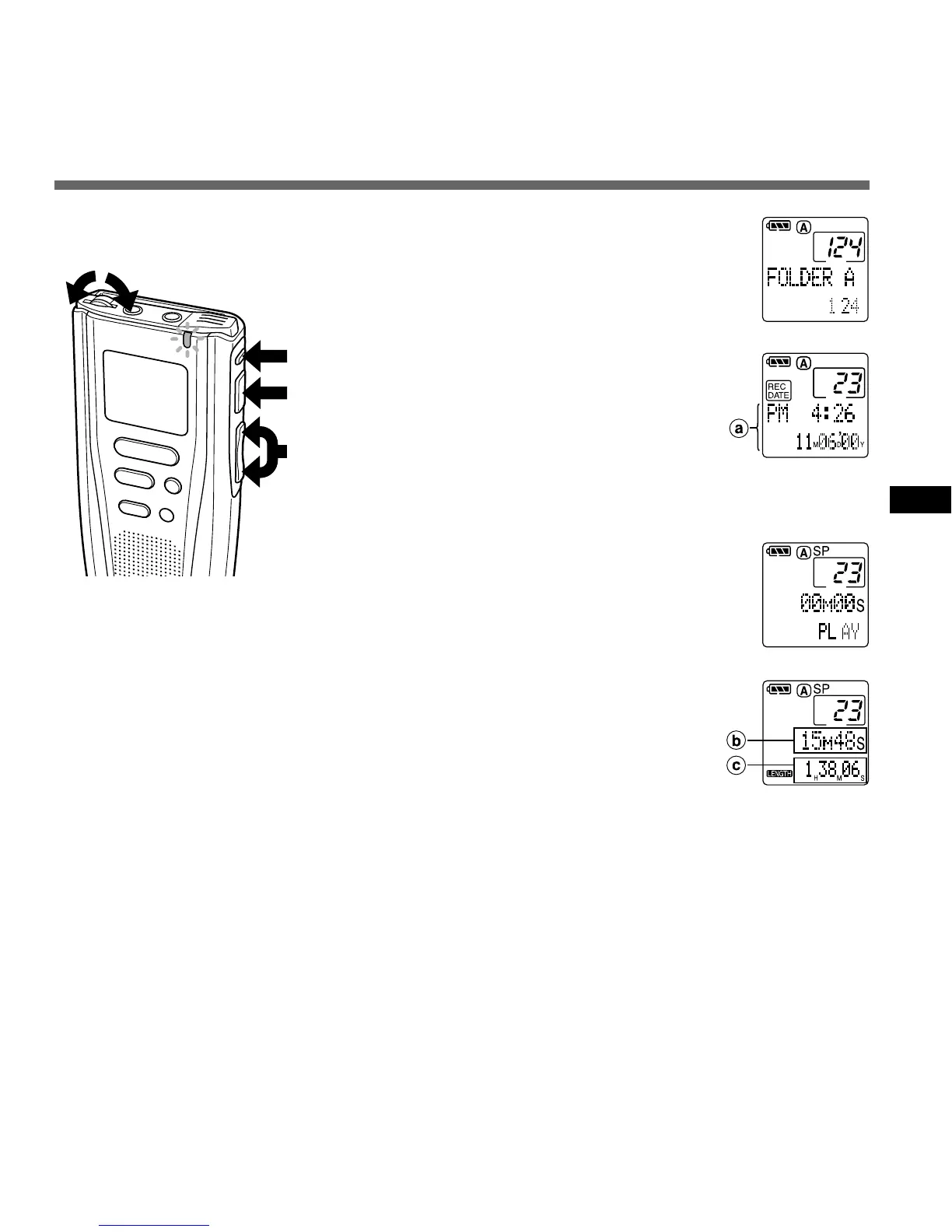
Press the FOLDER button to
choose a folder.
2
Press the FF/+ or REW/– button to
choose the file that you want to
play*.
The time and date when the file was
recorded are displayed.
3
Press the PLAY button to start
playback.
The record/play indicator lamp glows green.
4
Adjust the VOLUME control to your
liking.
The recorder stops automatically when it finishes playing each
file.
................................................................................................
* As long as you hold the FF/+ or REW/– button, files are skipped
continuously (continuous skip).
M
E
N
U
IN
D
E
X
REC
STOP
ERASE
1
3
2
4
Low
High
Playing
a Recorded time
and date of
the selected
file
b Current
playback time
c Total
recording
time of the file
being played
{



 To Next Page