19
EN
FrequencyFrequency
This product uses the 2.4 GHz band for wireless communications. However,
other wireless devices may use the same frequency.
Setup
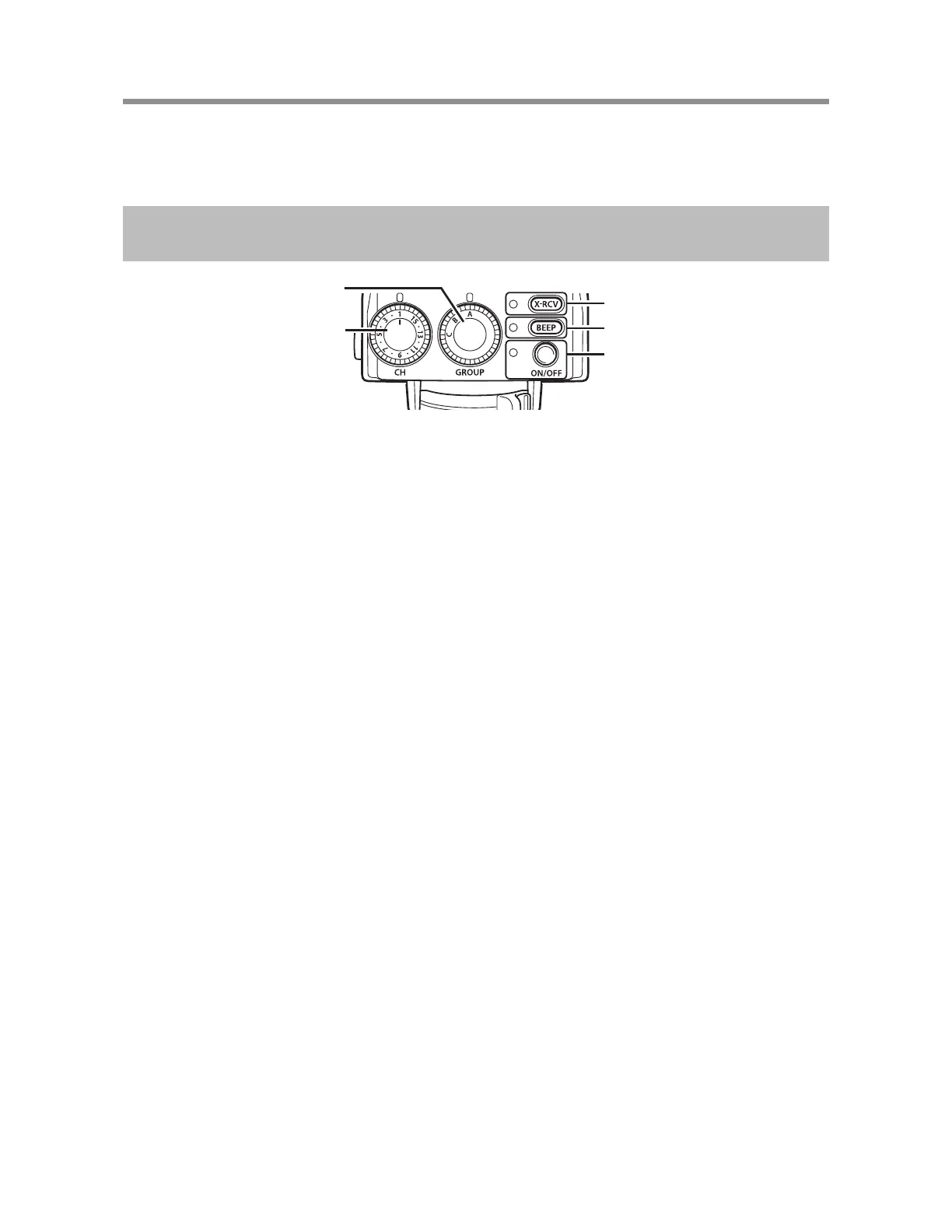
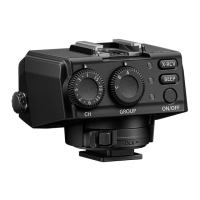
ON/OFF lamp/button
BEEP lamp/button
X-RCV lamp/button
Channel dial
Group dial
1
Turn on the fl ash.
• Refer to the fl ash manual for details.
2
Press the ON/OFF button to turn on the wireless receiver.
• The ON/OFF lamp will light up.
3
Hold down the X-RCV button to select an operating mode.
• The X-RCV lamp is off: RCV mode (You set the fl ash control mode and
fl ash intensity on the wireless commander. This
wireless receiver receives the setting information
and fi ring signal from the wireless commander.
Then, the fl ash that is connected to this wireless
receiver fi res a fl ash.)
• The X-RCV lamp is on: X-RCV mode (You set the fl ash control mode and
fl ash intensity on the fl ash that is connected to this
wireless receiver. This wireless receiver receives a
fi ring signal from the wireless commander. Then, the
fl ash that is connected to this wireless receiver fi res
a fl ash with this wireless receiver’s settings.)
4
Turn the group dial to select a communication group.
5
Set the fl ash control mode and fl ash intensity.
• RCV mode: Set the fl ash control mode and fl ash intensity on the
wireless commander.
• X-RCV mode: Set the fl ash control mode and fl ash intensity on the
fl ash that is connected to this wireless receiver.
6
Turn the channel dial to select a communication channel.
• Select the same channel that you set on the wireless commander.


 To Next Page