35
4
EN
Menu setting method
Menu setting method
D e v i c e M e n u
M e m o r y S e l e c t
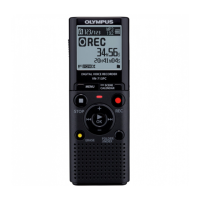
For VN-713PC, VN-712PC:
When a microSD card is inserted you can
select to record to either the internal
memory or to the microSD card ( ☞ P.13).
1 Select [ Memory Select ] from the
menu on the [ Device Menu ].
[ Internal memory ]:
Internal memory.
[
microSD card ]:
microSD card.
B e e p
The recorder beeps to alert you to button
operations or warn you of errors. System
sounds may be turned off.
1 Select [ Beep ] from the menu on
the [ LCD/Sound Menu ].
[ On ]:
Enables the Beep function.
[ Off ]:
Disables this function.
Language(Lang)
You can select the display language for this
recorder.
1 Select [ Language(Lang) ] from
the menu on the [ LCD/Sound
Menu ].
[ English ] [ Français ] [ Deutsch ] [ Italiano ]
[ Español ] [ Русский
]
• The selectable languages differ
depending on the region.
T i m e & D a t e
If the current time and date is not correct,
set it.
1 Select [ Time & Date ] from the
menu on the [ Device Menu ].
• See “ Setting time and date
[ Time & Date ] ” ( ☞
P.12).
R e s e t S e t t i n g s
This returns the functions back to their initial
settings (factory default).
1 Select [ Reset Settings ] from the
menu on the [ Device Menu ].



 To Next Page