17
1
[VOICE] mode and [MUSIC] mode
[VOICE] mode and [MUSIC] mode
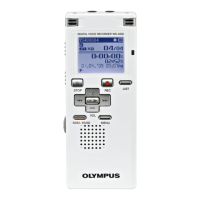
This device can be used as a voice recorder
or as a music player. For recording and
playback voice recordings, set the mode
switch to [VOICE]. For listening to music, set
the mode switch to [MUSIC].
[VOICE] mode:
Slide the mode switch to [
VOICE
]
position.
• This recorder functions as an IC recorder.
See “About the folders for voice
recordings” regarding the destination of
saved les (☞ P.18).
[MUSIC] mode:
Slide the mode switch to [
MUSIC
]
position.
• The recorder functions as a music
player. See “About the folder for music
playback” for transferring music les to
the recorder using Windows Media Player
(☞ P.19).
" For WS-560M/WS-550M:



 To Next Page