59
5
Using Windows Media Player
3254
Using Windows Media Player
Windows Media Player 10
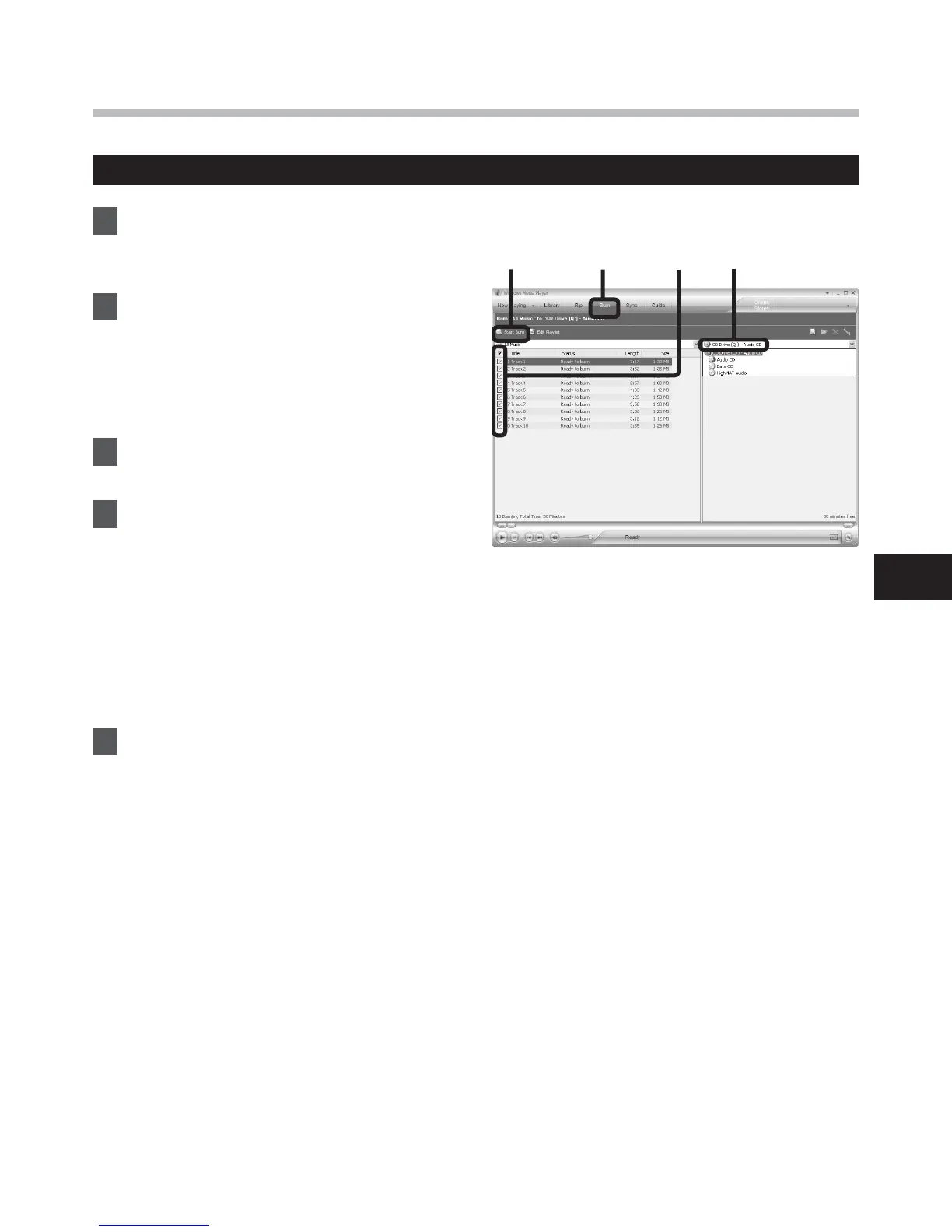
1 Insert the blank CD-R/RW into
the CD-R/RW drive, and start
Windows Media Player.
2 From the Features taskbar, click
[
Burn
] menu.
• Click [Burn] as needed after clicking
[Edit Playlist] menu.
• You can change the order of tracks by
Drag & Drop files.
3 Put a check mark on the voice
files that you want to copy.
4 Select format of CD before
clicking [
Start Burn
].
When [
Audio CD
] is selected:
• A file is converted and copied in
music CD in order to play it by the
audio equipment which can play
CD-R/RW.
When [
Data CD
] is selected:
• Copying files with the format to be
recorded.
5 Click [
Start Burn
].



 To Next Page