EasyManua.ls Logo

Omax M82ES Series - User Manual

Omax M82ES Series
13 pages
Print Icon
To Next Page IconTo Next Page
Loading...
User Manual
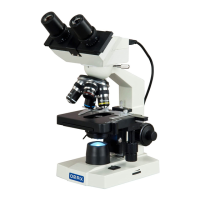
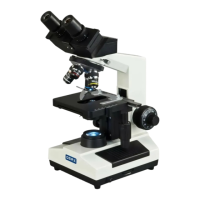
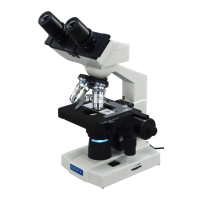
Binocular Compound
Microscope
Model: M82ES Series
MicroscopeNet.com

Questions and Answers

  • J
    Jasmin WrightJul 31, 2025
    How to fix poor image quality on Omax M82ES?
    • J
      jameskhanJul 31, 2025
      If you're experiencing poor image quality or can't focus the image on your Omax Microscope, consider these potential causes: * Ensure a 0.17mm slide cover is attached. * Verify the slide cover thickness is appropriate (0.17mm). * Make sure the slide isn't upside down. * Readjust the diopter settings. * Check for immersion oil on dry objectives and clean if needed. * Use immersion oil with the 100X objective. * Remove any air bubbles in the immersion oil. * Secure the specimen in the slide holder. * Adjust the condenser aperture properly. * Reposition the condenser. * Adjust the light intensity using the control dial.
  • D
    Daniel BondAug 5, 2025
    Why Omax M82ES Microscope lamp doesn't light when switched on?
    • C
      cunninghamdavidAug 5, 2025
      If the lamp on your Omax Microscope doesn't light up when switched on: * Check the power cord connection to ensure it's properly connected. * If the LED or power unit is dead, contact the seller for service.
  • J
    Justin ChenAug 10, 2025
    How to remove dirt from Omax M82ES view?
    • J
      james05Aug 10, 2025
      If you notice dirt or dust in the view of your Omax Microscope, the issue might be: * Dirt or dust on the lens eyepiece, condenser, objective, collector lens, or specimen. Clean the lens with a camera cleaning kit. * Dirt or dust on the specimen. Clean the specimen.
  • C
    Chelsea MirandaAug 15, 2025
    Why is there darkness at the periphery of my Omax M82ES image?
    • V
      Veronica MathisAug 15, 2025
      If you observe darkness at the periphery while using your Omax Microscope, it might be because the revolving nosepiece is not in the click stop position. To fix this, revolve the nosepiece to the click-stop position, correctly swinging the objective into the optical path.
  • F
    fmorganAug 20, 2025
    Why is the brightness uneven in my Omax Microscope's field of view?
    • J
      Joseph FigueroaAug 20, 2025
      If you notice uneven brightness in the field of view of your Omax Microscope, check the diffusion filter and make sure it’s in the light path.
  • A
    Anne SmithAug 26, 2025
    What to do if Omax M82ES camera image is totally white?
    • C
      carloskennedyAug 26, 2025
      If the image is totally white through the camera of your Omax Microscope, the light is too bright. Manually adjust the exposure in the software; consult the manual for details.

Summary

i. Caution

ii. Care and Maintenance

2 Installation

3 Operation

3.2 Placing specimen

Safely placing and securing a specimen slide on the mechanical stage.

3.3 Adjusting interpupillary distance

Adjusting the distance between eyepieces for comfortable binocular viewing.

3.4 Adjusting eyepiece diopter

Adjusting the diopter ring on eyepieces for precise focusing.

3.5 Focusing

Detailed steps for achieving a sharp focus using coarse and fine knobs.

3.6 Applying the immersion oil

Correct procedure for applying immersion oil for 100X objective use.

4 Specifications

6 Troubleshooting Guide

Omax M82ES Series Specifications

General IconGeneral
Magnification40X-2000X
EyepiecesWF10x and WF20x
Objectives4X, 10X, 40X
CondenserAbbe N.A. 1.25, with iris diaphragm
FocusCoaxial coarse and fine focusing
Head45° inclined, 360° rotatable, trinocular

Related product manuals