7
Operation
Maintenance
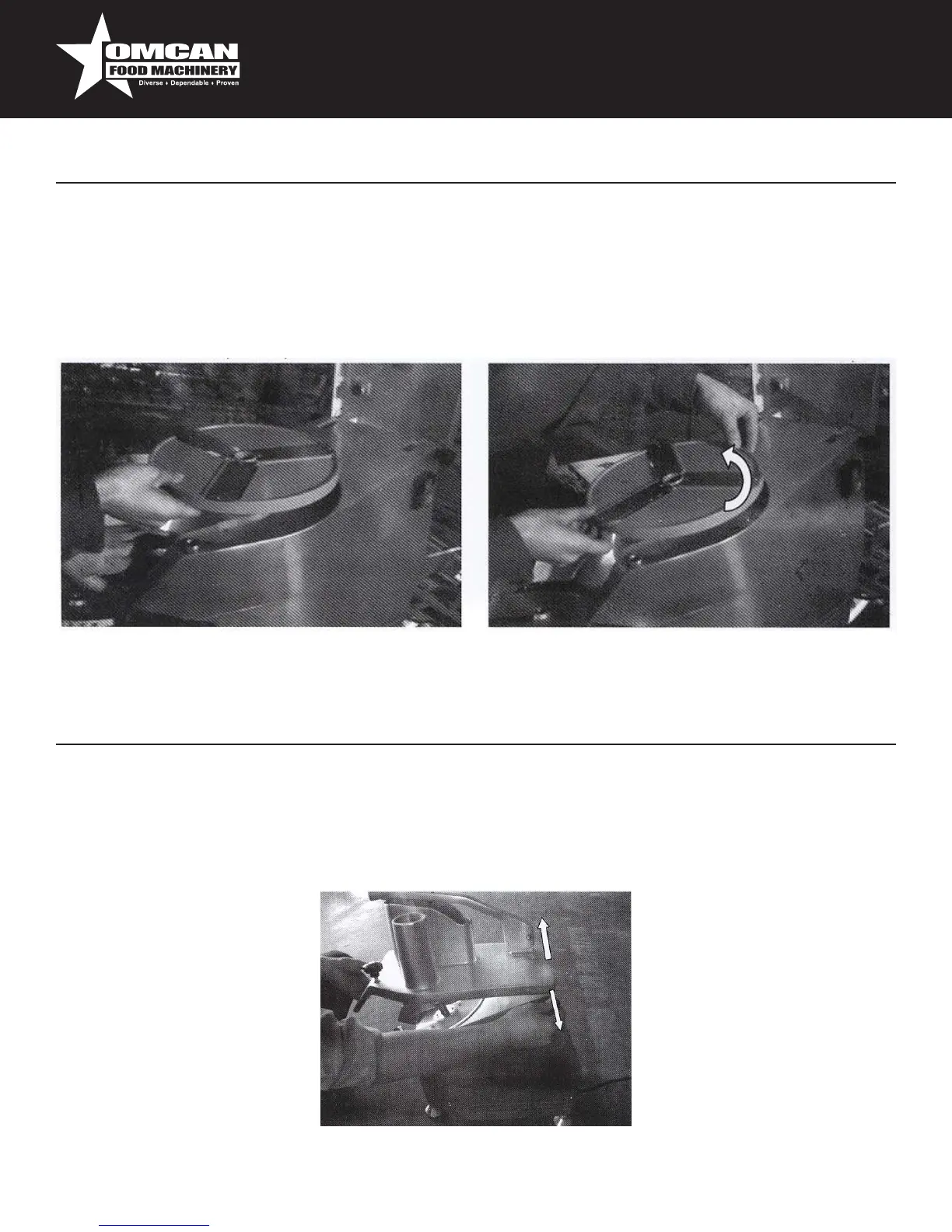
REPLACEMENT OF THE DISCS
Turnoffandunplugthemachine.TurntheknobandliftthecovershowninPic.4.Turnthedisc
counterclockwiseandcoverthecuttingedgewithappropriatematerial(rubber,fabric,etc.).Thenliftitby
settingyourhandunderthedisc.Liftthediscstoremoveit(Pic.7and8).
Pic.7
Pic.9
Pic.8
Beforecarryingoutanycleaningormaintenanceoperations,turnthemachineoffandunplugitfromthe
socket.Cleantheunitanddiscseveryday.Thediscs,gridandplasticejectorcanberemovedforwashing
underawarmwaterjet.Cleanthemachineandallotherareaswithawetclotheorspongeandwarmwater.
Removeallwastesfromthemachineduringcleaning.Openthecoverandloosenthetwopins,asshown
before,toremovethecoverandwashitunderawaterjet.


 To Next Page