USER MANUAL
PAGE 8
Ωmegadigitech ©2018
M202
4 - Programming using a PC
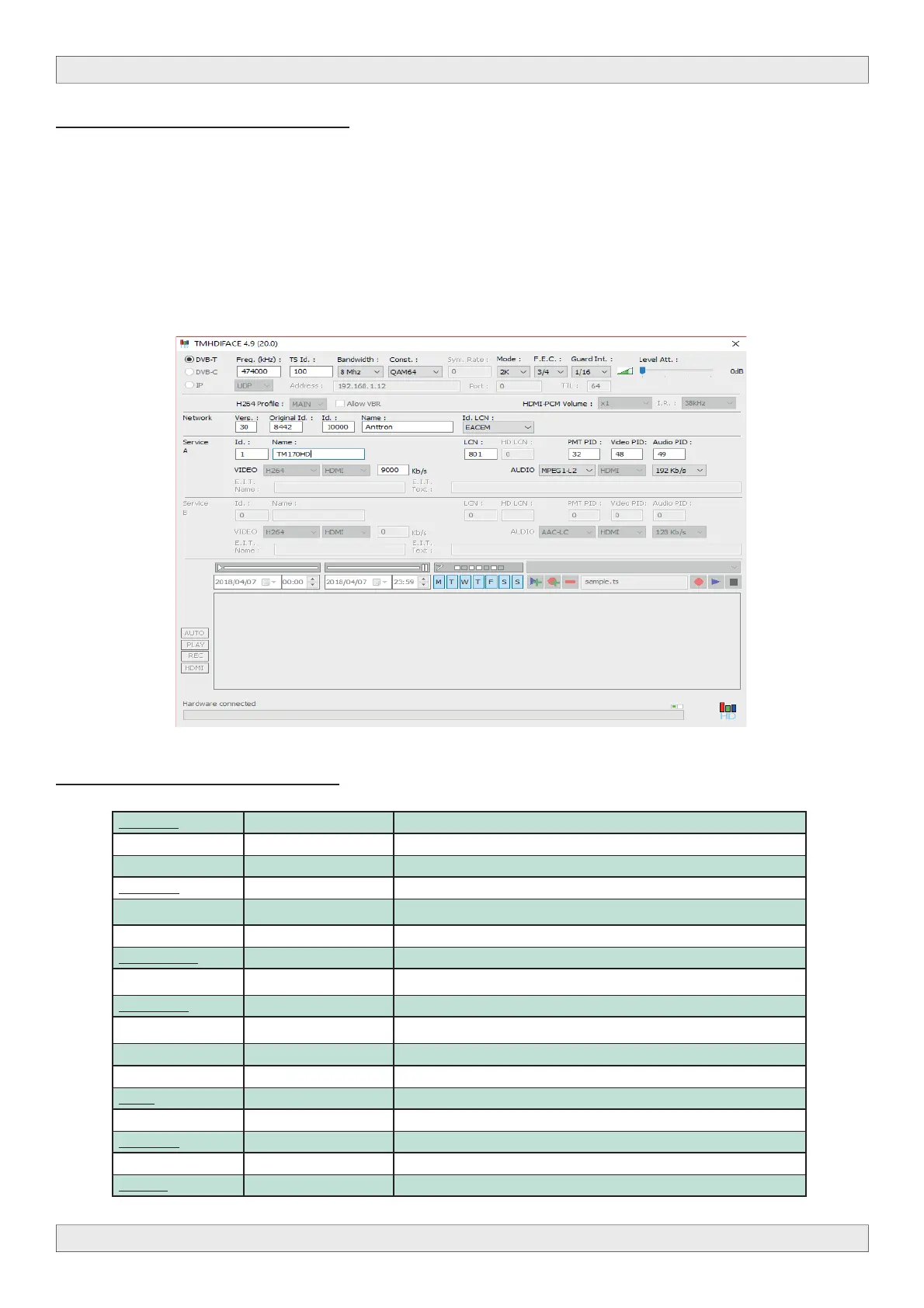
The settings of the M202 can also be changed using a PC.
First, please install the software TMHDIFace on your PC. ΜYou can download this software from
our internet site www.onetrade.gr
After installation of this software, connect the M202 using a USB cable (not included) to your per-
sonal computer. Then launch the program TMHDIface.
On the display of the M202 the message <USB> appears, indicating that the programming is now
performed through your PC. The following window appears on your screen.
Now, all parameters discussed in Chapter 3 of this user manual can be modifi ed by TMHDIface.
5 - Technical specifications
Video input Input HDMI
Resolu on modes 480p -576p -720p - 1080i - 1080P
Compression H.264 – bitrate 5-15 Mb/s
Audio input Input HDMI
Sample Rate HDMI (32kHz / 44.1 kHz / 48 kHz)
Compression AAC-LC / MPEG1-L2– bitrate 128-320 Kb/s
DVB Processing Table inser on PAT, PMT, SDT, NIT
Confi gura on Channel/network name, SID, LCN, TSID, ONID, NID, versions, audio, video PIDs…
DVB-T output Output frequency / level 170-230 MHz + 470-862 MHz / > 85 dBμV
Constella on - FEC QPSK/16QAM/64QAM - 1/2, 2/3, 3/4, 5/6, 7/8
Guard interval 1/4, 1/8, 1/16, 1/32
Mode - MER 2K/8K - 33 dB
Power DC 2.1 mm connector +5V
Consump on 10 Wa s
Dimensions LxWxH 150x130x35mm
Weight 0.9 kg
EAN code M202 5420037691708



 To Previous Page