Section 3 - Operation
3.1 Front Panel Controls and Indicators
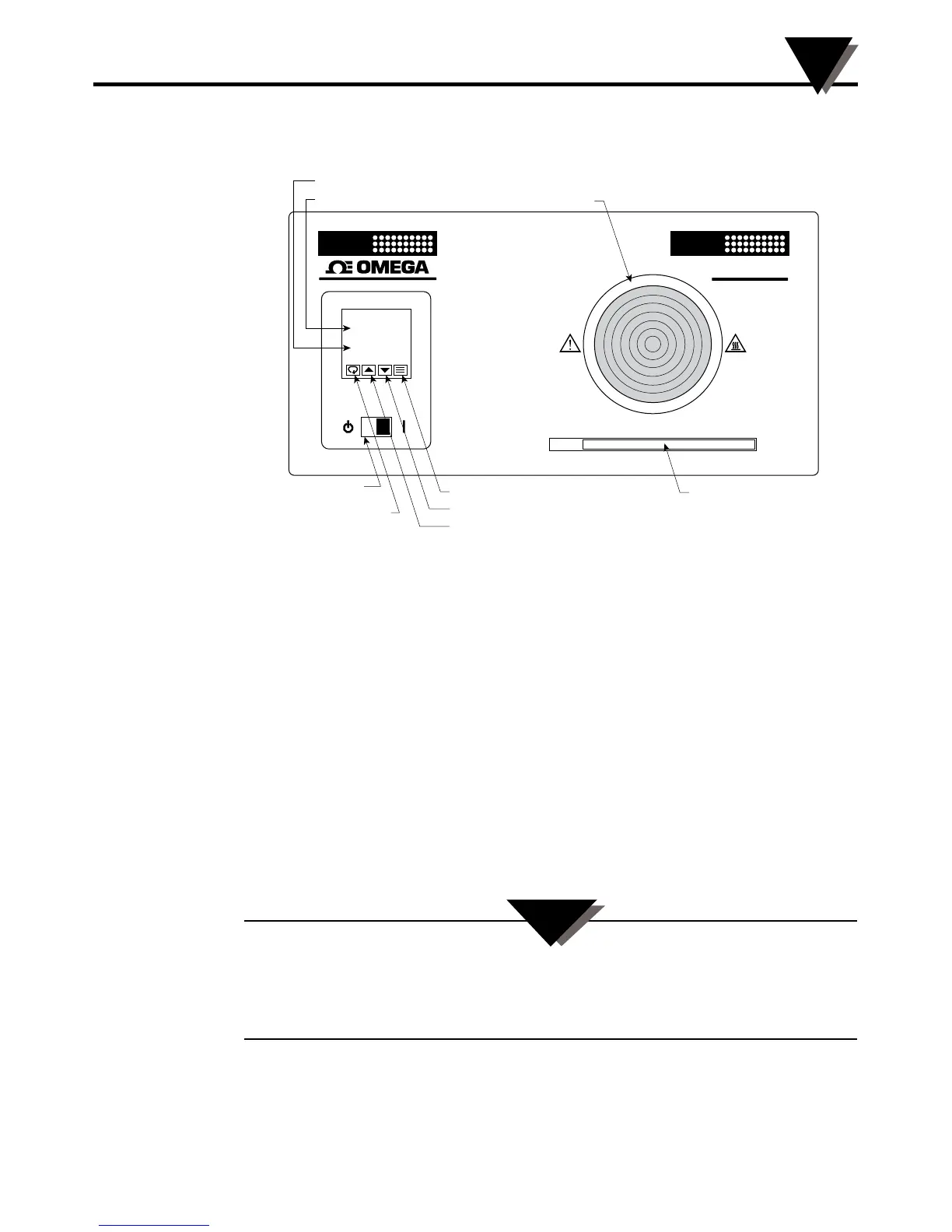
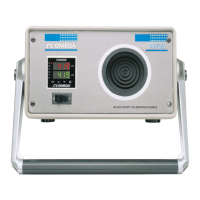
Figure 3. Front Panel
Process Temperature:
This field displays the current temperature of the target plate.
Setpoint Temperature:
This field displays the desired target plate temperature. Once the target plate
reaches this desired temperature, both displays will read the same value.
Target Plate:
The 4.0" target plate is a near ideal blackbody source. The emissivity of the plate
is .95. When calibrating an IR pyrometer, hold the pyrometer perpendicular to
the target plate for optimal performance. The proper distance between the IR
pyrometer and the target plate depends on the field of view of the pyrometer.
If the pyrometer is too far away it will scan unwanted surfaces outside of the
perimeter of the target plate. Holding the pyrometer too close could introduce
undesirable heat to the IR detector of the pyrometer.
The BB702’s target plate can be set to very high temperatures. Exercise extreme
caution when operating the unit. Keep hands and fingers away from the target plate
area. Keep flammable products such as paper, plastics and clothing far from the
BB702.
3-1
BB702 Operation
3
BLACK
POINT
Blackbody
90F/32C
Temperature
Range
420F/215C
420.0 PV
420.0 SV
SETPOINT TEMPERATURE
PROCESS TEMPERATURE TARGET PLATE
MODE KEY TEMPERATURE RANGE
REFERENCE BAR
LOWER SETPOINT KEY
RAISE SETPOINT KEY
PARAMETER/
ACCESS KEY
ON/STAND-BY
POWER SWITCH
BB702
T
CAUTION:


 To Next Page