© 2010 Omnicell, Inc. OmniTT/AnesthesiaTT Installation and Service Guide/67-2024 Rev D
Frames and Wireways 2-3
Manual Override Cable
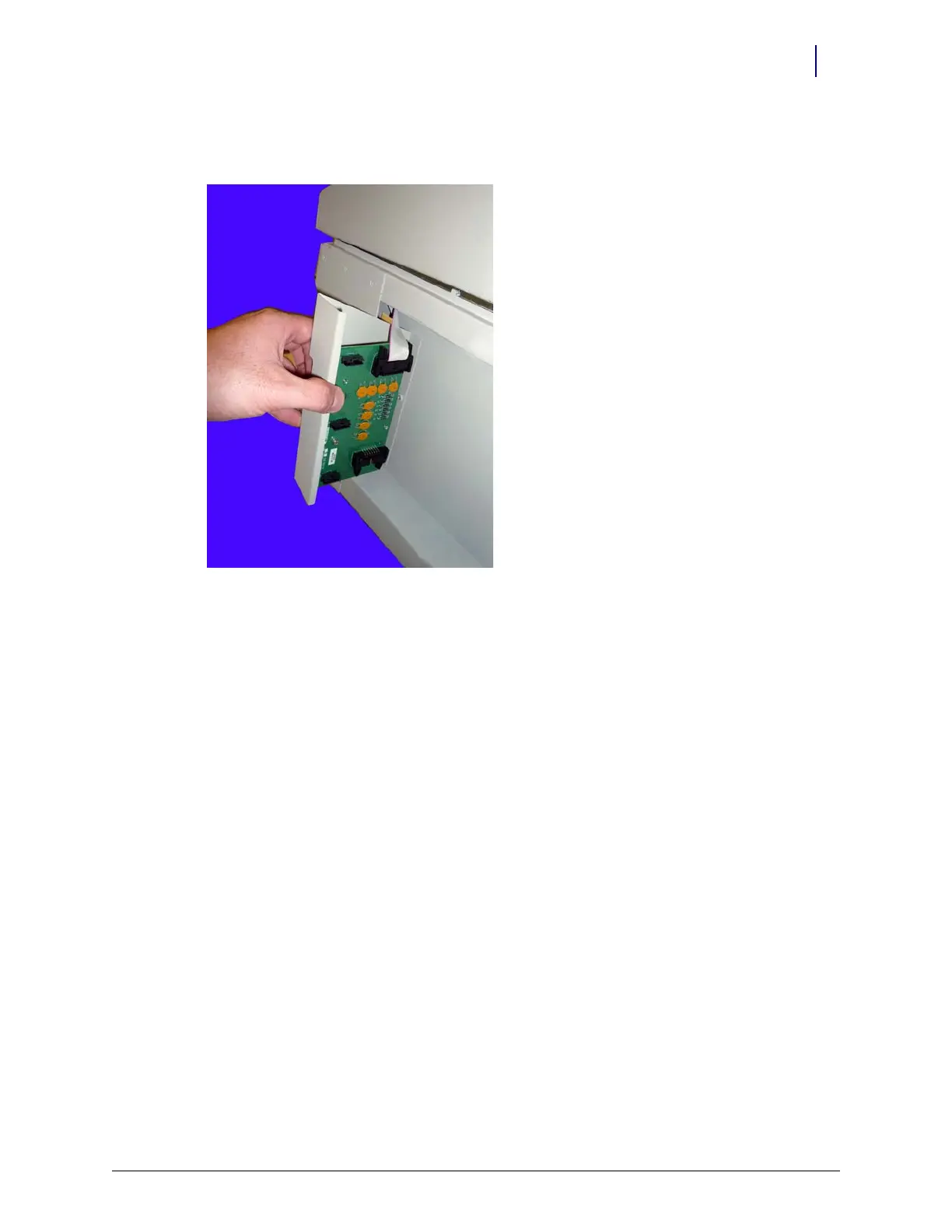
7. Pull the wireway backward toward the rear of the frame and disconnect the ribbon cable
(drawer connect board to IUPS cable assembly).
Figure 2-4. Disconnect the ribbon cable and remove the SPC board
8. Remove the SPC board from the wireway.
Manual Override Cable
Removal
1. Perform a graceful shutdown of the electronics sled.
2. Remove the manual override cover.
3. Remove all three drawers from the TT cabinet. For help, refer to “Removal Procedure” on
page 3-6.
4. Open the printer cover.
5. Push the platen lever to the left to release the paper.
6. Open the lid to the electronics tray.
7. Remove the thermal printer paper and spool.
8. Remove the electronics tray. For help, refer to “Electronics Tray” on page 1-9.



 To Next Page