2-6 Frames and Wireways
Manual Override Cable
OmniTT/AnesthesiaTT Installation and Service Guide/67-2024 Rev D © 2010 Omnicell, Inc.
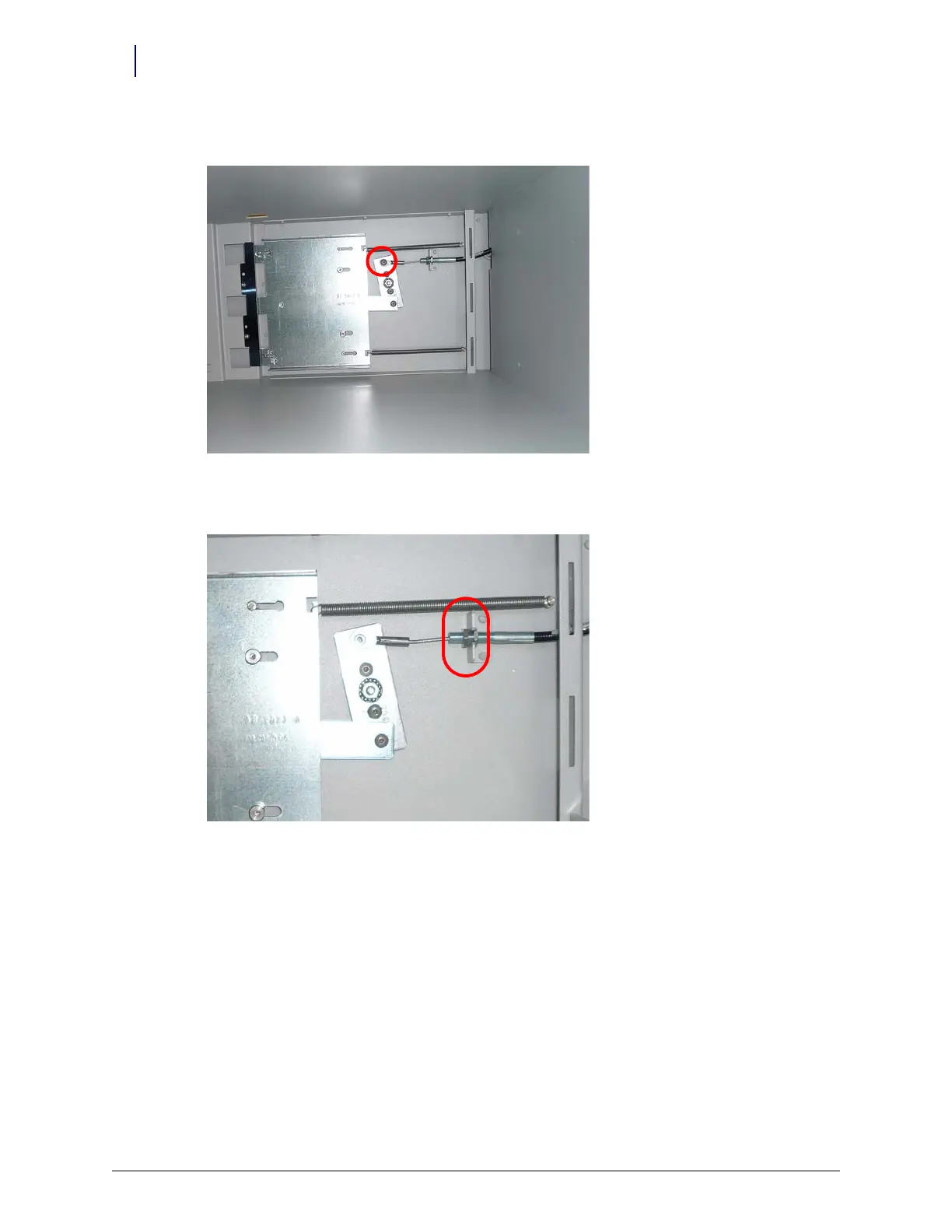
14. Remove the screw that secures the manual override cable to the manual override assembly.
Figure 2-9. Remove the screw that secures the cable to the manual override assembly.
15. Loosen the nut that secures the cable to the back of the frame.
Figure 2-10. Loosen the nut that secures the cable to the frame anchor
16. Pull the cable from the anchor on the back of the frame.
17. Pull the cable out from inside the TT cabinet.
Replacement
1. Feed the cable into the TT cabinet.
2. Replace the screw that secures the manual override cable to the manual override assembly.
3. Place the manual override cable into the frame anchor so that the two screws are on opposite
side of the anchor bracket.
4. Tighten the screws.
5. Feed the front of the manual override cable through the hole on the front of the TT cabinet.



 To Next Page