EasyManua.ls Logo

Omnilux CLEAR TN2112 - User Manual

Omnilux CLEAR TN2112
41 pages
Print Icon
To Next Page IconTo Next Page
Loading...
1
English Deutsch Espanol Français Nederlands
User Guide

Table of Contents

Questions and Answers

Summary

Who Should Use Omnilux Clear?

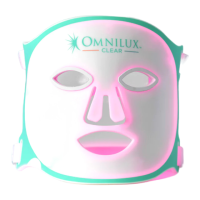
Device Description

Intended Use

Device emits red/blue light for mild to moderate acne via non-thermal mechanism.

When Should Omnilux Clear NOT Be Used?

Contraindications, Warnings and Precautions

Lists situations and medications to avoid using the Omnilux Clear device.

Side Effects and Clinical Benefits

Potential Side Effects

Describes common side effects like redness, pigmentation, and temporary headaches.

Clinical Benefit

Reports reduction in mild to moderate acne after a course of treatments.

First Time Setup

Unpacking and Charging Your Omnilux Clear

Instructions for unpacking, inspecting, and charging the Omnilux Clear device.

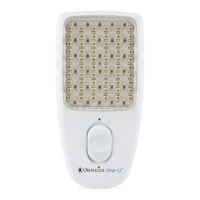
Connecting the Omnilux Clear to the Controller

Steps to connect the Omnilux Clear mask to its controller.

Sensitization Test

Guide for performing a sensitization test before first use.

Using the Omnilux Clear Device

Treatment Recommendations

Core treatment frequency and duration advice.

Wearing the Omnilux Clear Device

How to fit and wear the mask using adjustable straps.

Carrying Out a Treatment

Step-by-step guide for performing a treatment session.

Care and Maintenance

Cleaning the Omnilux Clear Device

Instructions for cleaning the device using specific products.

Disposal

Guidance on proper disposal of the device and its components.

Troubleshooting

Labelling

Recycling

Technical Specification

Explanation of Symbols

Warranty

Omnilux CLEAR TN2112 Specifications

General IconGeneral
BrandOmnilux
ModelCLEAR TN2112
CategoryPersonal Care Products
LanguageEnglish

Related product manuals