EasyManua.ls Logo

Omnilux CONTOUR User Manual

Omnilux CONTOUR
8 pages
To Next Page IconTo Next Page
Page #1 background imageLoading...
Page #1 background image
User Guide

Questions and Answers:

Omnilux CONTOUR Specifications

General IconGeneral
Light SourceLED
Treatment Time10 minutes
Power SourceRechargeable battery
MaterialFlexible silicone
Treatment AreaFull face
FDA ClearedYes
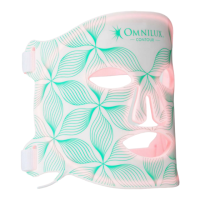
Product TypeLED Light Therapy Mask
WavelengthsRed (633nm) and Near-Infrared (830nm)

Summary

Omnilux Contour Face Overview

Intended Use

Device is used to reduce signs of aging and alleviate pain.

Device Description

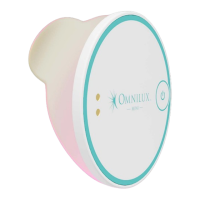
Details the flexible silicone face device, controller, power supply, and straps.

Contraindications, Warnings, and Precautions

Contraindications

Lists conditions and medications that prohibit device use due to potential risks.

Warnings

Advises on usage not specified, device heat, and use with skincare products.

Precautions

Covers cleaning, charging, storage, and environmental considerations for safe operation.

Risks and Benefits

Potential Adverse Effects

Notes that skin may appear red immediately after treatment, resolving within hours.

Potential Benefits

Reports visible improvement in skin tone and texture after a course of treatments.

Setup and Usage Guide

First Time Setup

Guides on unpacking the device and fully charging the lithium-ion polymer battery before use.

Sensitization Test

Explains how to perform a patch test on the inner arm to check for skin suitability.

Treatment Recommendations

Recommends treating 3-5 days a week for a minimum of 4 weeks for best results.

Wearing the Device

Details how to adjust and secure the device on the face using the provided straps.

Carrying Out a Treatment

Outlines cleansing the face, applying the device, and starting the 10-minute treatment program.

Care and Maintenance

Cleaning the Device

Instructs on cleaning with water-based wipes or damp cloths, avoiding harsh chemicals.

Disposal

Advises against domestic waste disposal and recommends returning for battery protection.

Troubleshooting

Problem Solving

Provides solutions for common problems like no light output or flickering LEDs.

Warranty Information

Related product manuals