EasyManua.ls Logo

Omnitronic DXO-24E - User Manual

Omnitronic DXO-24E
28 pages
Go to English
Print Icon
To Next Page IconTo Next Page
Loading...
©
Copyright
Nachdruck verboten!
Reproduction prohibited!
Für weiteren Gebrauch aufbewahren!
Keep this manual for future needs!
BEDIENUNGSANLEITUNG
USER MANUAL
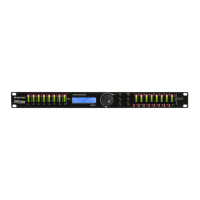
DXO-24E
DIGITAL CROSSOVER

Other manuals for Omnitronic DXO-24E

Question and Answer IconNeed help?

Do you have a question about the Omnitronic DXO-24E and is the answer not in the manual?

Summary

2. SAFETY INSTRUCTIONS

General Safety Precautions

Essential safety guidelines for operating the OMNITRONIC DXO-24E to ensure safe and proper use.

6. SETTING INTO OPERATION

5.2 Connecting audio devices

Step-by-step guide for connecting audio sources and amplifiers to the DXO-24E.

9. ADJUSTMENTS IN THE PARAMETER MENU

6.2.1 Configuration of input channels A and B

Configure gain for input channels A and B, with optional linking for stereo.

A. Adjusting the output level

Adjust the output level for each channel between -50 dB and +12 dB.

10. PARAMETER MENU ADJUSTMENTS (CONTINUED)

C. Adjusting the delay time

Set signal delay for speaker distances from 0 ms to 7 msec.

D. Switching on filters

Enable low pass or high pass filters with selectable crossover frequencies and filter types.

E. Equalizer adjustments

Configure 7 parametric equalizers (PEQ) for gain, Q-factor, and frequency.

11. PARAMETER MENU ADJUSTMENTS (CONTINUED)

F. Switching on the limiter

Activate output limiter to suppress harmful signal peaks and protect amplifiers.

Summary

2. SAFETY INSTRUCTIONS

General Safety Precautions

Essential safety guidelines for operating the OMNITRONIC DXO-24E to ensure safe and proper use.

6. SETTING INTO OPERATION

5.2 Connecting audio devices

Step-by-step guide for connecting audio sources and amplifiers to the DXO-24E.

9. ADJUSTMENTS IN THE PARAMETER MENU

6.2.1 Configuration of input channels A and B

Configure gain for input channels A and B, with optional linking for stereo.

A. Adjusting the output level

Adjust the output level for each channel between -50 dB and +12 dB.

10. PARAMETER MENU ADJUSTMENTS (CONTINUED)

C. Adjusting the delay time

Set signal delay for speaker distances from 0 ms to 7 msec.

D. Switching on filters

Enable low pass or high pass filters with selectable crossover frequencies and filter types.

E. Equalizer adjustments

Configure 7 parametric equalizers (PEQ) for gain, Q-factor, and frequency.

11. PARAMETER MENU ADJUSTMENTS (CONTINUED)

F. Switching on the limiter

Activate output limiter to suppress harmful signal peaks and protect amplifiers.

Omnitronic DXO-24E Specifications

General IconGeneral
Sampling Rate48 kHz
Frequency Response20 Hz - 20 kHz
Polarity ReverseYes
LimiterYes
DisplayLCD
Power Consumption10 W
Inputs2 x XLR
Outputs4 x XLR
THD< 0.01 % @ 1 kHz
Input Impedance10 kOhm
Output Impedance100 Ohm
Crossover Slopes12/18/24 dB/octave

Related product manuals