00030092.DOC, Version 1.0
21/27
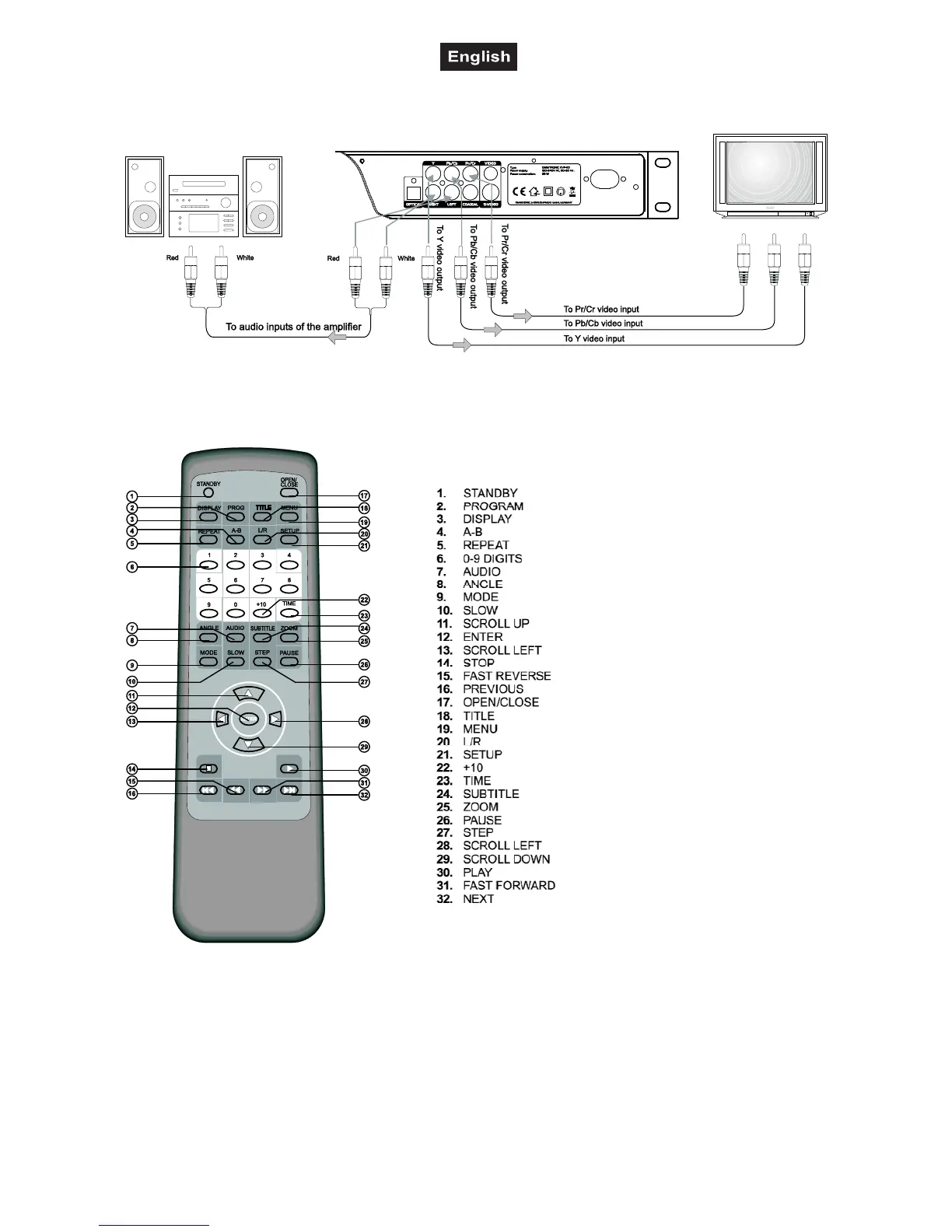
c) Connect your audio system, active speaker or amplifier via the RCA-sockets Left/Right. Make sure that the
r
ight/left occupation (plug-colour red/white) is the same at both devices.
Select the appropriate input channel at your TV-set and the correct input of your audio system.
5.2. Remote-control
Inserting/Replacing the batteries
Please refer to the explanations under Operating Determinations.
Open the battery cover on the bottom and remove it.
If replacing the batteries, remove the old batteries from the battery compartment. Only replace complete
battery-sets.
Leaky or damaged batteries might cause cauterisation when in contact with the skin; therefore, use suitable
protective gloves.



 To Next Page