00030092.DOC, Version 1.0
24/27
Under Downmix you can adjust Dolby Pro Logic Format (LT/RT) or Stereo.
U
nder SPDFI Output you can adjust the optical output. OFF, RAW (non-modulated) PCM (Pulse Code
Modulation).
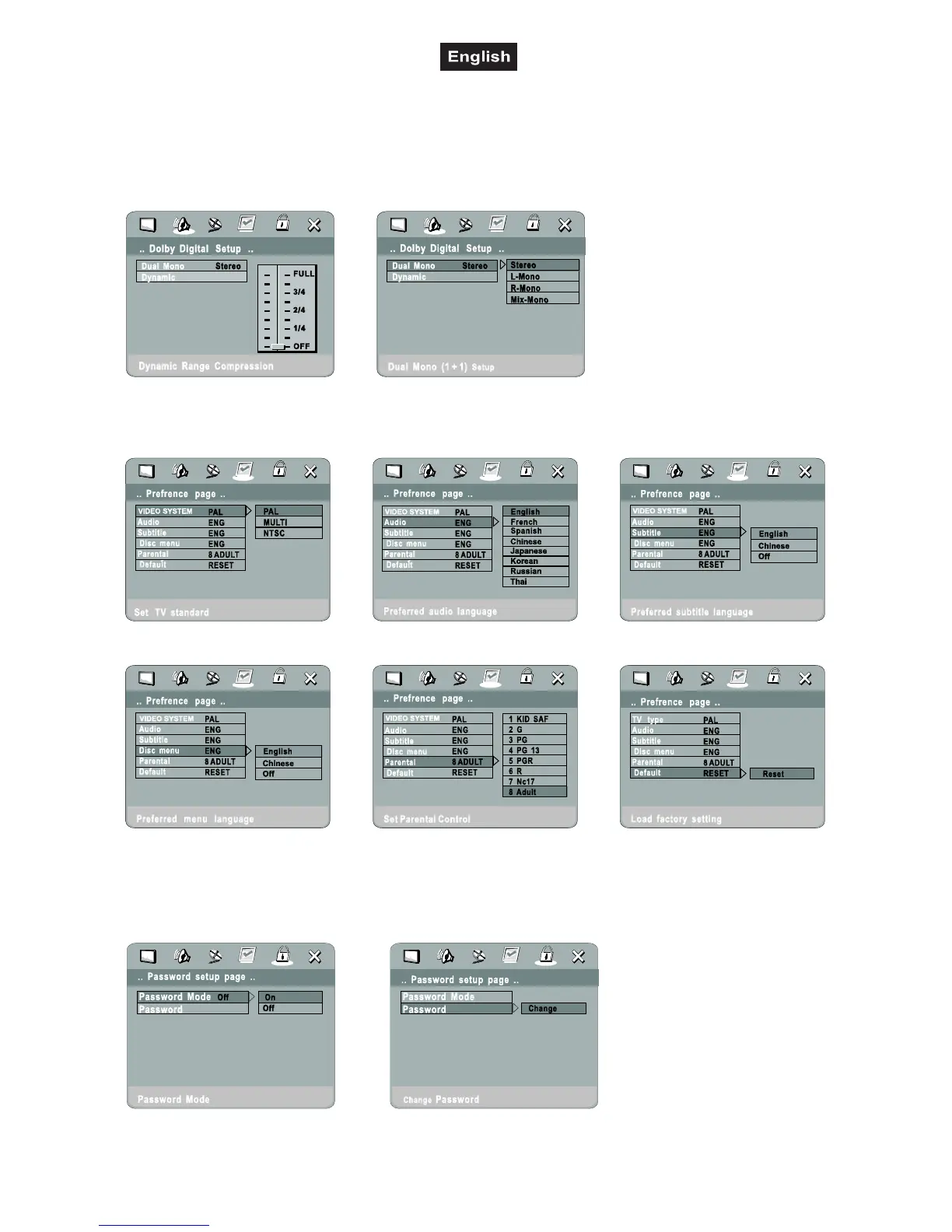
6.9 Dolby Setup Menu
6.10 Preferences Setup Menu
Under Video System you can select PAL (Europa), MULTI (universal) or NTSC (USA).
Under Parental Control you can adjust the level of child protection. 1 corresponds with very strict, 8 means
without protection. The password mode must be set to OFF before changing any parameter.
6.11 Password Setup Menu
Here you can set the password protection to ON or OFF and change the password. The default password is
8888. If you forget the password, it cannot be reset.



 To Next Page