00030092.DOC, Version 1.0
23/27
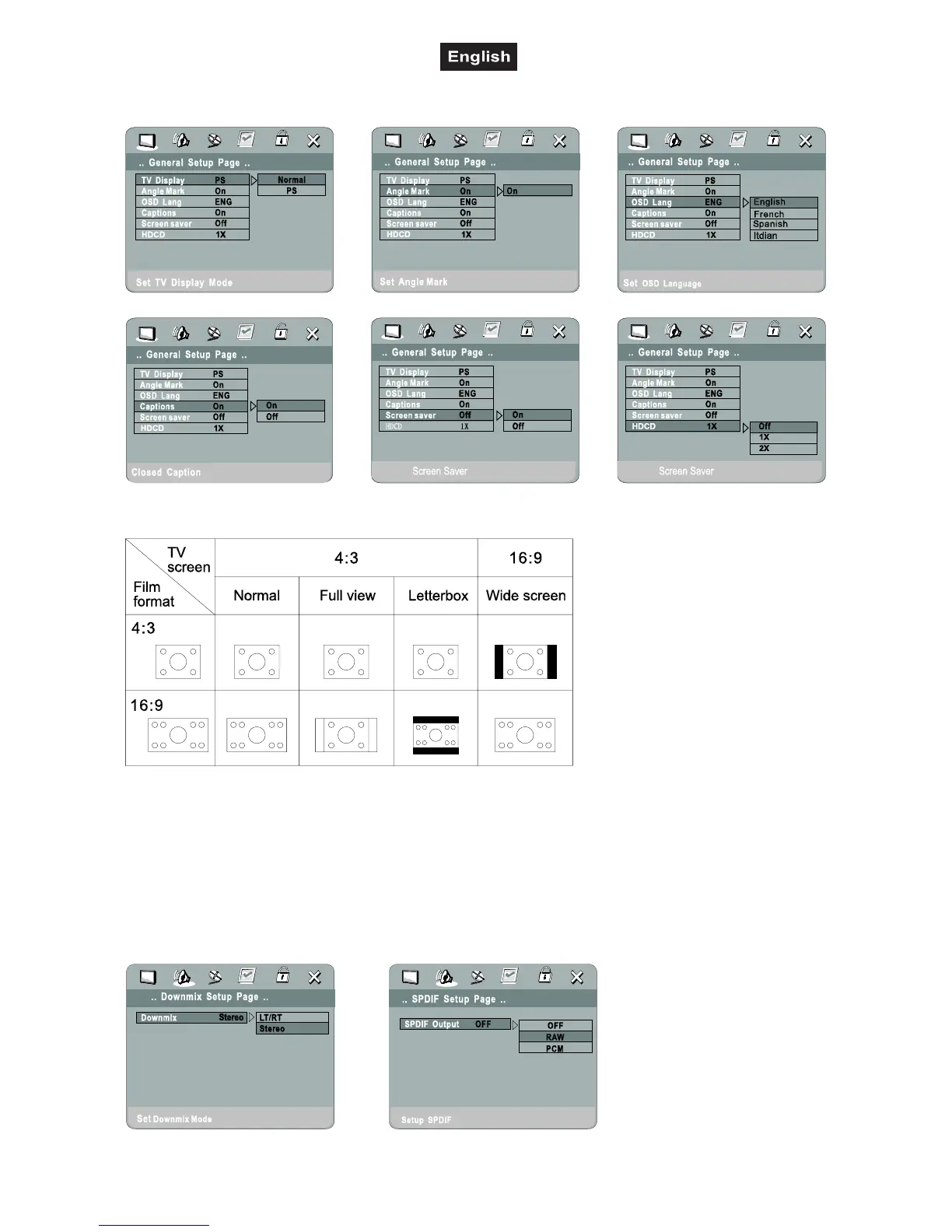
6.7 General Setup Menu
Overview Standard/Widescreen-format
Selecting the formats under TV Display.
Angle Mark is an additional feature not available on all DVDs. If several camera angles are available, they
can be selected via the Angle-button of the remote-control.
Under Captions additional text can be displayed if the DVD supports Feature Closed Caption (CC) .
6.8 Speaker Setup Menu



 To Next Page