EasyManua.ls Logo

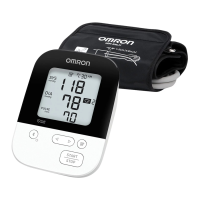
Omron 5 Series - User Manual

Omron 5 Series
52 pages
Print Icon
To Next Page IconTo Next Page
Loading...
INSTRUCTION MANUAL
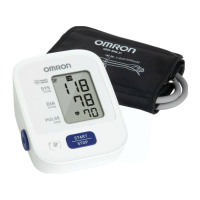
5 series Upper Arm
Blood Pressure Monitor
Model BP7250
®
3608778-6J
ENGLISH

Questions and Answers

  • J
    Joseph JohnsonAug 20, 2025
    Why are the measurement values on my Omron 5 Series Blood Pressure Monitor too high or too low?
    • M
      Mariah ParrishAug 20, 2025
      Blood pressure readings can fluctuate due to various factors like stress, time of day, and even how the cuff is applied. Consult the 'Before Taking a Measurement' and 'Taking a Measurement' sections for guidance on proper technique to ensure accurate readings.
  • J
    Jessica SilvaAug 22, 2025
    How to fix no power on Omron 5 Series Blood Pressure Monitor?
    • W
      Wendy JonesAug 22, 2025
      If your Omron Blood Pressure Monitor isn't powering on and the display is blank, try replacing all four batteries with new ones. Also, double-check that the batteries are installed correctly, paying close attention to the positive and negative polarities.
  • J
    jessicapughAug 25, 2025
    What to do if ' ' appears on Omron Blood Pressure Monitor?
    • M
      Mike DavisAug 25, 2025
      This symbol appears when the arm cuff is inflated exceeding the maximum allowable pressure. Avoid touching the arm cuff or bending the air tube during measurement. If inflating the cuff manually, refer to the instructions in the manual.
  • C
    Christina WigginsAug 26, 2025
    What does it mean when ' ' flashes on my Omron 5 Series Blood Pressure Monitor?
    • K
      Kayla BrownAug 26, 2025
      This indicates that the batteries are low. It's recommended to replace all 4 batteries with new ones.
  • J
    Jason FisherAug 28, 2025
    Why does the symbol appear on my Omron Blood Pressure Monitor?
    • M
      Monique MarksAug 28, 2025
      If the Omron Blood Pressure Monitor displays the symbol, it means the pulse rate wasn't correctly detected. To resolve this, make sure you apply the arm cuff correctly and remain still and sit correctly during the measurement. If the symbol continues to appear after these steps, it's recommended to consult with your physician.
  • J
    jennifer60Aug 29, 2025
    Why does the symbol appear on my Omron 5 Series Blood Pressure Monitor?
    • E
      Eric ThompsonAug 30, 2025
      If the Omron Blood Pressure Monitor displays the symbol, it indicates that you moved or talked during the measurement. Vibrations can also disrupt the measurement. To fix this, remain still and do not talk while the measurement is being taken.
  • H
    Hannah CollierAug 31, 2025
    How to fix Omron 5 Series Blood Pressure Monitor when appears or the arm cuff won't inflate?
    • J
      Jason WilkersonAug 31, 2025
      If your Omron Blood Pressure Monitor displays or the arm cuff isn't inflating, it could be due to a few reasons. First, check if you accidentally pressed the [START/STOP] button without the arm cuff being applied; if so, press the button again to turn it off, then reapply the cuff and press [START/STOP] again. Ensure the air plug is fully inserted into the monitor. Also, make sure the arm cuff is correctly positioned. If air is leaking, you may need to replace the arm cuff.
  • D
    Deborah ThomasSep 2, 2025
    What to do if nothing appears on the display of my Omron 5 Series Blood Pressure Monitor?
    • K
      Kristen RodgersSep 2, 2025
      Check the battery installation to ensure the polarities are properly aligned.
  • J
    jpowersSep 4, 2025
    What to do for any other problems that occur with Omron 5 Series?
    • T
      tammy65Sep 4, 2025
      Press the [START/STOP] button to turn the monitor off, then press it again to take a measurement. If the problem continues, remove all batteries and wait for 30 seconds before reinstalling them. If the problem still persists, contact customer service.
  • P
    Paul DeckerSep 6, 2025
    What does the symbol mean on my Omron 5 Series?
    • A
      Anthony ReynoldsSep 6, 2025
      If the Omron Blood Pressure Monitor displays the symbol, it means the arm cuff has inflated beyond the maximum allowable pressure. To prevent this, avoid touching the arm cuff or bending the air tube during the measurement. If you are manually inflating the arm cuff, refer to the instructions at the end of sub-section 3.1 to ensure proper inflation technique.

Omron 5 Series Specifications

General IconGeneral
ModelBP7200
TypeUpper Arm
Memory Storage60 readings
DisplayDigital LCD
Irregular Heartbeat DetectionYes
Measurement MethodOscillometric
Measurement Range (Pressure)0 to 299 mmHg
Body Movement DetectionYes
Power Source4 AA batteries
Measurement Range (Pulse Rate)40 to 180 beats/min.
Average ReadingYes
Fits Arm Circumference22-42 cm
Users2 users

Related product manuals