9
2. Preparation
EN
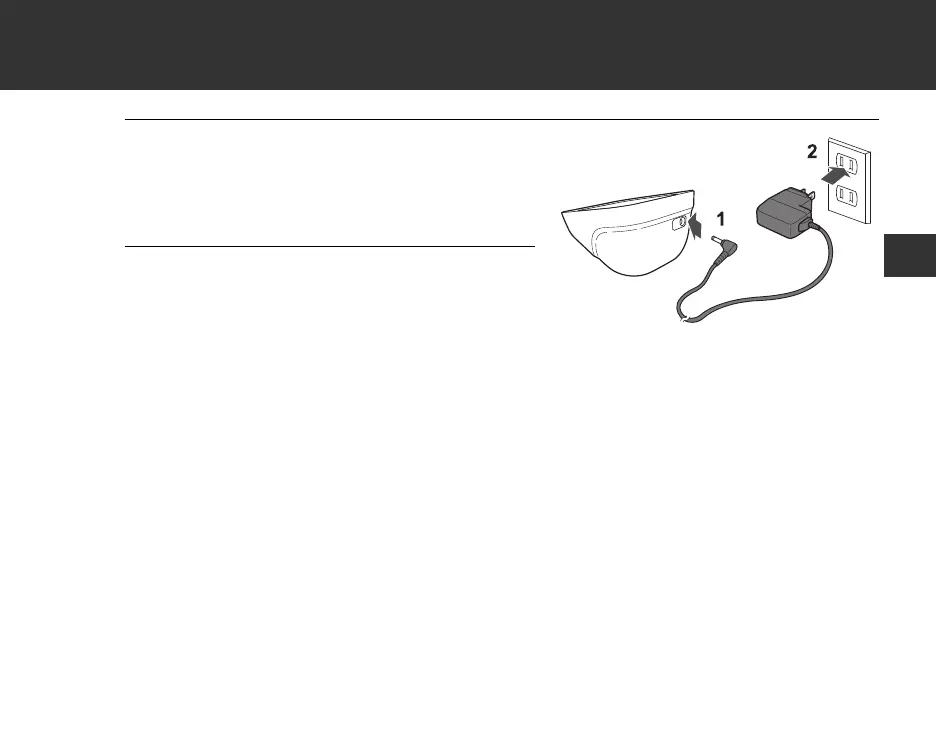
1. Insert the AC adapter plug
into the AC adapter jack on
the rear side of the monitor.
2. Plug the AC adapter into an
electrical outlet.
To d i s con n e ct t h e A C ad a p ter, u npl u g t h e AC adapter from the electrical outlet first
and then remove the AC adapter plug from the monitor.


 To Next Page