EasyManua.ls Logo

Omron Intellisense BP785CAN - User Manual

Omron Intellisense BP785CAN
52 pages
Print Icon
To Next Page IconTo Next Page
Loading...
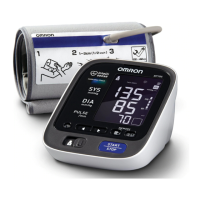
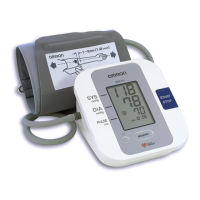
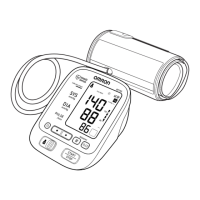
10 series
Blood Pressure Monitor
with ComFit
TM
Cuff
Model BP785CAN
INSTRUCTION MANUAL
FRANÇAIS
ENGLISH
HEM-7222-CA_E-F_110510.qxd 11/5/10 11:57 AM Page 1

Questions and Answers

  • K
    Kelly PetersonAug 7, 2025
    Why Omron Intellisense BP785CAN has no power and no display?
    • R
      Ryan GrahamAug 7, 2025
      If your Omron Blood Pressure Monitor has no power and the display is blank, replace all four batteries with new ones. Also, check that the battery polarities are correctly aligned during installation.
  • R
    Ruben AndrewsAug 13, 2025
    What to do if movement during measurement with Omron Intellisense BP785CAN?
    • M
      Mark JonesAug 13, 2025
      If you moved during the blood pressure measurement with your Omron Blood Pressure Monitor, repeat the measurement. Stay still and do not talk while measuring.
  • J
    Joel LewisAug 18, 2025
    How to fix 'E2' error on Omron Intellisense BP785CAN Blood Pressure Monitor?
    • J
      Julie RobinsonAug 18, 2025
      If “E2” appears repeatedly on your Omron Blood Pressure Monitor, inflate the cuff manually until it is 30 to 40 mmHg above your previous measurement result.
  • D
    Donna StephensAug 25, 2025
    What to do if clothing is interfering with the arm cuff of Omron Blood Pressure Monitor?
    • D
      Dustin HunterAug 25, 2025
      If clothing is interfering with the arm cuff of your Omron Blood Pressure Monitor, remove any clothing that is causing interference.
  • R
    Rachel HouseAug 30, 2025
    Why is air leaking from the arm cuff of my Omron Intellisense BP785CAN?
    • T
      Todd ChavezAug 30, 2025
      If air is leaking from the arm cuff of your Omron Blood Pressure Monitor, replace the cuff with a new one.

Summary

Introduction

Safety Information

Intended Use

Product is designed to measure blood pressure and pulse rate for people within the designated arm cuff range.

Operating the Device

Basic safety measures should always be followed including warnings and cautions listed in this manual.

Risk of Electrical Shock

Care and Maintenance

Before Taking a Measurement

Know Your Unit

Unit Display

Display Symbols

Irregular Heartbeat Symbol

Indicates an irregular rhythm detected two or more times during the measurement.

Movement Error Symbol

Displayed if you move your body during the measurement. Please remove the arm cuff and wait.

User ID Symbol

Indicates USER A or USER B as selected by the user to take a measurement or use memory function.

Using the AC Adapter

Battery Installation

Setting the Date and Time

Setting TruRead

Applying the Arm Cuff

Taking a Measurement

Using the Guest Mode

Selecting the User ID

Using the User ID

Using the Single Mode

Using the TruRead Mode

Special Conditions

Using the Memory Function

Care and Maintenance

Error Indicators and Troubleshooting Tips

FCC Statement

Limited Warranty

Specifications

Omron Intellisense BP785CAN Specifications

General IconGeneral
BrandOmron
ModelBP785CAN
TypeUpper Arm Blood Pressure Monitor
Measurement MethodOscillometric
DisplayDigital LCD
TechnologyIntellisense
Irregular Heartbeat DetectionYes
User Profiles2
Average ReadingYes
Hypertension IndicatorYes
Body Movement DetectionYes
Cuff Wrap GuideYes
Multiple User SupportYes
Date and Time StampYes
Measurement Range (Pressure)0 to 299 mmHg
Memory200 readings
Power Source4 AA batteries
Measurement Range (Pulse)40 to 180 beats per minute

Related product manuals