EasyManua.ls Logo

Omron IntelliSense HEM-775 - User Manual

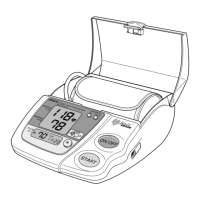
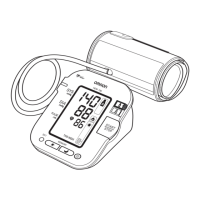
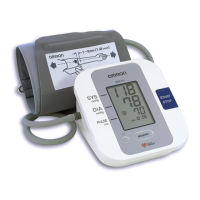
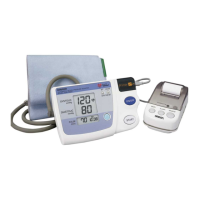
Omron IntelliSense HEM-775
104 pages
Print Icon
To Next Page IconTo Next Page
Loading...
Ultra Premium
Blood Pressure Monitor
featuring ComFit
TM
Cuff
Model HEM-775
INSTRUCTION MANUAL
ESPAÑOL
ENGLISH
HEM-775 IM Final.qxd 11/16/06 4:03 PM Page 1

Table of Contents

Questions and Answers

  • R
    riverspatriciaJul 30, 2025
    Why are my Omron IntelliSense HEM-775 readings too high or too low?
    • K
      Kimberly ThompsonJul 31, 2025
      Blood pressure naturally varies due to stress, time of day, and cuff application. Please review the sections “Before Taking a Measurement” and “Taking a Measurement” to ensure proper technique and environmental control.
  • X
    Xavier ReyesAug 13, 2025
    How to fix Omron IntelliSense HEM-775 Blood Pressure Monitor with no power?
    • D
      Denise King MDAug 13, 2025
      If your Omron Blood Pressure Monitor has no power and the display is blank, replace all four batteries with new ones. Also, double-check that the batteries are installed correctly, paying close attention to the proper placement of the battery polarities.

Summary

Safety Information for Omron Blood Pressure Monitor

Operating the Device Safely

Guidelines for safe operation and user precautions.

Risk of Electrical Shock Precautions

Care and Maintenance Guidelines

Before Taking a Measurement Recommendations

Know Your Omron HEM-775 Unit

Morning Hypertension Symbol

Battery Installation Guide

Using the AC Adapter

Setting the Date and Time

Setting the Year

Procedure to set the current year on the monitor.

Setting the Month

Procedure to set the current month on the monitor.

Applying the Arm Cuff

Applying the Cuff on the Left Arm

Step-by-step guide for correctly applying the cuff to the left arm.

Applying the Cuff on the Right Arm

Instructions for applying the cuff to the right arm.

Taking a Blood Pressure Measurement

Selecting the TruRead Mode

Enabling the mode for multiple consecutive measurements.

Using the TruRead Mode Process

Detailed steps for taking measurements in TruRead™ mode.

Using the Memory Function

Care and Maintenance

Error Indicators and Troubleshooting

Error Indicators

Identifies common error symbols and their causes.

Troubleshooting Tips

Solutions for common problems like no power or inaccurate readings.

Omron IntelliSense HEM-775 Specifications

General IconGeneral
TypeUpper Arm Blood Pressure Monitor
Measurement MethodOscillometric
DisplayLCD
TechnologyIntelliSense
Measurement Range (Pressure)0 to 299 mmHg
Accuracy (Pressure)±3 mmHg
Accuracy (Pulse)±5% of reading
Irregular Heartbeat DetectionYes
Body Movement DetectionYes
Hypertension IndicatorYes
Cuff Size22-42 cm
Power Source4 AA batteries
Measurement Range (Pulse)40 to 180 beats/min

Related product manuals