EasyManua.ls Logo

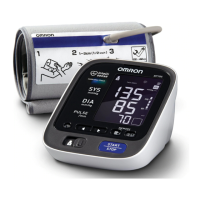
Omron INTELLISENSE BP755 - User Manual

Omron INTELLISENSE BP755
36 pages
Print Icon
To Next Page IconTo Next Page
Loading...
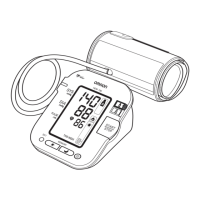
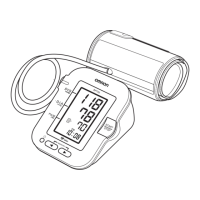
Automatic Blood Pressure Monitor
with ComFit
Cuff
Model BP755
INSTRUCTION MANUAL
BP755
®
ESPAÑOL
ENGLISH
BP755IM_E_SP_q6_R2.qxd 5/26/09 4:14 PM Page 1

Questions and Answers

  • L
    lindaporterJul 30, 2025
    Why are measurement values too high or too low on my Omron Blood Pressure Monitor?
    • C
      Christopher AustinJul 30, 2025
      Blood pressure readings can vary due to several factors like stress, time of day, and cuff application. Review the 'Before Taking a Measurement' and 'Taking a Measurement' sections to ensure proper usage.
  • A
    Alexandra BishopAug 5, 2025
    What to do if no display appears on Omron INTELLISENSE BP755 Blood Pressure Monitor?
    • M
      Michelle HubbardAug 5, 2025
      If there is no display on your Omron Blood Pressure Monitor, replace all four batteries with new ones. Also, check to ensure the batteries are installed with the correct polarity.
  • O
    oshawAug 10, 2025
    How to fix under-inflated cuff on Omron Blood Pressure Monitor?
    • I
      Ian FisherAug 11, 2025
      If the cuff is under-inflated or not applied correctly, remove the arm cuff, consult the “Taking a Measurement” section, wait 2-3 minutes, and then take another measurement.
  • E
    Elizabeth MirandaAug 17, 2025
    What to do if Omron INTELLISENSE BP755 batteries are worn?
    • W
      Whitney Phillips MDAug 17, 2025
      If the batteries are worn, replace all four batteries, referring to the “Battery Installation” section for guidance.
  • S
    suttonstephanieAug 23, 2025
    How to fix Omron INTELLISENSE BP755 Blood Pressure Monitor that could not detect pulse wave?
    • P
      peter47Aug 23, 2025
      If your Omron Blood Pressure Monitor cannot detect a pulse wave, take another measurement and ensure you remain still until the measurement is complete.

Summary

Safety Information and Precautions

Operating the Device Safely

Provides essential guidelines and precautions for safe operation of the blood pressure monitor.

Risk of Electrical Shock

Details critical safety measures to prevent electrical shock hazards during use.

Before Taking a Measurement

Interpreting Display Symbols

Using the AC Adapter

AC Adapter Safety Instructions

Crucial safety warnings and guidelines for using the AC adapter to prevent hazards.

Connecting the AC Adapter

Step-by-step instructions on how to properly connect the AC adapter to the monitor and power outlet.

Battery Installation and Replacement

Setting the Date and Time

Applying the Arm Cuff

Applying Cuff on Left Arm

Step-by-step guide for correctly fitting the arm cuff on the left arm for measurement.

Applying Cuff on Right Arm

Instructions for properly applying the arm cuff to the right arm for measurement.

Taking a Measurement

Measurement Procedure Steps

Details the initial steps and posture required for taking an accurate blood pressure reading.

Starting and Completing Measurement

Explains how to start, conduct, and stop the blood pressure measurement process.

Using the Memory Function

Care and Maintenance

Error Indicators and Troubleshooting

Symbol-Based Error Codes

Lists common error symbols, their causes, and recommended correction steps.

General Troubleshooting Tips

Addresses common issues like no power or inaccurate readings with potential solutions.

Omron INTELLISENSE BP755 Specifications

General IconGeneral
BrandOmron
ModelBP755
TypeUpper Arm Blood Pressure Monitor
TechnologyIntelliSense
Measurement MethodOscillometric
DisplayDigital LCD
Irregular Heartbeat DetectionYes
Memory60 readings
Average ReadingYes
Power Source4 AA Batteries
Wireless ConnectivityNo
Cuff Size22-42 cm
WeightApproximately 0.5 kg

Related product manuals