EasyManua.ls Logo

Omron IntelliSense IW2 - User Manual

Omron IntelliSense IW2
22 pages
Print Icon
To Next Page IconTo Next Page
Loading...
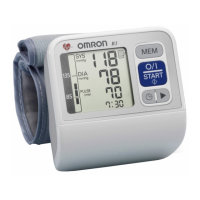
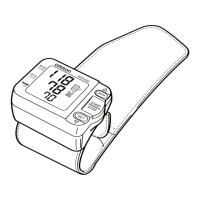
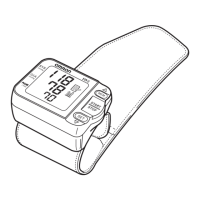
Automatic Wrist
Blood Pressure Monitor
 !"#$%&'
Model
IW2
INSTRUCTION MANUAL
===
En_TC-Cover[IW2]-1 2/16/05, 11:18 AMPage 1 Adobe PageMaker 6.5C/PPC

Questions and Answers

  • M
    Matthew AlexanderJul 31, 2025
    Why does my Omron IntelliSense IW2 Blood Pressure Monitor show an error symbol?
    • D
      Dennis MyersJul 31, 2025
      An error symbol on your Omron Blood Pressure Monitor can appear due to several reasons: * The cuff may be over inflated: Turn off the power by pressing the START/STOP button once, sit still, restart the measurement, and remain still and do not talk during measurement. * Movement during measurement. * The wrist may not be in the correct position. * The wrist cuff is not fastened securely. * The battery power is low: Replace the batteries with two new “AAA” batteries.
  • J
    Jennifer JohnsonAug 7, 2025
    Why is my Omron Blood Pressure Monitor blood pressure different each time?
    • J
      Jeffery VillaAug 7, 2025
      Blood pressure readings can vary constantly with the time of measurement and your psychological condition. To help stabilize your readings, take deep breaths to relax before taking a measurement with your Omron Blood Pressure Monitor.
  • Q
    qhunterAug 14, 2025
    What to do if Omron IntelliSense IW2 readings are too high?
    • M
      mperezAug 14, 2025
      If you're getting high readings on your Omron Blood Pressure Monitor, make sure you're holding the wrist cuff at heart level and that the cuff is wrapped snugly. Also, ensure your arms and shoulders are relaxed, and that you remain still and don't talk during the measurement.
  • D
    Dominic ValdezAug 22, 2025
    How to fix Omron IntelliSense IW2 Blood Pressure Monitor when no display appears?
    • F
      Frederick OrozcoAug 22, 2025
      If no display appears on your Omron Blood Pressure Monitor when you press the START/STOP button, it's likely due to one of two reasons: * The batteries are flat: Replace them with new batteries. * The batteries were inserted incorrectly: Ensure you insert the batteries with the correct [+] [-] polarity.

Summary

Introduction

Safety Information

General Safety Precautions

Essential warnings and cautions for safe operation and user protection.

Know Your Unit

Unit Components and Display

Details the main unit, display symbols, and accessories.

Measurement Preparation and Tips

Measuring Blood Pressure Tips

Provides advice on posture, environment, and timing for accurate readings.

Initial Unit Setup

Battery Installation;Replacement

Instructions for installing and replacing batteries in the monitor.

Battery Life and Replacement

Information on battery life expectations and when to replace batteries.

Setting the Date and Time

Step-by-step instructions for setting the monitor's date and time.

Using the Blood Pressure Monitor

Applying the Wrist Cuff

Instructions on how to correctly wear the wrist cuff for measurement.

Taking a Blood Pressure Reading

Step-by-step process for measuring blood pressure and pulse.

Irregular Heartbeat Explanation

Explains irregular heartbeat symbols and their implications.

Arrhythmia Explanation

Defines arrhythmia and its potential causes.

Memory Function Usage

How to view average readings and stored measurements.

Modifying Device Settings

Customizing options like position sensor and wrist selection.

Troubleshooting Common Issues

Symptom-Based Troubleshooting

Addresses issues like no display, inaccurate readings, and inconsistent results.

Error Code Troubleshooting

Explains error codes (E, 0, etc.) and their corresponding corrective actions.

Monitor Care and Maintenance

Care and Protection Guidelines

Guidelines on avoiding damage from temperature, water, shock, and chemicals.

Product Specifications

Device Specifications

Details measurement range, memory, accuracy, power, and dimensions.

Omron IntelliSense IW2 Specifications

Display IconDisplay
display typeLCD Digital Display
Measurement IconMeasurement
measurement methodOscillometric method
measurement range pressure0 to 299 mmHg
pulse range40 to 180 beats/min
Accuracy IconAccuracy
pressure accuracyWithin ±3 mmHg
pulse rate accuracyWithin ±5% of reading
Power Supply and Battery IconPower Supply and Battery
power supplyTwo AAA batteries (LR03)
battery lifeApproximately 300 measurements
Operating Environment IconOperating Environment
operating temperature10°C to 40°C
operating humidity30 to 85% RH
Storage Conditions IconStorage Conditions
storage temperature-20°C to 60°C
storage humidity10 to 95% RH
Weight and Dimensions IconWeight and Dimensions
weightApproximately 110 g
width70 mm
height54 mm
depth37 mm

Related product manuals