EasyManua.ls Logo

Omron BP785N - User Manual

Omron BP785N
40 pages
Print Icon
To Next Page IconTo Next Page
Loading...
i
Monitor
Instruction Manual
C
Engli
s
h
E
spañol
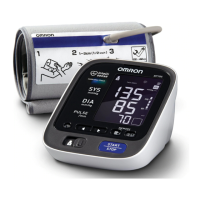
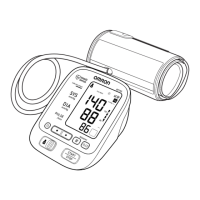
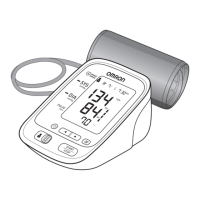
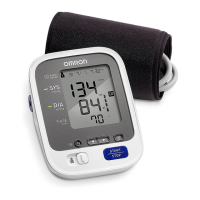
10 series Blood Pressure Monitor
Model BP785N
Instruction Manual
English
.
o, Kyoto, 617-0002 JAPAN
st, IL 60045 U.S.A.
Made in Vietnam
Español
2298861-6C
.
o, Kyoto, 617-0002 JAPÓN
st, IL 60045 U.S.A.
Hecho en Vietnam
El producto incluye:
Monitor
Manual de Instrucciones
Quick S
Guía re
B
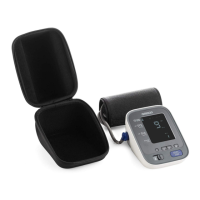
Product includes:
10 series Blood Pressure Monitor
Model BP785N
Instruction Manual
HEM-7321-Z_C_M.book Page i Monday, June 16, 2014 12:09 PM

Questions and Answers

  • M
    Maria AndersonJul 26, 2025
    What to do if Omron Blood Pressure Monitor cuff has not been inflated sufficiently?
    • S
      Sarah BrownJul 26, 2025
      If the Omron Blood Pressure Monitor cuff has not been inflated sufficiently and “E2” appears repeatedly, manually inflate the arm cuff until it is 30 to 40 mmHg above your previous measurement result.
  • J
    Jacob GrossJul 31, 2025
    What to do if air is leaking from the arm cuff of Omron BP785N Blood Pressure Monitor?
    • S
      Summer JuarezJul 31, 2025
      If you are experiencing air leaking from the arm cuff of your Omron Blood Pressure Monitor, replace the arm cuff with a new one, referring to section 5.3 for instructions.
  • J
    Janet NelsonAug 5, 2025
    How to correctly apply Omron BP785N Blood Pressure Monitor if the arm cuff is too loose?
    • H
      herreramelissaAug 6, 2025
      If the arm cuff on your Omron Blood Pressure Monitor is applied too loosely, apply it tighter, referring to section 3.1 for guidance.
  • C
    Courtney CookAug 10, 2025
    How to fix disconnected air plug on Omron BP785N Blood Pressure Monitor?
    • G
      grahamdanielleAug 10, 2025
      If the air plug of your Omron Blood Pressure Monitor is disconnected, insert it securely, referring to section 3.1 for detailed instructions.
  • M
    melissahernandezAug 16, 2025
    How to replace batteries in Omron BP785N Blood Pressure Monitor?
    • A
      Amanda SchroederAug 16, 2025
      If your Omron Blood Pressure Monitor indicates low batteries, replace them with new ones ahead of time. Refer to section 2.1 for instructions.
  • K
    Kevin HarrisonAug 20, 2025
    What to do if there is movement during measurement with Omron BP785N Blood Pressure Monitor?
    • R
      Randy PorterAug 20, 2025
      If there is movement during measurement with your Omron Blood Pressure Monitor, carefully read and repeat the steps in section 3.3.

Summary

Important Safety Information

1. Know Your Device

2. Preparation

2.1 Battery Installation

Step-by-step guide for installing batteries into the monitor.

2.2 Using the AC adapter

Instructions for connecting and using the AC adapter for power.

3. Using the Device

3.1 Applying the Arm Cuff

Instructions for correctly applying the arm cuff for accurate measurement.

3.3 Taking a Measurement

Step-by-step process for taking a blood pressure measurement.

4. Error Messages and Troubleshooting

4.1 Error Messages

Lists common error codes with their causes and solutions.

4.2 Troubleshooting

Addresses common problems encountered with the device and their solutions.

5. Maintenance and Storage

Omron BP785N Specifications

General IconGeneral
TypeAutomatic
Cuff size23 - 43 cm
Product colorGrey, White
Memory functionYes
Number of users2 user(s)
Memory registers200
Placement supportedUpper arm
Mean arterial pressureNo
Display typeAnalog
Battery typeAA
Number of batteries supported4
Quantity per pack1 pc(s)

Related product manuals