52
2-2. Basic Measurement
3. Make sure that measurement has ended.
• When measurement ends, the measurement results
screen appears.
Refer to "Contents of the Measurement Screen"
(page 48).
• If the number of printed pages is set in "Print Default
Settings" (page 80), a measurement results report is
printed.
Refer to "Measurement Results Reports" (page 54)
• To print a measurement results report again, press the
[PRINT REPORT] button, press a number of printed
pages selection (1), and then press [PRINT] (2).
• To repeat a measurement, press the
[REMEASUREMENT] button, and then select the
repeat measurement condition (1) and prepare for
measurement.
4. To perform stress test, go to page 67 without
performing the next steps.
5. Press the [END] button.
6. Remove the cuffs and sensors from the patient.
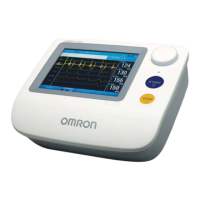
Measurement results screen
BP-203RPE3(A).fm 52 ページ 9年月6日 土曜日 午後5時4分


 To Next Page
 Loading...