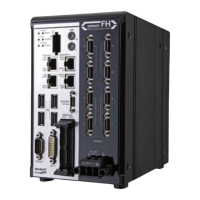
CN1: Left-side connector (No. 1 to 34)
CN2: Right-side connector (No. 35 to 68)
Cable, I/O connector and Terminal Block
Use the following parallel I/O cable.
Name Model Description Remark
Parallel I/O
cable
XW2Z-
S013-£
Specialized for FH series
Cable length: 2 m, 5 m
Min. bending radius: 10
mm
• T
wo these cables are needed to use all I/O signals.
• One side of this cable is flat cable and another side
of it is a connector.
• Connect the parallel I/O cable with securing the
minimum bending radius and more.
• Cable length is set to £ in the model number.(2 = 2
m, 5 = 5 m)
Parallel I/O
cable for
Connector-
T
erminal
Conversion
Unit
XW2Z-££
£EE
Specialized for FH series
Cable length: 0.5 m, 1 m,
1.5 m, 2 m, 3 m, 5 m
Min. bending radius: 83.2
mm
• T
wo these cables are needed to use all I/O signals.
• One side of this cable is flat cable and another side
of it is a connector.
• Connect the parallel I/O cable with securing the
minimum bending radius and more.
• Cable length is set to £ in the model number.(050 =
0.5 m, 100 = 1 m, 150 = 1.5 m, 2 = 2 m, 300 = 3 m,
500 = 5 m)
• Connectable Connector-Terminal Block Conversion
Unit:: XW2R-£34GD-T
Connector-
Terminal
Conversion
Unit for
general-
purpose
XW2R-
£34GD-T
-
The following is set to £ in the model number
.
For details, refer to the XW2R Series catalog (Cat. No.
G077).
6 I/O Interface
6-5
FH Series Vision System Hardware Setup Manual (Z366-E1)
6-1 Parallel Interface
6
6-1-2 FH-1000/2000/3000/5000 Series


 To Next Page