3. Using the Unit
9
EN
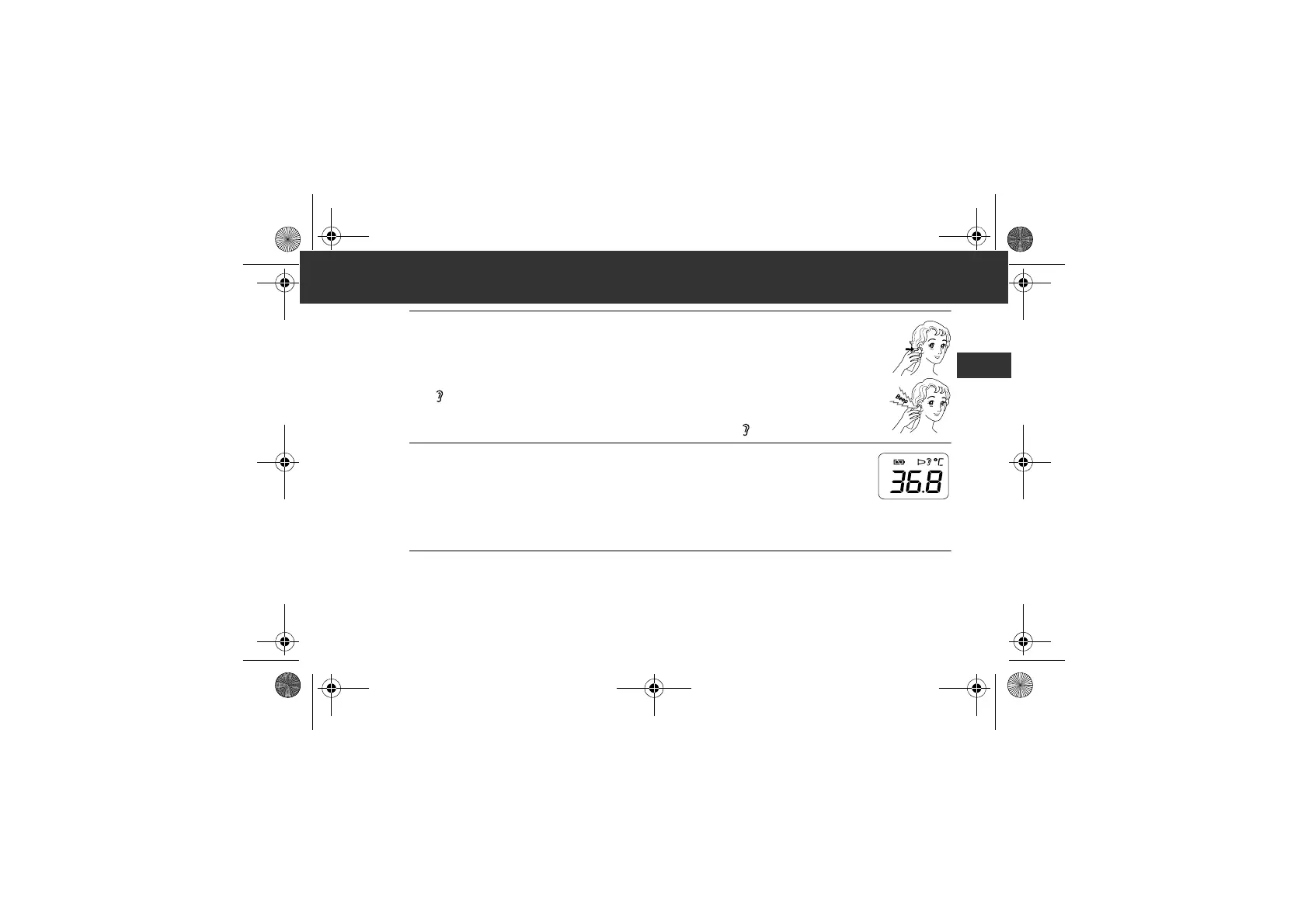
3. Press the START button.
The measurement is complete in 1 second with a long beep.
The “ ” symbol will flash for 5 seconds.
Note: You can take another measurement after 2 beeps. Make sure “ ” symbol remains lit.
4. Remove the unit from the ear and check the measurement
result.
Note: If your measurement result is over 37.5°C (99.5°F), the buzzer will beeps three times
after a long beep.
After each Ear Measurement, the unit needs 5 seconds to be ready for next measurement. During this
5 seconds waiting time, the ear icon will be flashing.
5. Press and hold the ON/MEM button until “OFF” appears on the display to
turn off the unit.
The unit automatically stores the measurement in it’s memory.
It will automatically turn off after 1 minute.
MC-520-E_A_M_main.book Page 9 Monday, April 16, 2018 5:03 PM






 To Next Page