EasyManua.ls Logo

Omron MC-720 - User Manual

Omron MC-720
44 pages
Print Icon
To Next Page IconTo Next Page
Loading...
Thank you very much for
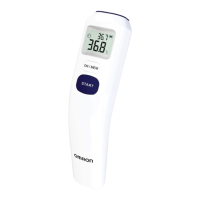
purchasing the Forehead
Thermometer.
Be sure to read this Instruction
Manual thoroughly before use.
Keep this Instruction Manual
at hand for future reference.
䴲ᐌᛳ䇶ᙼ䌁фᴀ乱ᓣԧ⏽䅵DŽ
೼Փ⫼ࠡ䇋䆺㒚䯙䇏ᴀ䇈ᯢкDŽ
䇋ֱᄬᴀ䇈ᯢкҹ໛ৢ⫼П䳔DŽ
Forehead Thermometer
INSTRUCTION MANUAL
Model
MC-720
乱ᓣԧ⏽䅵
Փ⫼䇈ᯢк
ൟো
MC-720-AP_A_M.book Page 1 Friday, May 22, 2015 11:01 AM

Questions and Answers

Omron MC-720 Specifications

General IconGeneral
ModelMC-720
TypeForehead Thermometer
Measurement TimeApproximately 1 second
Memory25 readings
Power Source1 x CR2032 battery
WeightApproximately 90g (including battery)
DisplayLCD
Operating Environment10°C to 40°C (50°F to 104°F), 30% to 85% RH
Battery LifeApproximately 2, 500 measurements
WaterproofNo
Automatic Shut-offYes, after approximately 1 minute of inactivity
Accuracy±0.2°C (±0.4°F) within 35.0°C to 42.0°C (95.0°F to 107.6°F)
Storage Environment-20°C to +60°C (-4°F to +140°F), 10% to 95% RH

Summary

Important Safety Information

General Precautions

General safety measures to prevent injury or damage during use.

2. Preparation

Removing the Insulating Tape

Instructions for removing the initial insulating tape from the battery compartment.

3. Using the Unit

Taking a Reading

Detailed instructions for performing a temperature measurement on the forehead.

4. Troubleshooting and Maintenance

The Icons and Error Messages

Explains common error codes and icons displayed by the thermometer.

Replacing the Battery

Step-by-step guide for safely replacing the device's battery.

Related product manuals