To Next Page
R
Ryan SimsJul 27, 2025
What to do if the battery is low on my Omron Thermometer?
- DDawn Smith DDSJul 27, 2025
If the battery is low on your Omron Thermometer, replace it. Refer to section 4.3 for instructions.

What to do if the battery is low on my Omron Thermometer?
If the battery is low on your Omron Thermometer, replace it. Refer to section 4.3 for instructions.
What to do if the prove cover is not attached correctly on my Omron Thermometer?
If the prove cover is not attached correctly on your Omron Thermometer, attach it again until the flashing stops.
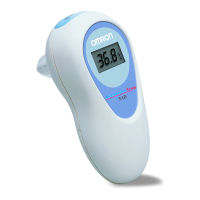
What to do if my Omron Gentle Temp 521 shows a rapid ambient temperature change?
If your Omron Thermometer displays a rapid ambient temperature change, allow the thermometer to rest in a room at room temperature between 10°C and 40°C (50°F - 104°F) for at least 30 minutes.
What to do if I get a measurement before device stabilization on my Omron Gentle Temp 521 Thermometer?
If you get a measurement before the Omron Thermometer has stabilized, wait until the flashing stops.
General precautions for handling the thermometer to prevent damage or malfunction.
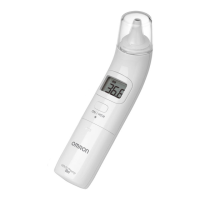
Identifies and labels the key components of the main thermometer unit.
Explains the various icons and readings shown on the thermometer's display.
Instructions for removing the insulating tape from the battery compartment before first use.
Steps to change the temperature display unit from Celsius to Fahrenheit and vice versa.
Guide on how to enable or disable the audible buzzer for measurements.
Detailed steps for correctly attaching a new probe cover to the thermometer.
Step-by-step instructions for performing an ear temperature measurement.
Guidance on measuring temperature in infants in lying or sitting positions, and for small ears.
Instructions for using the thermometer in surface mode for non-body temperature measurements.
How to access and view stored temperature readings in the thermometer's memory.
Explanation of display icons and error codes, and their corresponding remedies.
Guidance on cleaning, storage, and checking the device for damage.
Step-by-step instructions for replacing the battery in the thermometer.
Details on the thermometer's specifications, measurement accuracy, range, and power requirements.
Information on the device's applied part, physical dimensions, and package contents.
Important information regarding the device's compliance with electromagnetic compatibility standards.
Instructions for the correct disposal of the product and batteries at the end of its life.
Explains how the ear thermometer works and its advantages over other methods.
Provides normal ear temperature ranges for different age groups and guidance on interpreting readings.
Answers common questions about measurement frequency and high temperature indications.
 General
| Type | Contact |
|---|---|
| Display | LCD |
| Control type | Buttons |
| Product color | White |
| Memory function | Yes |
| Measurement modes | Body temperature, Surface temperature |
| Thermometer location | Ear |
| Units of measurement | °C, °F |
| Package weight | 374 g |
 Weight and Dimensions
| Depth | 210 mm |
|---|---|
| Width | 120 mm |
| Height | 60 mm |