2. Preparation
6
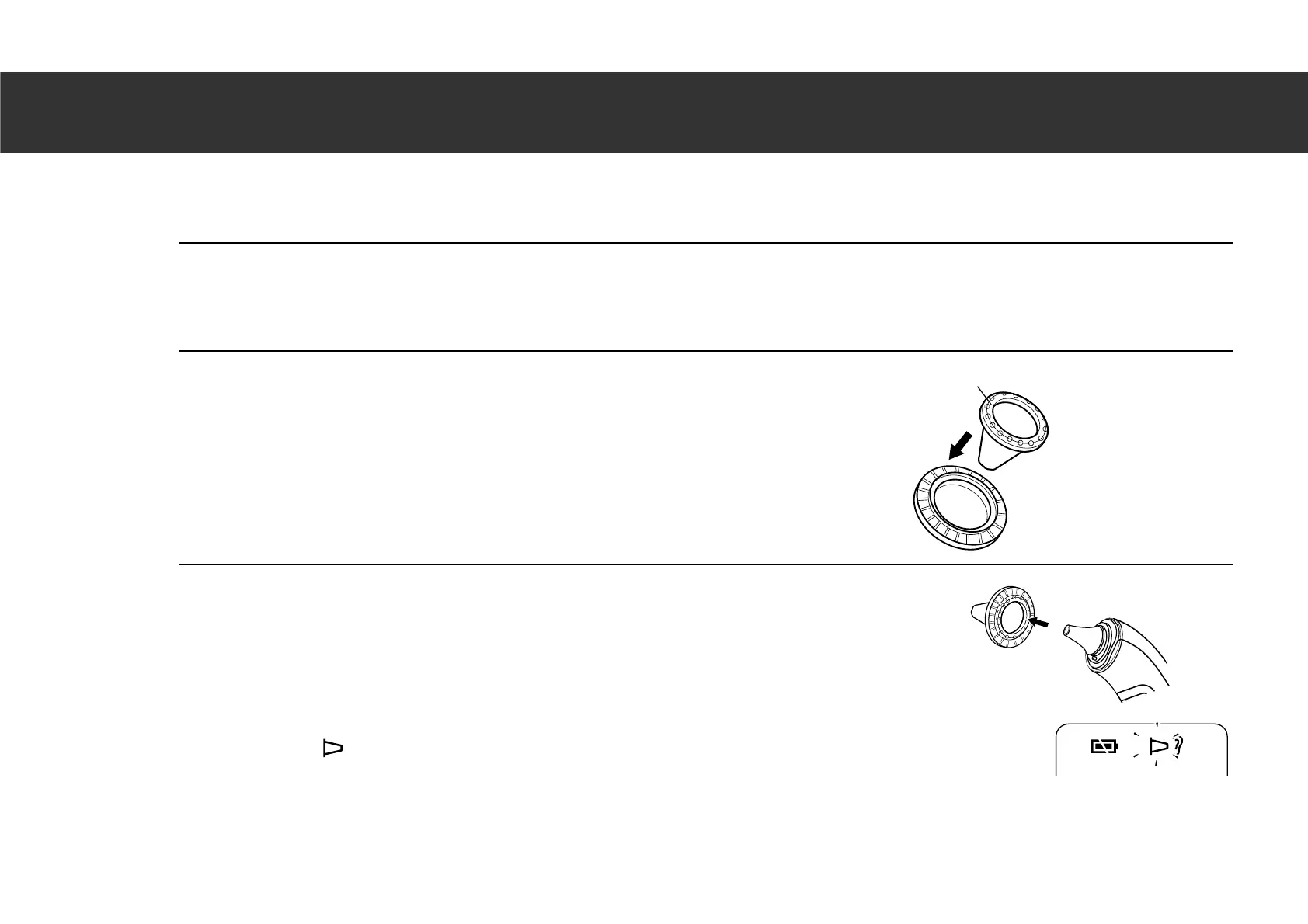
Attaching a Probe Cover
Always use a new and undamaged OMRON MC-EP2 probe cover.
1. Gently twist off the probe cap.
Note: Do not forcibly remove the probe cap.
2. Place a new probe cover on the connection ring.
Note: The adhesive side of probe cover should be upward.
3. Insert the probe into the probe cover on the
connection ring until it clicks.
Note: When the probe cover is not attached correctly, the probe cover
symbol “ ” will flash on the display and a measurement can’t be taken.
Connection ring
Probe cover
Adhesive side





 To Next Page