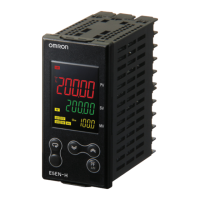
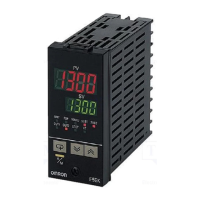
Up/Down Counting Meter
K3NC
C-143
Counters
Nomenclature
Name Functions
1. SV display
Displays the set value or parameter. Available for Set Value LED Models only.
2. PV display
Displays the process value or parameter.
3. Comparative output
status indicators
Displays the status of comparative output.
4. SV display status
Indicates which comparative set value is currently on the SV display.
5. ESC Key
Used to return to the RUN mode from the Setting, Protect or Maintenance mode.
6. Mode Key
Used to enter the Setting mode.
Used to allow the PV display to indicate set values sequentially. Available for Basic Models only.
Used to indicate set values sequentially on the SV display. Available for Set Value LED Models only.
7. Status indicator
RESET: Lit when the RESET input is ON.
PROG: Lit or flashes while parameters are being set.
8. Teaching indicator
Lit when the teaching function is enabled and flashes when the K3NC is in teaching operation.
9. RESET/TEACH Key
The counting value is reset by pressing this key.
Teaching is available when the teaching function is enabled.
10. Up Key and Shift Key
The digit being set is scrolled by pressing the Shift Key. The set value increases by one whenever the Up Key is
pressed.
OUT5
OUT4
OUT3
OUT2
OUT1
1 2 3
4 5OUT
1. SV Display
2. PV Display
4. SV Display Status
5. ESC Key
6. Mode Key
7. Status Indicators
8. Teaching Indicator
9. RESET/TEACH Key
10. Up Key and Shift Key
3. Comparative Output
Status Indicators


 To Next Page