27
HOW TO TAKE A MEASUREMENT
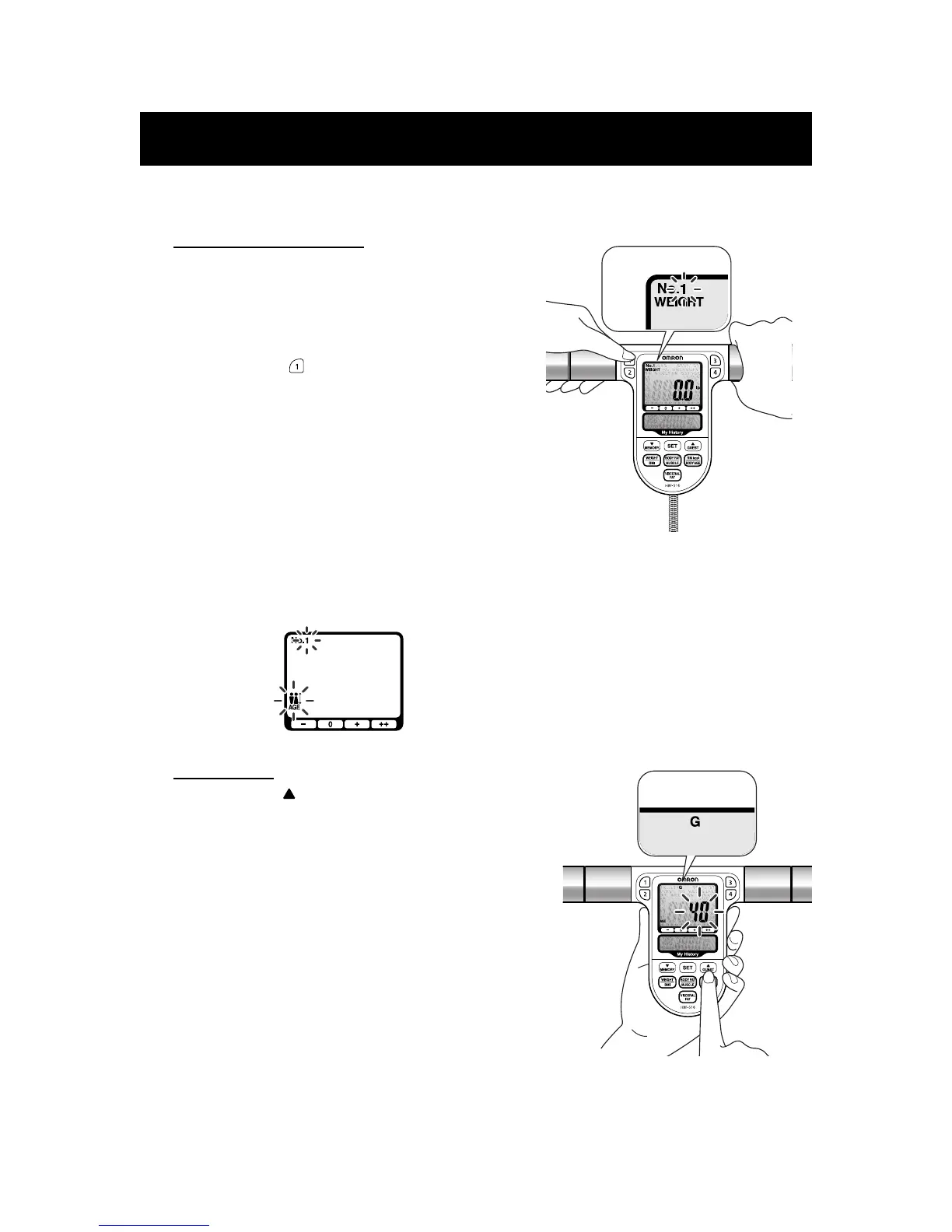
3. Select a Personal Profile Number or the Guest mode.
A. Personal Profile Number
Press the button for the Personal Profile Number
you selected while holding the display unit. The
Personal Profile Number selected will blink
once.
Ex.: To select Personal Profile Number “1”,
press button .
NOTE: If the following appears on the display, no
personal data was entered for the number
you selected.
Refer to SETTING PERSONAL DATA on
pages 22 and 23.
B. Guest mode
1) Press the UP/GUEST button while holding the
Display Unit.
“G” will be indicated at the top of the display while
“AGE” data flashes.
2) Enter your personal data. Refer to SETTING
PERSONAL DATA on pages 22 and 23.









 To Next Page