EasyManua.ls Logo

Omron HBF-510 - User Manual

Omron HBF-510
36 pages
Print Icon
To Next Page IconTo Next Page
Loading...
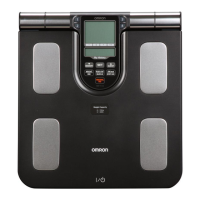
Instruction Manual
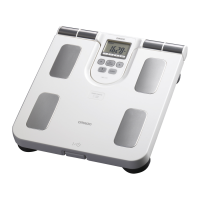
Full Body Sensor
Body Composition Monitor
and Scale
Model HBF-510

Questions and Answers

  • G
    Gabriel WhiteheadJul 30, 2025
    Why is there no power or display on my Omron Scales?
    • M
      Mario FarmerJul 31, 2025
      If there is no power or display appearing on your Omron Scales, check that the batteries are installed correctly, paying attention to the correct placement of the polarities. If needed, replace all four batteries with new ones.
  • S
    Samantha Davis MDAug 10, 2025
    What to do if Omron Scales show the weight value abnormally low or high?
    • K
      Karen RodriguezAug 10, 2025
      If your Omron Scales display an unusually low or high weight value, ensure the monitor is placed on a hard, level floor to ensure accurate measurements.
  • E
    Erin WilsonAug 18, 2025
    What to do if my Omron Scales show the Body Composition value abnormally low or high?
    • K
      Kathryn Harris DVMAug 18, 2025
      If the Body Composition value is displayed abnormally, check the settings entered for your personal data and refer to the RECOMMENDED MEASUREMENT TIMES on pages 11 and 12.

Summary

Safety Information for Body Composition Monitor

Operating the Device Safety Precautions

Lists safety precautions to follow while operating the body composition monitor and scale.

Information on Body Composition

Know Your Unit Components and Features

Battery Installation and Replacement

Battery Installation Procedure

Provides step-by-step instructions for opening the battery cover, inserting batteries, and closing the cover.

Setting Personal Data for Measurement

Setting User Age

Details how to set the user's age, which is a key personal data point for measurements.

Setting User Gender and Height

Instructions on how to input the user's gender and height for accurate measurements.

How to Take a Measurement

Correct Measurement Posture and Grip

Details correct body posture, arm position, and how to hold grip electrodes for accurate readings.

Starting and Completing the Measurement

Guides users through stepping on, extending arms, and interpreting progress indicators during measurement.

Viewing Measurement Results

Explains how to navigate and interpret the displayed results for body fat, visceral fat, BMI, and muscle.

Understanding Your Measurement Results

How to Measure Weight Only

Error Indicators and Corrections

Error Display, Cause, and Correction

Lists common error codes, their causes, and the necessary corrective actions to resolve them.

Troubleshooting Tips for Common Issues

Common Problems and Solutions

Addresses common issues like low battery, no display, and abnormal weight/composition values with solutions.

Care and Maintenance Guidelines

Omron HBF-510 Specifications

General IconGeneral
BrandOmron
ModelHBF-510
CategoryScales
LanguageEnglish

Related product manuals