EasyManua.ls Logo

Omron KaradaScan HBF-375 - User Manual

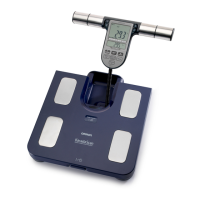
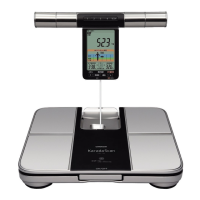
Omron KaradaScan HBF-375
40 pages
Print Icon
To Next Page IconTo Next Page
Loading...

Other manuals for Omron KaradaScan HBF-375

Questions and Answers

  • H
    hfrazierJul 26, 2025
    What to do if Omron KaradaScan HBF-375 display '0.0 kg' even when I step on it?
    • C
      Connor WallsJul 26, 2025
      If your Omron Scales display "0.0 kg" even when you step onto the unit, or the weight value barely increases, it's likely because you stepped on the unit before "0.0 kg" was displayed. To resolve this, wait until "0.0 kg" is shown on the display before stepping onto the scale.
  • K
    karenharveyAug 1, 2025
    Why are my Omron KaradaScan HBF-375 Scales measurement results abnormally high or low?
    • M
      Michael ReyesAug 1, 2025
      Inaccurate readings from your Omron Scales can stem from several factors: * Incorrect measuring posture. * The unit might be placed on a carpet, soft flooring, or uneven surface – ensure it's on a hard, level floor. * Poor blood circulation due to cold feet or body – warm yourself up before taking a measurement. * Extremely cold electrodes or dry palms and soles – warm the unit and slightly moisten your skin before trying again.
  • B
    Barbara LloydAug 7, 2025
    What to do if Omron KaradaScan HBF-375 display unit is taken out before "0.0 kg" is displayed?
    • R
      rothheidiAug 7, 2025
      If the value of body weight displayed by your Omron Scales is high, it may be because the display unit was taken out before "0.0 kg" was displayed. Make sure to wait until "0.0 kg" is displayed before removing the display unit.
  • J
    Jennifer SheppardAug 13, 2025
    Why does my Omron KaradaScan HBF-375 display ' ' for some results?
    • J
      Jackson GrahamAug 14, 2025
      The appearance of " " for some results on your Omron Scales can be due to several reasons: * Your height, gender, and birthdate are not correctly set. * Batteries might be missing. * The batteries' polarities are not correctly aligned. * The batteries are worn out. If this is the case, replace all four batteries with new ones.
  • L
    lstokesAug 20, 2025
    How to fix Omron KaradaScan HBF-375 Scales cord that cannot be wound automatically?
    • M
      Mrs. Alison GallowayAug 20, 2025
      If the cord of your Omron Scales cannot be wound automatically, it might be tangled. Try pulling out the cord and rewinding it.

Summary

HBF-375 Usage Guide

Pre-Measurement Setup

Prepare for measurement by setting date, time, and personal data.

Battery Installation

Instructions for installing the four AA batteries into the main unit.

Setting Device Date and Time

Guide to setting the current date and time for accurate age calculation.

Setting User Personal Data

Inputting date of birth, gender, and height for accurate body composition measurement.

Updating Personal Data

Procedure to modify previously entered personal data for users.

Removing Personal Data

Steps to remove stored personal data from the device's memory.

Body Composition Measurement

Detailed steps for measuring weight and body composition using profile numbers or guest mode.

Using Measurement Memory

How to view past measurement results saved in the device's memory.

Viewing Progress Chart

Understanding trends in body composition over time using the progress chart.

Display Unit Handling

Guidance on how to pick up, rewind, and store the display unit.

Weight-Only Measurement

Instructions for performing a measurement that only shows weight.

Safety Precautions

Safety Alert Definitions

Understanding symbols and definitions for safety alerts and warnings.

Usage and Installation Safety

Guidelines on safe installation, measurement, and usage of the device.

Battery and Storage Safety

Instructions for safe battery handling, usage, and product storage.

Setting Device Date and Time

Setting Year, Month, Date

Procedure to set the year, month, and date for the device.

Setting Hour and Minute

Procedure to set the hour and minute for the device.

Troubleshooting and Errors

Error Codes and Causes

Explanation of error codes and their causes.

Common Problem Solutions

Solutions for common issues encountered during unit operation.

Automatic Power Off

Information on when the unit automatically turns off to save power.

Technical Specifications

Specifications and technical details of the body composition monitor.

Application Guide Appendix

Body Composition Details

Detailed explanations of BMI, Body Fat, Visceral Fat, and Resting Metabolism.

Same Age Comparison Guide

Understanding body condition by comparing with users of the same age and BMI.

Measurement Principles and Features

Explanation of the monitor's features and how it measures body composition.

Important Usage Notes

Important considerations for accurate measurement and usage precautions.

Body Composition Monitor FAQ

Frequently asked questions and answers about the body composition monitor.

Omron KaradaScan HBF-375 Specifications

General IconGeneral
BrandOmron
ModelKaradaScan HBF-375
CategoryScales
LanguageEnglish

Related product manuals