33
HOW TO USE THE MEMORY FUNCTION
Comparing Results After Taking a Measurement
1. View the measurement results after taking a measurement.
Press the DOWN/MEMORY button to cycle through the results from high (H) reading, low (L)
reading, “1 day”, “7 days”, “30 days”, “90 days” and “180 days” ago.
NOTES:
•If there are no results for a selected memory, “- - - -” is
displayed for that item.
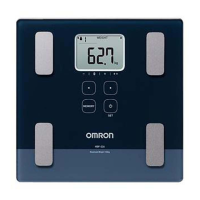
Buttons Used in this Procedure
WEIGHT/BMI Button
BODY FAT/MUSCLE Button
DOWN/MEMORY Button
Press this button to view previous
results for 1 day, 7 days, 30 days, 90
and 180 days ago with high/low
readings.
Personal Profile Number Button
Personal Profile Number Button
RM kcal/BODY AGE Button
VISCERAL FAT Button
1 day ago 7 days ago
30 days ago90 days ago180 days ago
Low Reading
High Reading









 To Next Page