EasyManua.ls Logo

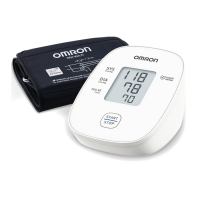
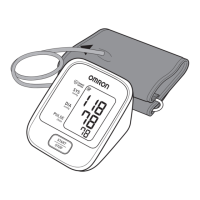
Omron HEM-7121J-E - User Manual

Omron HEM-7121J-E
22 pages
Print Icon
To Next Page IconTo Next Page
Loading...
NL
DA
AR
Symbols
Instruction Manual
1
Automatic Upper Arm Blood Pressure Monitor
M2 Basic (HEM-7121J-E)
X2 Basic (HEM-7121J-EO)
EN
IT
FR
ES
DE
SV
PL
Symboles/ Symbole/ Simboli/ Símbolos/
Symbolen/ Symboler/ Symbole/
Symboler/
ίϣέϟ΍
Read Instruction manual and before use.
FR
Lire le mode d’emploi et avant l’utilisation.
DE
Lesen Sie vor der Verwendung die Gebrauchsanweisung und .
IT
Leggere il manuale di istruzioni e prima dell’uso.
ES
Lea el manual de instrucciones y antes del uso.
NL
Lees de gebruiksaanwijzing en voor gebruik.
DA
Læs brugervejledningen og før brug.
PL
Przed rozpoczęciem korzystania z ciśnieniomierza należy
przeczytać instrukcję obsługi
i
.
SV
Läs bruksanvisning och före användning.
ϡ΍ΩΧΗγϻ΍ϝΑϗ
ϭ Ε΍ΩΎηέϹ΍ϝϳϟΩ΃έϗ΍
AR

Other manuals for Omron HEM-7121J-E

Questions and Answers

  • A
    Amber HawkinsAug 7, 2025
    What to do if the Omron Blood Pressure Monitor displays an error or can't complete measurement after inflation?
    • W
      William NicholsAug 7, 2025
      If your Omron Blood Pressure Monitor displays an error or cannot complete a measurement after the arm cuff inflates, it might be because you moved or talked during the measurement, preventing sufficient inflation. Remain still and avoid talking during the measurement. If 'E2' appears repeatedly, manually inflate the arm cuff until the systolic pressure is 30 to 40 mmHg above your previous readings.
  • M
    Mark HartAug 23, 2025
    How to fix an Omron Blood Pressure Monitor when the arm cuff doesn't inflate?
    • M
      Matthew SmithAug 23, 2025
      If your Omron Blood Pressure Monitor's arm cuff doesn't inflate, consider these possibilities: 1. You might have pressed the [START/STOP] button without the arm cuff applied. Press the [START/STOP] button again to turn the monitor off, then after inserting the air plug securely and applying the arm cuff correctly, press the [START/STOP] button again. 2. The air plug might not be fully inserted. Ensure the air plug is securely inserted. 3. The arm cuff may not be applied correctly. Apply the arm cuff correctly, then take another measurement. 4. Air could be leaking from the arm cuff. Replace the arm cuff with a new one.

Summary

Introduction

Safety Instructions

Provides essential information for the safe and proper use of the blood pressure monitor.

Important Safety Information

Warning: Potentially Hazardous Situations

Details potentially hazardous situations that could cause death or serious injury.

AC Adapter Handling and Usage

Guidelines for safely handling and using the optional AC adapter.

Battery Handling and Usage

Caution: Minor Injury or Damage

Highlights situations that may result in minor injury or equipment damage.

General Precautions

General advice and precautions for using the blood pressure monitor.

Error Messages and Troubleshooting

Common Error Codes (E1-E5)

Troubleshooting steps for common error codes like E1, E2, E3, E4, and E5.

Monitor Error and Battery Troubleshooting

Error Er and Blank Display

Solutions for 'Er' error, blank display, and battery-related issues.

Specifications

Arm Cuff Positioning and Alignment

User Manual Consultation and Safety

Safety Through Manual Adherence

Stresses the importance of following the manual for user safety.

Preparing and Performing a Measurement

Measurement Preparation Steps

Steps to prepare the user and device before taking a blood pressure measurement.

Installing Batteries and Sitting Correctly

Guides for battery installation and maintaining correct posture.

Applying the Cuff and Taking a Reading

Detailed instructions on applying the cuff and performing a measurement.

Reading Interpretation and Memory

Checking and Understanding Readings

How to verify and interpret the blood pressure and pulse readings.

Troubleshooting and Accessories

Directs users to troubleshooting resources and lists optional accessories.

Omron HEM-7121J-E Specifications

General IconGeneral
BrandOmron
ModelHEM-7121J-E
CategoryBlood Pressure Monitor
LanguageEnglish

Related product manuals