EasyManua.ls Logo

Omron i-C10 - User Manual

Omron i-C10
48 pages
Print Icon
To Next Page IconTo Next Page
Loading...
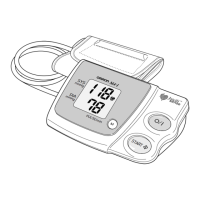
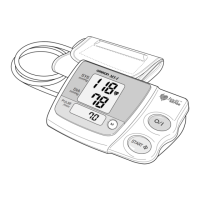
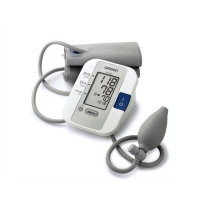
Digital Automatic Blood Pressure Monitor
Model i-C10
• Instruction Manual
• Mode d’emploi
• Gebrauchsanweisung
• Manuale di istruzioni
• Manual de instrucciones
• Gebruiksaanwijzing
•  
IM-HEM-7070-E-04-05/2012
5320473-7C
EN
FR
DE
IT
ES
NL
RU
AR

Questions and Answers

  • C
    Cody HolmesJul 30, 2025
    Why is my blood pressure different each time I use my Omron i-C10, and the reading is extremely low or high?
    • B
      beckywrightJul 30, 2025
      If your blood pressure readings from the Omron Blood Pressure Monitor vary each time, or the reading is extremely low or high, consider that blood pressure readings constantly vary depending on the time of measurement and your nervous condition. Before taking a measurement, take deep breaths to relax.
  • D
    Donald EdwardsAug 14, 2025
    How to fix no display on my Omron i-C10 when pressing the O/I START button?
    • D
      Daniel DiazAug 14, 2025
      If no display appears when you press the O/I START button on your Omron Blood Pressure Monitor, the batteries are likely empty. Replace the batteries.

Summary

Important Safety Information and Precautions

Warning and Caution Details

Specific hazardous situations, potential injuries, and necessary precautions during use.

Preparation and Setup

Installing and Replacing Batteries

Provides step-by-step instructions on how to insert or change the batteries in the unit.

Battery Life and Replacement

Explains how long batteries last and when and how to replace them.

Using the Unit for Measurement

Correct Posture for Measurement

Details how to sit correctly, arm placement, and environmental factors for reliable readings.

Applying the Arm Cuff

Provides instructions on how to wrap the arm cuff correctly on either arm.

Taking a Blood Pressure Reading

Details the steps involved in initiating and completing a blood pressure measurement.

Handling Errors and Problems

Understanding Error Messages

Identifies error codes and explains the likely causes for each.

Troubleshooting Common Issues

Offers guidance on how to resolve typical problems and ensure proper functioning.

Maintenance and Storage

Technical Data and Compliance

Omron i-C10 Specifications

General IconGeneral
BrandOmron
Modeli-C10
CategoryBlood Pressure Monitor
LanguageEnglish

Related product manuals