EasyManua.ls Logo

Omron R88D-KN15F-ECT-R - User Manual

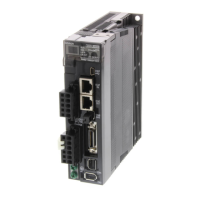
Omron R88D-KN15F-ECT-R
484 pages
Print Icon
To Next Page IconTo Next Page
Loading...
Cat. No. I573-E1-03
USER’S MANUAL
OMNUC G5 SERIES
R88M-K@
(AC Servomotors)
R88D-KN@-ECT-R
(AC Servo Drives)
AC SERVOMOTORS/SERVO DRIVES
WITH BUILT-IN EtherCAT COMMUNICATIONS

Table of Contents

Questions and Answers

  • W
    William WilliamsNov 24, 2025
    Why Omron Servo Drives show Main Circuit Power Supply Undervoltage (PN)?
    • C
      Chad HallNov 24, 2025
      Omron Servo Drives may display a Main Circuit Power Supply Undervoltage error (PN) due to several reasons. If the Undervoltage Error Selection is set to 1, a momentary power interruption between L1 and L3 might have exceeded the specified Momentary Hold Time. Other causes include low power supply voltage, insufficient power supply capacity due to inrush current, phase-failure in 3-phase input models operated with single-phase power, or a faulty Servo Drive. To resolve this, measure the voltage between the connector (L1, L2, and L3) lines. Increase the power supply voltage or change the power supply. Check the Momentary Hold Time setting. Ensure each phase of the power supply is correctly connected, using L1 and L3 for single-phase 100 V and 200 V. Increase the power supply capacity. If the...
  • A
    Ana DominguezAug 27, 2025
    How to fix Error Counter Overflow in Omron Servo Drives?
    • S
      Stanley RayAug 27, 2025
      To fix an Error Counter Overflow in Omron Servo Drives, the issue arises when position error pulses exceed the Following error window setting. This can occur if motor operation doesn't follow the command or if the Following error window value is too small. Begin by checking if the Servomotor rotates according to the position command pulse. Examine the torque monitor for saturated output torque and adjust the gain accordingly. Maximize the set values on the Positive and Negative torque limit values. Ensure the encoder is wired correctly. Lengthen the acceleration and deceleration times, and reduce the load and speed. If necessary, increase the set value of object 6065 hex.
  • J
    Justin GlennAug 28, 2025
    Why Omron Servo Drives show Regeneration Overload?
    • S
      sarah26Aug 29, 2025
      Omron Servo Drives may show a Regeneration Overload if the regenerative energy exceeds the processing capacity of the Regeneration Resistor. This can occur due to high regenerative energy during deceleration from a large load inertia, high Servomotor rotation speed, or the external resistor's operating limit being restricted to a 10% duty. Check the load rate of the Regeneration Resistor through communications. Increase the capacities of the Servo Drive and the Servomotor, and lengthen the deceleration time. Use an External Regeneration Resistor. Set the Regeneration Resistor Selection to 2.
  • A
    Amy CrawfordAug 30, 2025
    Why Omron R88D-KN15F-ECT-R Servo Drives show Servo Drive Overheat?
    • K
      Kristina KimAug 30, 2025
      Omron Servo Drives may overheat if the temperature of the Servo Drive radiator or power elements exceeds the specified value. This can be caused by a high ambient temperature around the Servo Drive or an overload condition. To resolve this, improve the ambient temperature and cooling conditions of the Servo Drive. Additionally, consider increasing the capacities of the Servo Drive and the Servomotor, setting longer acceleration and deceleration times, and reducing the load.
  • J
    Jennifer BrownAug 31, 2025
    Why Omron R88D-KN15F-ECT-R Servo Drives show Encoder Communications Error?
    • P
      paulsullivanAug 31, 2025
      Omron Servo Drives may display an Encoder Communications Error due to a data error, primarily caused by noise. This can occur even if the encoder cable is connected. To address this, ensure the encoder power supply voltage is within the required 5 VDC ±5% range, especially if the encoder cable is long. Separate the Servomotor cable and the encoder cable if they are bundled together. Connect the shield to FG.
  • D
    Danny RyanSep 23, 2025
    What causes encoder communication disconnection error in Omron R88D-KN15F-ECT-R Servo Drives?
    • J
      Jason JordanSep 23, 2025
      If you encounter an encoder communications disconnection error with Omron Servo Drives, it means a disconnection was detected because communications between the encoder and the Servo Drive were stopped more frequently than the specified value. To resolve this, wire the encoder correctly as shown in the wiring diagram and correct the connector pin connections.
  • J
    joseph87Sep 18, 2025
    How to fix encoder communication error in Omron R88D-KN15F-ECT-R Servo Drives?
    • C
      Courtney RussellSep 18, 2025
      If you're experiencing an encoder communications error with your Omron Servo Drives, it's likely due to noise affecting the data from the encoder. To fix this, provide the required encoder power supply voltage 5 VDC ±5% (4.75 to 5.25 V), paying special attention when the encoder cable is long. If the Servomotor cable and the encoder cable are bundled together, separate them. Also, connect the shield to FG.
  • G
    gardnerkatherineSep 18, 2025
    What does excessive hybrid deviation error mean for Omron R88D-KN15F-ECT-R Servo Drives?
    • A
      Ashley SilvaSep 18, 2025
      If you're getting an excessive hybrid deviation error on your Omron Servo Drives, it means that during fully-closed control, the difference between the load position from the external encoder and the Servomotor position from the encoder was larger than the number of pulses set as the Hybrid Following Error Counter Overflow Level (3328 hex). Check the Servomotor and load connection. Check the external encoder and Servo Drive connection. When moving the load, check to see if the change in the Servomotor position (encoder feedback value) has the same sign as the change in the load position (external encoder feedback value).
  • W
    wharperSep 9, 2025
    What to do if Omron R88D-KN15F-ECT-R Servo Drives are overloaded?
    • J
      John JohnsonSep 9, 2025
      If you're encountering an overload with your Omron Servo Drives, it means the feedback value for torque command exceeds the overload level specified in the Overload Detection Level Setting (3512 hex). Check if torque (current) waveforms oscillate or excessively oscillate vertically during analog output or communications. Review the overload warning display and the load rate through communications. You can increase the capacities of the Servo Drive and the Servomotor, set longer acceleration and deceleration times, and reduce the load. Alternatively, try readjusting the gain.
  • J
    Joseph JohnsonSep 7, 2025
    What causes Overspeed in Omron Servo Drives?
    • S
      Susan ClaytonSep 7, 2025
      Overspeed in Omron Servo Drives occurs when the Servomotor rotation speed exceeds the value set on the Overspeed Detection Level Setting. This can be due to excessive speed commands, incorrect input frequency, dividing ratio, or multiplication ratio of the command pulse. If overshooting occurs due to faulty gain adjustment, adjust the gain. Ensure the encoder is wired correctly.

Summary

Terms and Conditions Agreement

Warranty, Limitations of Liability

Details Omron's exclusive warranty and limitations for products.

Limitation on Liability; Etc

Omron companies shall not be liable for special, indirect, incidental, or consequential damages.

Safety Precautions

Definition of Precautionary Information

Explains the meaning of safety precautions and must be followed without fail.

Explanation of Symbols

Provides examples of symbols used in the manual and their meanings.

DANGER

Indicates an imminently hazardous situation which, if not avoided, will result in death or serious injury.

Caution

Indicates a potentially hazardous situation which, if not avoided, may result in minor or moderate injury.

Models and External Dimensions

2-4 External and Mounting Dimensions

Describes the external dimensions and mounting dimensions of Servo Drives, Servomotors, and peripheral devices.

Specifications

3-1 Servo Drive Specifications

Details general specifications, characteristics, connector, and international standards.

3-2 Overload Characteristics (Electronic Thermal Function)

Explains the overload protection function and shows overload characteristics graphs.

3-3 Servomotor Specifications

Lists general specifications for 3,000-r/min, 2,000-r/min, and 1,000-r/min Servomotors.

System Design

4-1 Installation Conditions

Details space conditions, mounting direction, and environment operating conditions for Servo Drives.

4-2 Wiring

Provides peripheral equipment connection examples and terminal block wire sizes.

4-3 Wiring Conforming to EMC Directives

Ensures EMC Directive conformance through specific wiring requirements.

4-4 Regenerative Energy Absorption

Explains how Servo Drives absorb regenerative energy and calculate capacity.

EtherCAT Communications

Drive Profile

6-1 Controlling the State Machine of the Servo Drive

Explains how the state of Servo Drives is controlled using Controlword and Statusword.

6-3 Cyclic Synchronous Position Mode

Describes position control using path generation and cyclic synchronization.

6-6 Fully-closed Control

Explains using an external encoder for precise position control without mechanical errors.

6-7 Object Dictionary

Describes the object dictionary structure and data types used in EtherCAT communications.

Applied Functions

Safety Function

8-1 Safe Torque OFF Function

Cuts off motor current and stops motor via safety device signals connected to safety connector.

Details on Servo Parameter Objects

9-1 Basic Settings

Explains basic settings like rotation direction, control mode, and realtime autotuning.

9-2 Gain Settings

Covers position loop, speed loop gains, and related time constants for adjustment.

Operation

10-1 Operational Procedure

Provides a step-by-step guide for checking motor and drive operation after installation.

10-2 Preparing for Operation

Explains items to check before and after turning on power, including absolute encoder setup.

10-3 Trial Operation

Details procedures for trial operation to confirm servo system electrical correctness.

Adjustment Functions

11-2 Gain Adjustment

Explains gain adjustments using realtime autotuning or manual tuning.

11-3 Realtime Autotuning

Estimates load inertia and sets gain automatically for machine operation.

Troubleshooting and Maintenance

12-1 Troubleshooting

Explains preliminary checks and analytical software for determining problem causes.

12-3 Errors

Describes how Servo Drives output errors (ALM) and lists error numbers and causes.

12-4 Troubleshooting

Provides troubleshooting steps based on error displays and operating states.

Omron R88D-KN15F-ECT-R Specifications

General IconGeneral
TypeServo Drive
ModelR88D-KN15F-ECT-R
Power Supply Voltage200 to 240 VAC
Output Power1.5 kW
CommunicationEtherCAT
Protection ClassIP20

Related product manuals