EasyManua.ls Logo

Omron S82K - User Manual

Omron S82K
20 pages
Print Icon
To Next Page IconTo Next Page
Loading...
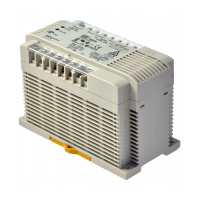
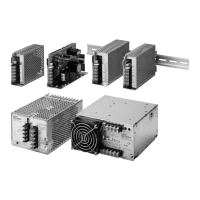
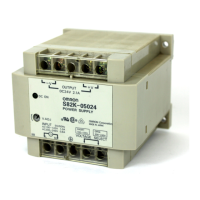
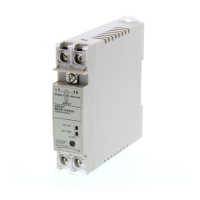
Switching Power Supply
S82K
DIN-Rail Mount Power Supply with a
Wide Power Range of 3 to 240 W
Universal voltage range: 100 to
240 VAC
UL 508 listed on all models
Class 2 approved on all models below
240-W, except dual-output types
Undervoltage indicators on all.
90-W, 100-W and 240-W T-Models have
indicator and output
Meets EN61000-3-2 (limits for harmonic
current emissions) with PFC on 240-W
models
Parallel operation capability (90-W,
100-W and 240-W)
Finger-safe terminal block with cover
according to VDE0106/P100
Approvals: UL, CSA, VDE, and CE
3-year warranty
u
R
Ordering Information
SWITCHING POWER SUPPLIES
Rated input voltage Power ratings Output voltage Output current Functional configuration Part number
100 to 240 VAC
3 W
5 V 0.6 A
Single output
S82K-00305
12 V 0.25 A
g
S82K-00312
15 V 0.2 A S82K-00315
24 V 0.13 A S82K-00324
7.5 W
5 V 1.5 A S82K-00705
12 V 0.6 A S82K-00712
15 V 0.5 A S82K-00715
24 V 0.3 A S82K-00724
+12 V/–12 V 0.3 A/0.2 A
Dual output
S82K-00727
+15 V/–15 V 0.2 A/0.2 A S82K-00728
15 W 5 V 2.5 A Single output S82K-01505
12 V 1.2 A S82K-01512
24 V 0.6 A S82K-01524
30 W
5 V 5.0 A S82K-03005
12 V 2.5 A S82K-03012
24 V 1.3 A S82K-03024
50 W 24 V 2.1 A S82K-05024
(This table continues on the next page.)

Other manuals for Omron S82K

Questions and Answers

  • E
    Elizabeth MartinezAug 20, 2025
    What to do if Omron Power Supply output does not turn ON?
    • T
      Timothy SnowAug 20, 2025
      If the Omron Power Supply output does not turn ON, the output voltage is low, the output indicator is not lit or dim, it could be due to several reasons. The overcurrent protection might be activated by the load's startup current, even if within capacity when stationary. Consider using inverse L overcurrent protection or increase the Power Supply's capacity. Alternatively, the load might exceed the Power Supply's ratings, triggering overcurrent protection, so select a Power Supply capacity sufficient for the load current. Finally, the Power Supply’s outputs might be short-circuited, in this case remove the cause of the output short-circuit.
  • E
    Emily RamirezAug 22, 2025
    What to do if Omron Power Supply emits white smoke?
    • X
      xsmithAug 22, 2025
      If white smoke is emitted from the Omron Power Supply, it indicates the vaporization of the electrolytic fluid in the internal electrolytic capacitor due to overvoltage from applying the incorrect input power. Check the power input location and input voltage again and replace the Power Supply, as the internal circuits are damaged.
  • D
    David WalkerAug 25, 2025
    Why is Omron Power Supply generating high heat?
    • J
      Joseph GreenAug 25, 2025
      The Omron Power Supply may be generating high heat because its installation space is too confined, not allowing sufficient heat dissipation. The Power Supply handles a large amount of power, so heat generation occurs even with normal use. Check the installation space, Power Supply load, and ambient temperature again. Particularly if the load current exceeds the ratings for the Power Supply, change so that the load current is within the ratings. Continuing to use as is may damage the Power Supply.
  • A
    Alice StarkAug 26, 2025
    What to do if Omron Power Supply output has stopped after lightning?
    • M
      markmooreAug 26, 2025
      If the output from the Omron Power Supply has stopped after lightning, overvoltage may be applied due to inductive impulse. If overload protection is operating, turn OFF the input power and then turn it back ON again. If the output still does not recover, the internal components are possibly damaged due to the overvoltage, replace the Power Supply.
  • A
    Anita WardAug 28, 2025
    Why is Omron S82K Power Supply input breaker operating or external fuse broken?
    • N
      Nicholas RogersAug 28, 2025
      The Omron Power Supply’s inrush current may have tripped the breaker. Check the inrush current of each Product in the system and make sure that the fuse and breaker ratings are sufficient. The inrush current of the Power Supply is several times to several tens of times the normal current.
  • J
    Jessica SchneiderAug 29, 2025
    What to do if Omron S82K Power Supply fuse is broken?
    • C
      charlesandrewAug 29, 2025
      The Omron Power Supply’s fuse may be broken because foreign particles, liquids, condensation, or dust from the operating environment has entered the Product and damaged the internal circuits. Many holes are provided on the Product to assist with heat dissipation. Therefore, do not install the product in an environment where foreign particles, liquid, or other substance can enter the Product. In this case, the internal circuits are damaged, replace the Power Supply.
  • S
    Sandra ButlerAug 31, 2025
    What to do if Omron S82K gives an electric shock?
    • M
      Michelle JonesAug 31, 2025
      If an electric shock is felt when touching the Omron Power Supply, the casing may not be properly grounded. Connect the ground terminal to the ground.
  • J
    Jennifer ReyesSep 2, 2025
    Why is Omron S82K voltage unstable?
    • J
      Julie CooperSep 2, 2025
      The Omron Power Supply’s output voltage may have dropped due to the load’s inrush current. If an inrush current is flowing to the load, consider selecting a capacity that allows for the inrush current.
  • N
    Nicole CortezSep 4, 2025
    How to resolve buzzing noise from Omron S82K Power Supply when input turns ON?
    • J
      James MarshSep 4, 2025
      A buzzing noise can be heard when turning ON the input of Omron models equipped with harmonic current suppression circuits due to the internal inrush current. Models with harmonic current suppression circuits generate a noise when the input is turned ON but this is a transient noise that occurs until the internal voltage is stabilized, and does not indicate any problem in the product.
  • D
    David FloresSep 6, 2025
    What to do if Omron S82K output has stopped near high-frequency noise?
    • M
      Megan JohnsonSep 6, 2025
      If the output from the Omron Power Supply has stopped close to a source of strong, high-frequency noise, damage may have occurred due to impulse from the input line. If impulse occurs in the input line, separate the Power Supply’s input line from the source of the impulse. If separation is not possible, connect a varistor either to the source of the noise or to the Power Supply’s input terminals. Also incorporate a fuse that will provide protection if the varistor is AC (L) short-circuited and damaged.

Summary

Ordering Information

Switching Power Supplies

Details available power supply models, ratings, and part numbers for selection.

Model Number Legend

3- to 100-W Models

Explains the coding system for 3W to 100W S82K power supply part numbers.

240-W Models

Explains the coding system for 240W S82K power supply part numbers and special features.

Specifications

Ratings and Characteristics

Provides key electrical and performance ratings for S82K power supplies, including efficiency and current.

Protection and Alarm Functions

Installation

Precautions

Safety Precautions

Essential safety warnings for handling, mounting, and operating the power supply.

Wiring and Operation

Omron S82K Specifications

General IconGeneral
CategoryPower Supply
Storage Temperature-25 to 75°C
DimensionsVaries by model
WeightVaries by model
Input Voltage85 to 264 VAC, 100 to 370 VDC
Output Voltage5V, 12V, 24V, 48V
Output Power15 W, 30 W, 50 W, 100 W
Operating Temperature-10 to 60 °C (with derating)
MountingDIN Rail Mounting
ProtectionOvervoltage protection, Overcurrent protection

Related product manuals