4 - 23
4 Installation and Wiring
NX-series Communications Interface Units User’s Manual (W540)
4-4 Wiring Communications
4
4-4-2 Connecting to Serial Communications Devices
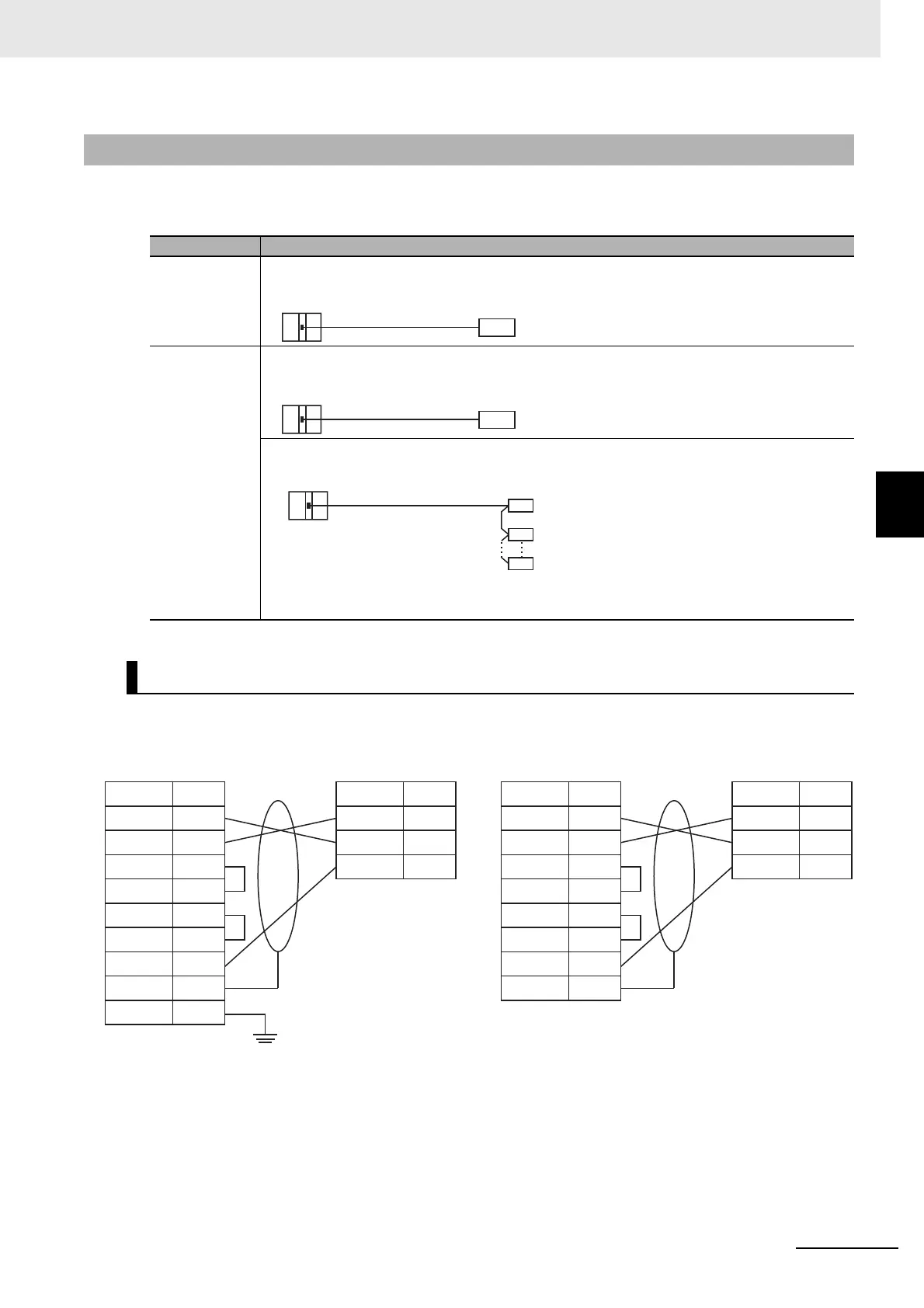
You can use the following connection forms to connect a CIF Unit to one or more serial communications
devices.
Connection Examples for E5CK Digital Controllers
4-4-2 Connecting to Serial Communications Devices
Model number Connection form
NX-CIF101 or
NX-CIF210
1:1
NX-CIF105 1:1
1:N
Examples of 1:1 Connections to an RS-232 Port
RS-232C
CIF Unit
Serial communications
device
RS-422A/485
CIF Unit
Serial communications
device
RS-422A/485
CIF Unit
Turn ON the
terminating
resistance.
Turn ON the
terminating
resistance.
Serial communications
device
ShieldShield
RS-232C terminal block on E5CK
Terminal No.
B1
A1
A3
B3
A2
B2
A4
A6
A8
NX-CIF101
NX-CIF101
Signal
RD
SD
ER
DR
RS
CS
SG
SHLD
FG
Terminal No.
14
13
1
Signal
RD
SD
SG
RS-232C terminal
block on E5CK
NX-CIF210
NX-CIF210
Terminal No.
14
13
1
Signal
RD
SD
SG
Pin No.
2
3
4
6
7
8
5
Shell
Signal
RD
SD
ER
DR
RS
CS
SG
SHLD


 To Next Page