8
User Manual
Dolphin Fluid Immersion Simulation
®
System
Dolphin Fluid Immersion Simulation
®
is a registered trademark of Joerns
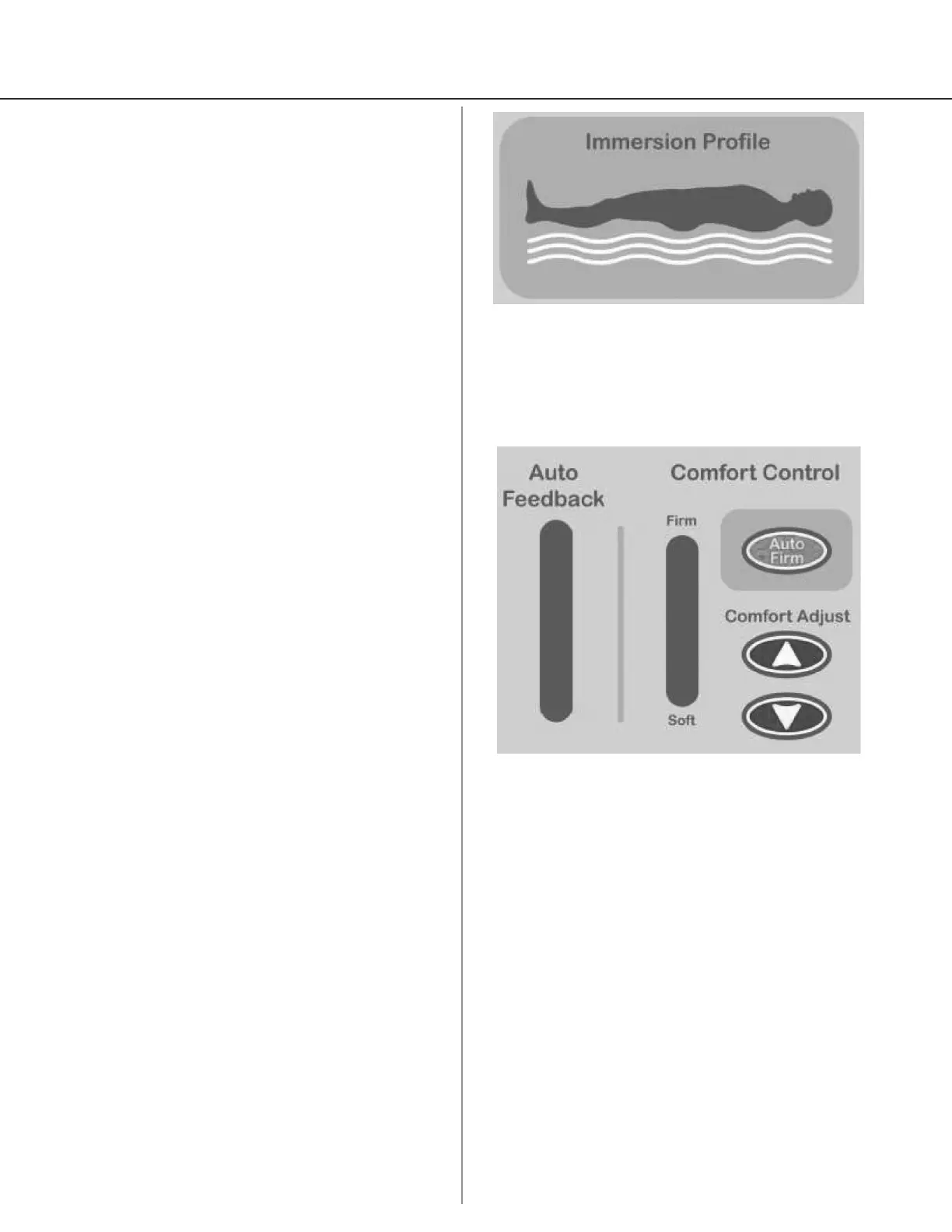
Immersion Prole Window (Figure 5)
The Immersion Prole indicates the system response
to patient initial positioning and position change.
When in optimal position, the green LED will
illuminate. When the system is in transition, the
yellow/red LEDs will illuminate. The Dolphin FIS
System will recreate the optional prole based on
individual patient body characteristics. No manual
adjustment is needed.
Comfort Controls (Figure 6)
Autorm
The Autorm mode is used for patient transfers,
repositioning and to quickly inate the surface when
it has not been in use.
To override the Autorm mode, press the Autorm
button again.
The Autorm button causes the therapy mattress or
specialty surface to ll to maximum ination. After
15 minutes, the system will automatically reset to
the previous ination level.
While in the Autorm mode, the Comfort Adjust
indicator LED will remain on its normal setting to
show where the ination will return upon resumption
of normal operation. Also, the Comfort Adjust
indicator will blink amber at the rm position when
in Autorm mode. There is no restriction against the
user immediately returning to the Autorm mode
once leaving that mode.
The Comfort Adjust indicator indicates where the
manual pressure adjustment is set by the Comfort
Adjust arrows.
Comfort Adjust
OnCare recommends that caregivers allow the
Dolphin FIS System to set and control the immersion
prole. However, to accommodate individual patient
preference, caregivers can press the Comfort Adjust
arrows to manually adjust comfort settings. It is
recommended that manual adjustments of more
than one (1) LED step up or down from the system
prole be avoided.
Note (applies to therapy mattress): If patient is
over 250 lbs., moving the Comfort Adjust indicator to
one LED above the Auto Feedback LED may improve
comfort. If patient is less than 100 lbs., moving the
Comfort Adjust indicator to one LED below Auto
Feedback LED may improve comfort.
Figure 6
Figure 5
Auto Feedback
The Auto Feedback indicator scale is represented by
10 LED’s and cover the full control range from Soft to
Firm.
When operating within normal parameters, the Auto
Feedback LED scale will be amber. Should the system
be outside of normal parameters, the LED scale will
move from amber to red, indicating a potential need
to manually adjust with Comfort Adjust arrows.
It is normal for the Auto Feedback LED to move to
red when the patient is transitioning on the therapy
mattress. Allow the Dolphin FIS System to optimize.
If the LED lights remain consistently red after the
system has had the chance to optimize, manual
adjustment with the Comfort Adjust arrows is
needed.


 To Next Page