INSTALLATION
2 WWW.ONEFORALL.COM
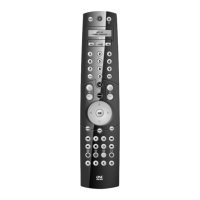
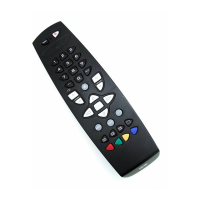
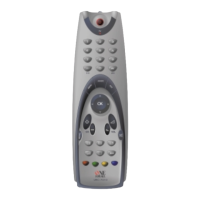
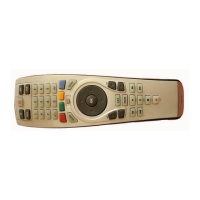
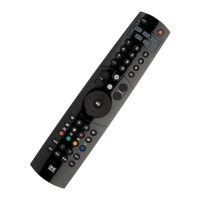
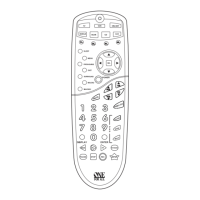
PICTURES OF THE ONE FOR ALL 3 REMOTE
. . . . . . . . . . . . . . 3
BATTERIES
. . . . . . . . . . . . . . . . . . . . . . . . . . . . . . . . . . . . . . . . . . . . . . . . 4
THE KEYPAD
. . . . . . . . . . . . . . . . . . . . . . . . . . . . . . . . . . . . . . . . . . . . . 4
SETTING UP THE ONE FOR ALL 3 . . . . . . . . .Page 6
(How to set up the ONE FOR ALL 3 to control your devices)
• Direct code set up
. . . . . . . . . . . . . . . . . . . . . . . . . . . . . . . . . . . . 6
• Search Method
. . . . . . . . . . . . . . . . . . . . . . . . . . . . . . . . . . . . . . . 7
SET UP CODES
Televisions . . . . . . . . . . . . . . . . . . . . . . . . . . . . . . . . . . . . . . . . . . . . 12
Video Recorders
. . . . . . . . . . . . . . . . . . . . . . . . . . . . . . . . . . . . . . . 19
DVD Players
. . . . . . . . . . . . . . . . . . . . . . . . . . . . . . . . . . . . . . . . . . . 21
CODE BLINK OUT
. . . . . . . . . . . . . . . . . . . . . . . . . . . . . . . . . . . . . . . . . 8
(To find out which code is currently programmed)
QUICK CODE REFERENCE
. . . . . . . . . . . . . . . . . . . . . . . . . . . . . . . 8
EXTRA FEATURES
Mode re-assignment (Changing a device mode) . . . . . . . . . . . . 9
Colour and Brightness . . . . . . . . . . . . . . . . . . . . . . . . . . . . . . . . . . 10
Volume Punch Through
. . . . . . . . . . . . . . . . . . . . . . . . . . . . . . . . . 10
TROUBLE-SHOOTING
Problem & Solution . . . . . . . . . . . . . . . . . . . . . . . . . . . . . . . . . . . . 11
Table of Contents
Congratulations on your purchase of the ONE FOR ALL 3 Universal
Remote Control. By choosing the ONE FOR ALL 3 remote you have opted
for the User Friendly remote control solution. Made according to the
highest quality, the ONE FOR ALL 3 will provide you with long-term
satisfaction. Please read these enclosed instructions carefully before
putting your ONE FOR ALL 3 to use.
Your ONE FOR ALL 3 Remote Package contains:
• Your ONE FOR ALL 3 Remote
• Your ONE FOR ALL 3 Manual
Your Manual is divided into two parts: the set-up instructions and the
device codes.
PLEASE DO NOT DISCARD THIS MANUAL AS YOU MAY NEED IT
AGAIN IN THE FUTURE!
Your ONE FOR ALL 3 can operate three devices: a Television, a Video
Recorder and a DVD Player.
About Your ONE FOR ALL 3
English









 To Next Page