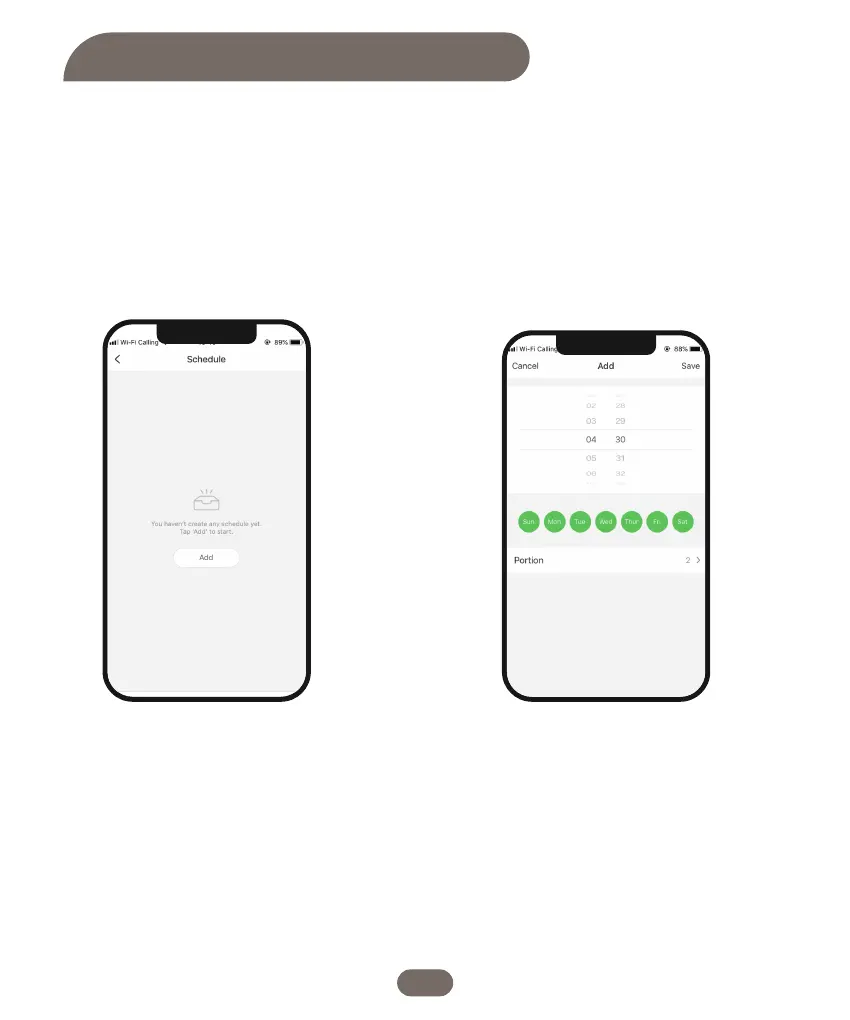
1. Click on the "Meal Plan" option to
access the feeding plan setting
interface.Tap on “Add” option to set
feeding schedule.
2. Select the desired number of days of the
week for feeding. Then, choose the feeding
time and specify the number of portions for
each feeding.
Feeding Schedule Settings
10


 To Next Page