When the battery is fully charged, the battery icon will be displayed in white. However, if the
battery level becomes low, the icon will turn red and start blinking as a warning indicator.
If you notice the battery icon turning red and blinking, it is an indication that the battery
needs to be replaced.
Statement for Battery Icon
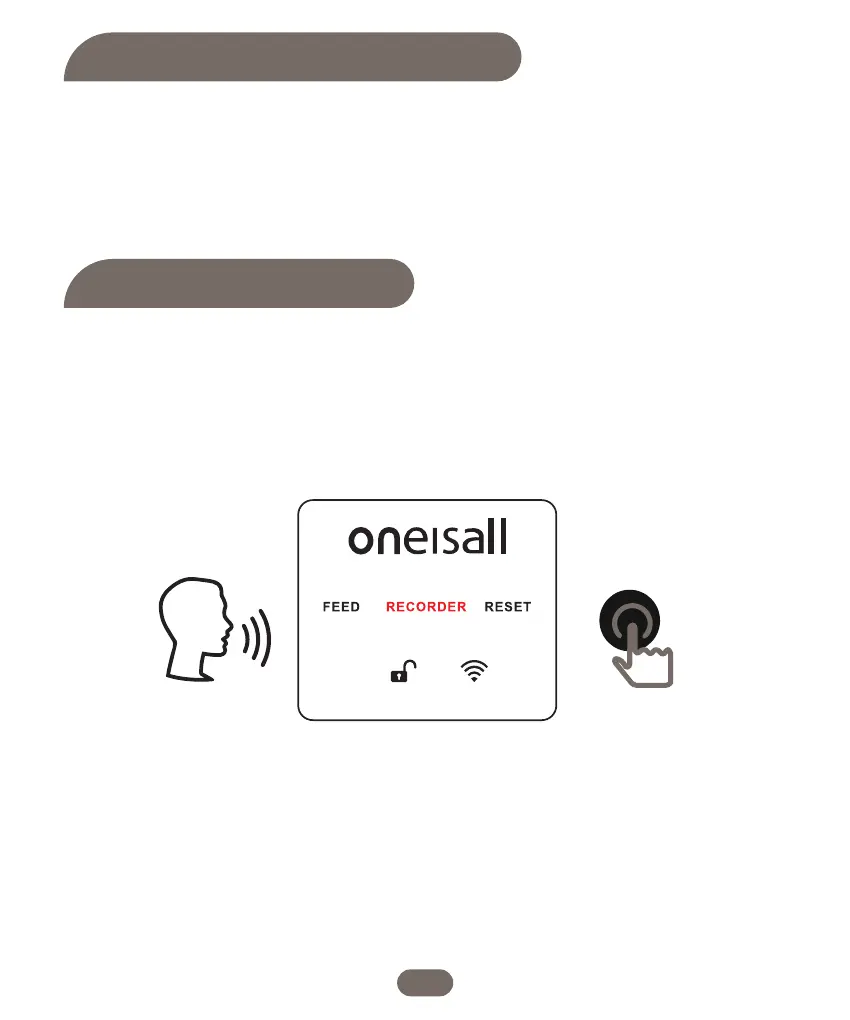
1.While in the unlock state, turn the dial to select the "RECORDER" icon. The icon will start
flashing. Press and hold the dial button. You will hear two beeps, indicating that the
recording has started. Speak to record your personalized calling message.
2. Release the dial when you have finished recording your message. Once the recording is
complete, it will automatically play back once for confirmation.
3. If you wish to change the calling record, simply repeat steps 1 and 2. This will allow you to
record a new calling message.
Please note that each calling message can be up to 10 seconds in length.
Record A Message
15


 To Next Page