1110
OPERATIONS
TIMER Operation:
You can program your split AC to switch itself ON or OFF at particular time.
Maximum set time is 24 hrs, with 1.0 hr increment .
ON TIMER:
When the AC is "OFF" (in standby), press "TIMER-ON/OFF" Button on remote to use this feature
as the TIMER. (make sure that MCB switch is "ON". The "TIMER-ON/OFF" light on Indoor unit will
glow ON.
For EXAMPLE:
Suppose you want to switch ON the AC after 8 hrs. Press "TIMER-ON/OFF" button, when AC is
in OFF condition. Press the “TIMER ON/OFF” button 8 times to set 8 hrs time delay.
Press "TIMER-ON/OFF" button to set on timer. Display on Remote will show "8”.
OFF TIMER:
When the AC is "ON", press "TIMER-ON/OFF" Button on remote to use this feature as
the TIMER. The "TIMER-ON/OFF" light on Indoor unit will glow ON.
For EXAMPLE:
Suppose you want to switch OFF the AC after 8 hrs. Press "TIMER-ON/OFF" button, when AC
is in ON condition. Press button 8 times to set 8 hrs time delay.
Press "TIMER-ON/OFF" button to set OFF timer. Display on Remote will show "8”.
CANCEL TIMER:
If you want to cancel the Timer either TIMER ON or TIMER OFF, press the corresponding
“TIMER-ON/OFF“ button and set the time to 0:0.
the “TIMER ON/OFF”
CLOCK SET:
As long as remote controller is power on, the clock will run and it can be adjusted in any
condition even when the air conditioner is off. While the remote is electrified for the
first time, the time is 0:00, means the clock counts the time automatically.
To adjust the clock press the “TIMER ON/OFF” button for 10 seconds,
the time of hour flashes, during this period add the time of hours by pressing the button
“ “ and reduce the time by pressing the button” “ .After setting the time of hour, press the
button “TIMER ON/OFF” again to adjust the time of minute(Do not need to press for
10seconds.)When the time of minutes flashes, press the button “ “ to add time of minute,
and press the button“ “ to reduce it. Finish setting of minute, press the button TIMER
ON/OFF for the third time to confirm the clock.
OPERATIONS
Air Flow direction Adjustment:
Your split AC has oscillating louvers for uniform cooling around your room.
You can stop the oscillation if you so desire.
Up/Down Air Direction Adjustment:
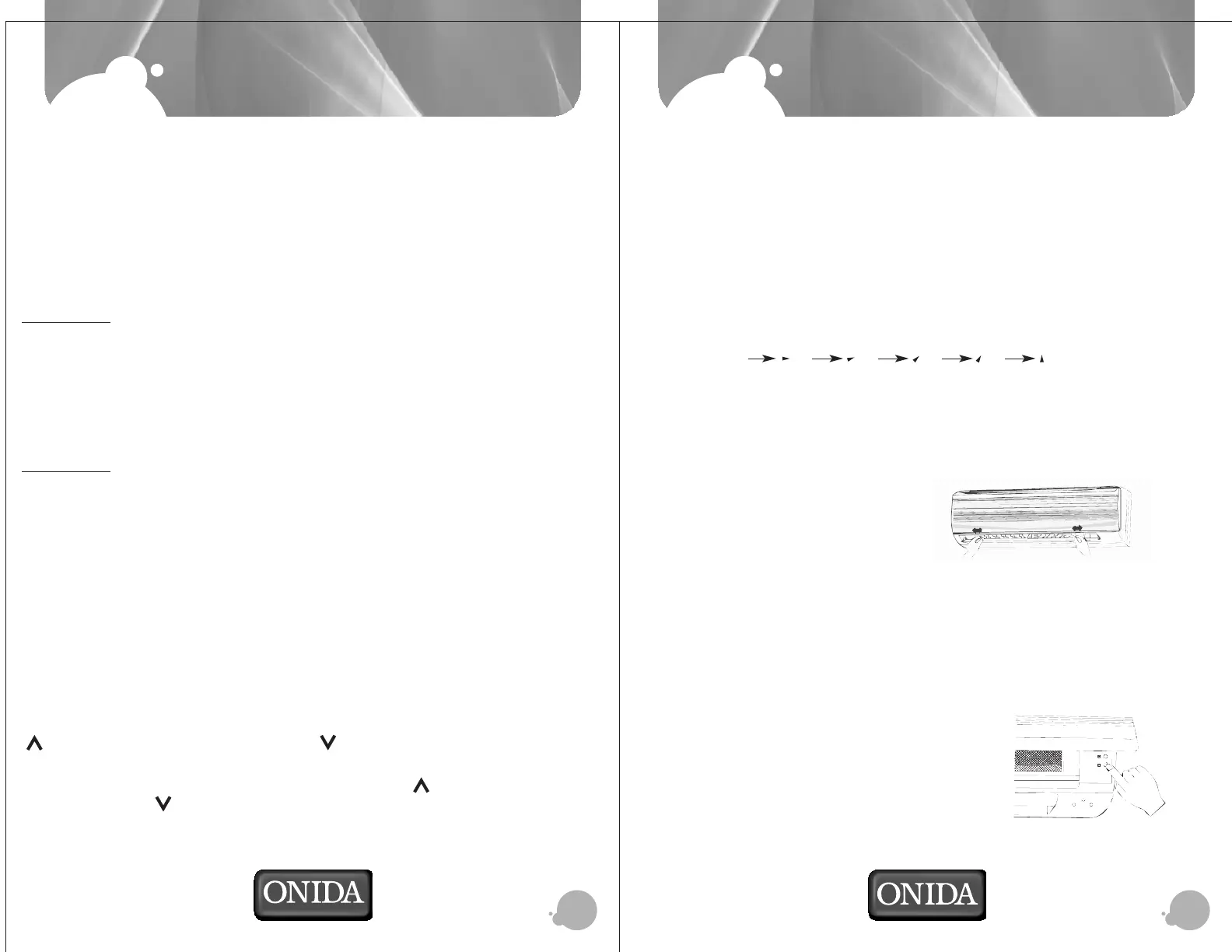
1. 5 step air swing can be achieved for the one time Press “ SWING ”
button on remote, the Up/Down air louvers will move to the
specific angle.
You can set 5 different angle settings, to set Up/Down louvers in
2. For the next Press “ SWING “ button to start Up/Down Air Louver which
starts swinging automatically.
Press again the “ SWING “ button to stop swinging at specific
position.
Left/Right Air Direction Adjustment:
Move manually, the left right air
louver at desired position as shown
in following figure.
Emergency Operation Switch:
In case the batteries in the remote are worn out, or remote is faulty or misseing, use
emergency operation switch (*) to ON/OFF AC.
Every time the switch is pressed, it changes in sequence of COOL Ý STOP.
O
In Emergency operation mode the set temperature will be 24 C, Fan speed will be
high and Up/Down Air louvers are in swinging mode.
To access emergency switch, open the grill as
shown in the figure.
order of (1) (2) (3) (4) (5)


 To Next Page