98
OPERATIONS OPERATIONS
OPER
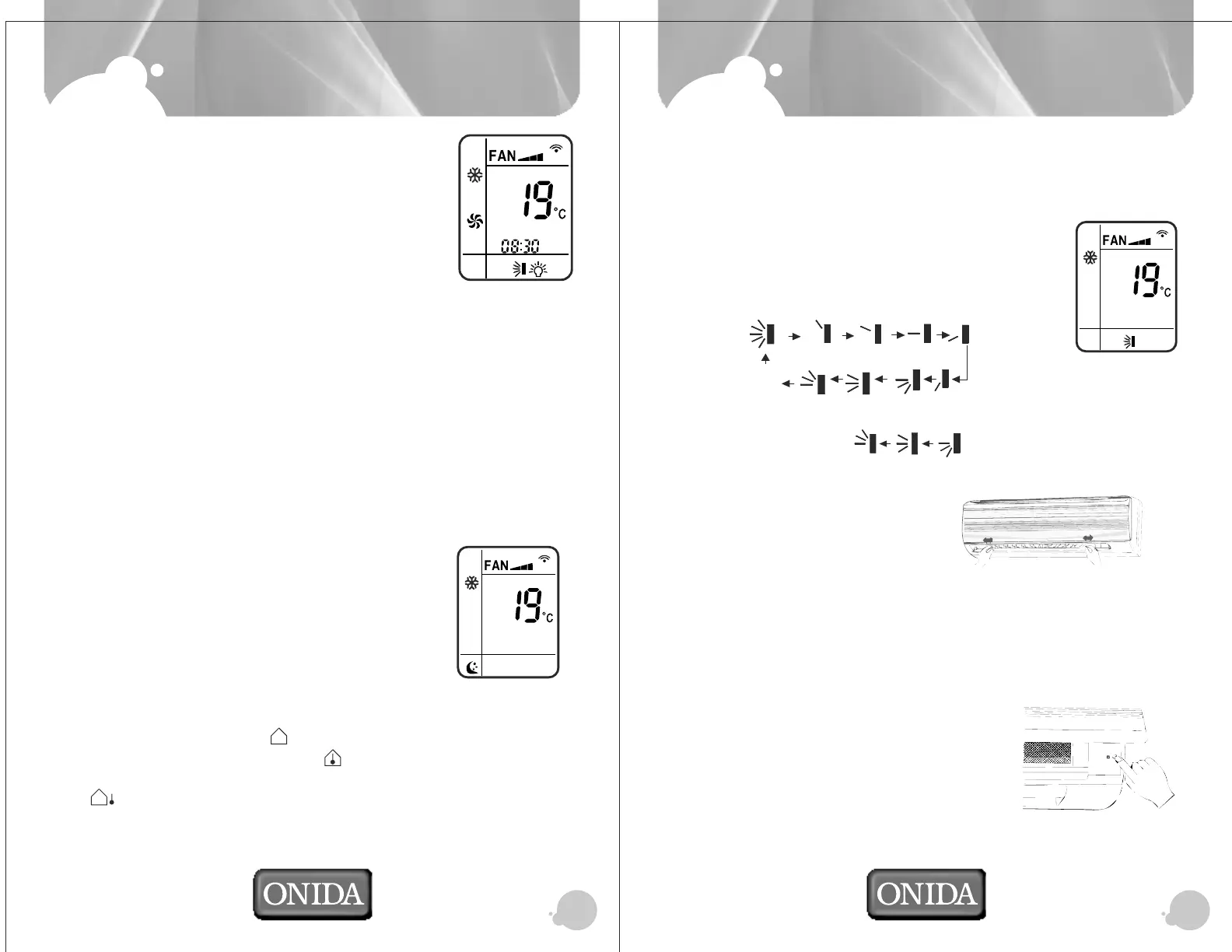
TIMER OFF
Press “+ ” or “-” buttons to set 08:30 to switch off AC. Press again
“TIMER OFF” after setting the time to confirm Timer OFF. Display
on Remote will show "TIMER OFF”.
CANCEL TIMER:
If you want to cancel the Timer what you set before. Press once
"TIMER ON” or “TIMER OFF" buttons, and it will cancel the Timer.
The "TIMER OFF” or “TIMER ON" display on LCD Panel of remote will goes OFF.
BLOW OPERATION:
To set on BLOW Operation, Press “BLOW” button on the remote controller. BLOW is
operational, when you turn off the machine the indoor fan will continue to run for a few
minutes before switching off. The purpose is to ensure that the evaporator is at the
same temperature as the indoor temperature.
TURBO OPERATION: To switch on the turbo operation press “TURBO” button on the
remote controller. In TURBO mode the unit will run at the maximum cooling with highest
Fan Speed. When pressing the MODE or FAN button, this function will be canceled.
CHILD LOCK Function: Press + and - keys on the remote controller simultaneously
to lock or un-lock the keypad. When the key pad is locked the lock icon will be
displayed on the remote controller LCD.
SLEEP Operation:
Press "SLEEP" button on remote to switch on sleep operation.
In "SLEEP" mode your air conditioner increases the temperature
O
by 1 C for every hour that it operates,
O
After 2 hours and after the increase in set temp. by 2 C your
AC maintains the same temp. at that level without further increase.
Under Fan and Auto modes, sleep function is not available.
To cancel the Sleep mode, press again the Sleep button.
TEMP Function:
Press once TEMP button, will show “ ” on remote display and set temp. will be
shown on unit display. Press again will show “ ” on remote display and unit will show
room temp. for 5 sec and again set temp will be displayed on indoor. Press again will
show “ ”on remote display and set temp. on unit display. Next press, unit will be out
of TEMP operation.
OPER
Air Flow direction Adjustment:
Your split AC has oscillating louvers for uniform cooling around your room.
You can stop the oscillation if you so desire.
Up/Down Air Direction Adjustment:
1. Press "SWING" button to set swing angle, which circularly
Changes as defined below:
OFF
Note: This remote controller is universal. If it receives three kind of following status,
the swing will remain original.
Left/Right Air Direction Adjustment:
Move manually, the left right air
louver at desired position as shown
in following figure.
Emergency Operation Switch:
In case the batteries in the remote are worn out, or remote is faulty or missing, use
Emergency operation switch (AUTO) to ON/OFF AC.
Every time the switch is pressed, it changes in sequence of COOL and STOP.
O
In Emergency operation mode the set temperature will be 25 C, Fan speed will be
Auto and Up/Down Air louvers are in swinging mode.
To access emergency switch, open the grill as
shown in the figure.
OPER



 To Next Page