EasyManua.ls Logo

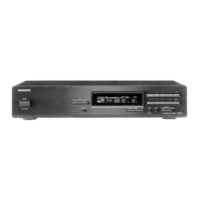
Onkyo T-4070 - User Manual

Onkyo T-4070
40 pages
Print Icon
To Next Page IconTo Next Page
Loading...
E
n
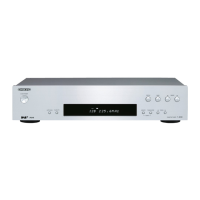
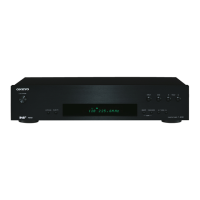
Network Tuner
T-4070
Instruction Manual
Thank you for purchasing an Onkyo Network Tuner.
Please read this manual thoroughly before making
connections and plugging in the unit.
Following the instructions in this manual will enable
you to obtain optimum performance and listening
enjoyment from your new Tuner.
Please retain this manual for future reference.
Contents
Introduction..................................En-2
Connections.............................. En-10
Enjoying Audio Sources...... En-16
Appendix
Troubleshooting..................... En-37
Specifications ......................... En-39

Questions and Answers

  • L
    Logan DeanAug 14, 2025
    Why is my Onkyo T-4070 Tuner remote controller not working?
    • W
      williamburchAug 14, 2025
      If the Onkyo Tuner remote controller isn’t working, ensure the batteries are correctly installed with the right polarity. Try installing new batteries, avoiding mixing different types or old and new ones. Make sure the remote isn't too far from the receiver and there are no obstructions. Also, verify the receiver isn't in direct sunlight or under inverter-type fluorescent lights; relocate if needed.
  • D
    danielle83Aug 17, 2025
    What to do if there's no sound or it's very quiet on my Onkyo T-4070 Tuner?
    • J
      Jared PeckAug 17, 2025
      If there's no sound or the sound is very quiet on your Onkyo Tuner, first ensure that all audio connecting plugs are fully pushed in. Next, verify that the inputs and outputs of all components are correctly connected. Finally, confirm that the correct input source is selected.
  • J
    Joel EvansAug 20, 2025
    What to do if I can't turn on my Onkyo Tuner?
    • J
      Jacob RayAug 21, 2025
      If you can't turn on your Onkyo Tuner, ensure that the power cord is properly plugged into the electrical outlet.
  • K
    karla19Aug 25, 2025
    Why is there noise when using my Onkyo Tuner?
    • J
      James OlsonAug 25, 2025
      If you're hearing noise when using your Onkyo Tuner, avoid bundling audio cables with power cords or speaker cables, as this can degrade audio performance. Also, the audio cable may be picking up interference, so try repositioning your cables.
  • A
    Adriana MorrisAug 27, 2025
    Why is the reception noisy on my Onkyo T-4070 Tuner, or why does stereo FM reception suffer from hiss?
    • H
      Heather ParkerAug 27, 2025
      If the reception is noisy, stereo FM reception suffers from hiss, or the FM STEREO indicator doesn’t appear on your Onkyo Tuner, try the following: - Relocate your antenna. - Move the tuner away from your TV or computer. - Listen to the station in mono. - Note that operating the remote controller may cause noise when listening to an AM station. - Passing cars and airplanes can cause interference. - Concrete walls weaken radio signals. If nothing improves the reception, install an outdoor antenna.
  • A
    Alexandra LinAug 30, 2025
    Why can't I access the server or Internet radio on my Onkyo Tuner?
    • J
      Joseph ColeAug 30, 2025
      If you can't access the server or Internet radio on your Onkyo Tuner, check the network connection between the tuner and your router or switch. Make sure that your modem and router are properly connected and turned on. Also, ensure the server is up, running, and compatible with the tuner. You may also need to check the “Network Setup.”
  • M
    Mario PerrySep 2, 2025
    Why does playback stop when listening to music files on the server with my Onkyo T-4070 Tuner?
    • M
      Monique CobbSep 3, 2025
      If playback stops while listening to music files on the server with your Onkyo Tuner, ensure your server is compatible with the tuner. If you're downloading or copying large files on your computer, playback may be interrupted, so close unused programs, use a more powerful computer, or use a dedicated server. If the server is serving large music files to several networked devices simultaneously, the network may be overloaded; reduce the number of playback devices, upgrade your network, or use a switch instead of a hub.
  • K
    Kimberly HarveySep 6, 2025
    Why can’t I connect to my Onkyo T-4070 from a Web browser?
    • C
      Crystal LawsonSep 6, 2025
      If you can’t connect to the Onkyo Tuner from a Web browser, and you’re using DHCP, your router may not always allocate the same IP address to the tuner. Recheck the tuner’s IP address. Also, check the “Network Setup.”
  • B
    barronandreaSep 10, 2025
    Why can't I hear sound during AirPlay playback on my Onkyo Tuner?
    • E
      ebony91Sep 10, 2025
      If no sound can be heard during AirPlay playback on your Onkyo Tuner: 1. Click the AirPlay icon to disconnect iTunes or your iPad/iPhone/iPod touch, then reconnect it. 2. Turn off the power to the tuner, then turn it on. 3. Reset the tuner. 4. Restart iTunes or your iPad/iPhone/iPod touch.

Summary

Important Safety Instructions

Getting to Know the Tuner

Connecting Antennas

Connecting the AM Loop Antenna

Step-by-step guide for connecting the AM loop antenna.

Connecting Your Components

Connecting to an Amplifier

Illustrates how to connect the tuner to an amplifier using analog or digital audio.

Connecting the Power Cord

Instructions for connecting the tuner to the AC power outlet.

Turning On and Standby

How to power the tuner on and off, and enter standby mode.

Listening to the Radio

Listening to AM;FM Stations

Guide to enjoying AM and FM radio broadcasts.

Listening to DAB Digital Radio

Instructions for enjoying DAB digital radio broadcasts.

Using the USB;Network Device

Connecting the iPod;iPhone Directly to the USB Port

Steps to connect an iPod/iPhone to the tuner's USB port for playback.

Playing Music Files on the iPod;iPhone

Guide to navigating and playing music files from iPod/iPhone via USB.

Using the AirPlay

Instructions for enjoying music from iOS devices using Apple AirPlay.

Playing the USB Device

How to play music files from a connected USB storage device.

Listening to the Internet Radio

Guide to accessing and listening to internet radio stations.

Playing Music Files on a Server

Instructions for playing music files stored on a computer or media server.

Using Remote Playback

How to play music files from a server using a controller device on the network.

Network;USB Features

Connecting to the Network

Diagram and explanation for connecting the tuner to a home network.

Advanced Setup

Firmware Update

Troubleshooting

Power

Troubleshooting steps for issues related to the tuner not turning on.

Audio

Solutions for no sound or very quiet audio output.

Music Server and Internet Radio

Troubleshooting access issues for music servers and internet radio.

AirPlay

Solutions for no sound or playback issues with AirPlay.

USB Device Playback

Troubleshooting for accessing music files on USB devices.

Onkyo T-4070 Specifications

General IconGeneral
Power consumption (typical)28 W
Product colorSilver
FM preset stations40
Supported radio bandsAM, DAB+, FM
Built-in storage mediaNo
Audio formats supportedAAC, FLAC, MP3, OGG, WAV, WMA
Internet radio services supportedLast.fm, Spotify, vTuner
Network streaming services supported-
Number of drivers0
Apple docking compatibilityNot supported
Weight and Dimensions IconWeight and Dimensions
Depth306.7 mm
Width435 mm
Height100 mm
Weight5800 g

Related product manuals