EasyManua.ls Logo

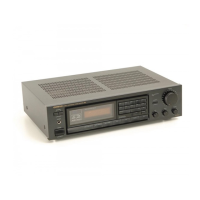
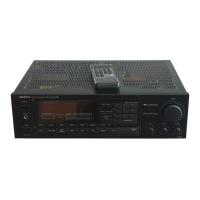
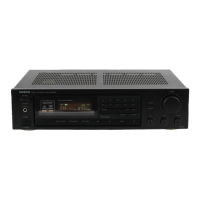
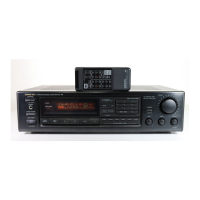
Onkyo TX-27 - Front Panel Facilities

Onkyo TX-27
24 pages
Print Icon
To Next Page IconTo Next Page
To Previous Page IconTo Previous Page
Loading...
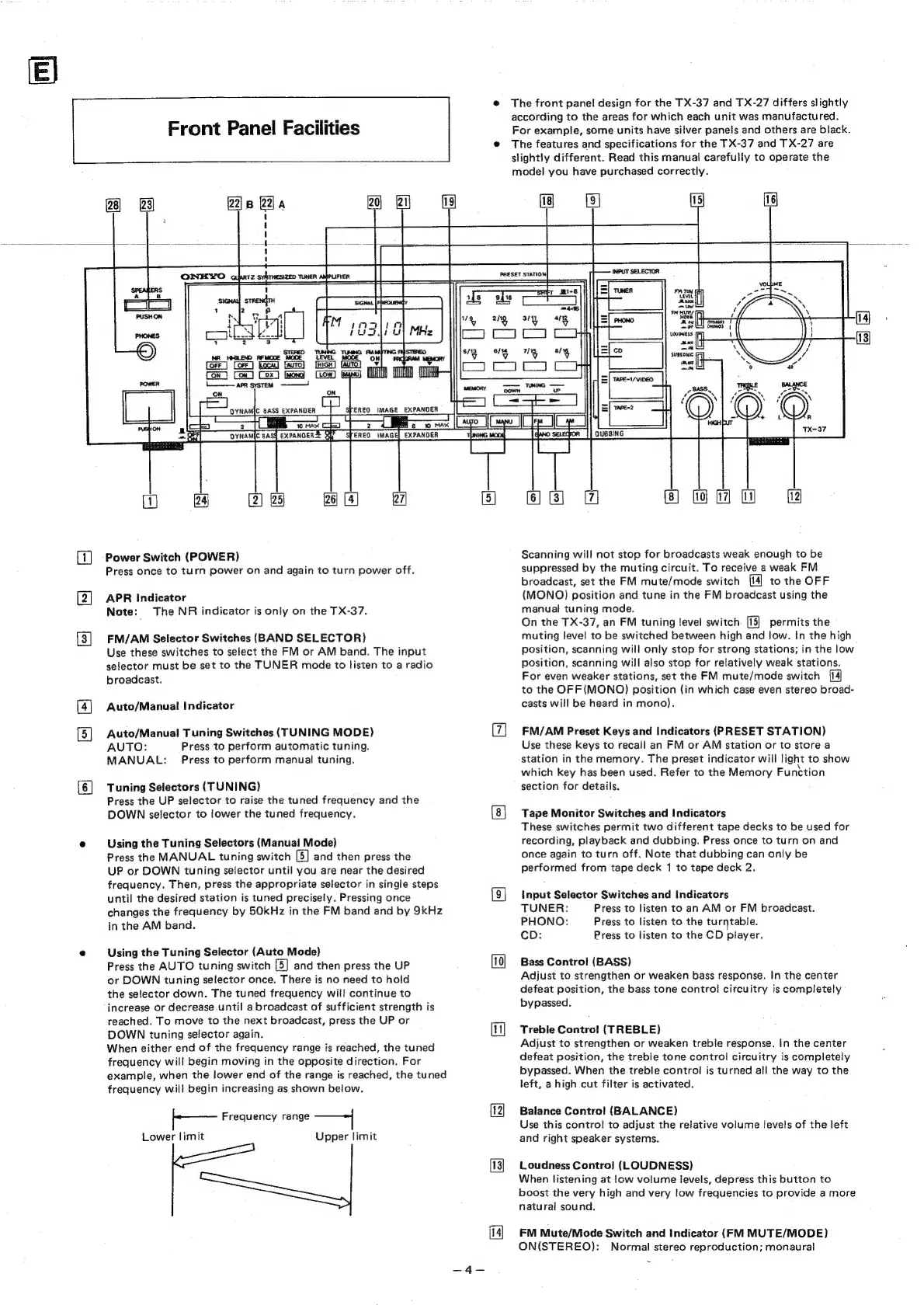
Front
Panel
Facilities
The
front
pane!
design
for
the
TX-37
and
TX-27
differs
slightly
according
to
the
areas
for
which
each
unit
was
manufactured.
For
example,
some
units
have
silver
panels
and
others
are
black.
The
features
and
specifications
for
the
TX-37
and
TX-27
are
slightly
different.
Read
this
manual
carefully
to
operate
the
model
you
have
purchased
correctly.
QYNAMIC
BASS
EXPANDER
2g
ast
v
i]
ia
Power
Switch
(POWER)
Press
once
to
turn
power
on
and
again
to
turn
power
off.
APR
Indicator
Note:
The
NR
indicator
is
only
on
the
TX-37.
FM/AM
Selector
Switches
(BAND
SELECTOR}
Use
these
switches
to
select
the
FM
or
AM
band.
The
input
selector
must
be
set
to
the
TUNER
mode
to
listen
to
a
radio
broadcast.
Auto/Manual
Indicator
Auto/Manual
Tuning
Switches
(TUNING
MODE)
AUTO:
Press
to
perform
automatic
tuning.
MANUAL:
Press
to
perform
manual
tuning.
Tuning
Selectors
(TUNING)
Press
the
UP
selector
to
raise
the
tuned
frequency
and
the
DOWN
selector
to
lower
the
tuned
frequency.
Using
the
Tuning
Selectors
(Manual
Mode)
Press
the
MANUAL
tuning
switch
[5]
and
then
press
the
UP
or
DOWN
tuning
selector
until
you
are
near
the
desired
frequency.
Then,
press
the
appropriate
selector
in
single
steps
until
the
desired
station
is
tuned
precisely.
Pressing
once
changes
the
frequency
by
50kHz
in
the
FM
band
and
by
9kHz
in
the
AM
band.
Using
the
Tuning
Selector
(Auto
Mode)
Press
the
AUTO
tuning
switch
[5]
and
then
press
the
UP
or
DOWN
tuning
selector
once.
There
is
no
need
to
hold
the
selector
down.
The
tuned
frequency
will
continue
to
increase
or
decrease
until
a
broadcast
of
sufficient
strength
is
reached.
To
move
to
the
next
broadcast,
press
the
UP
or
DOWN
tuning
selector
again.
When
either
end
of
the
frequency
range
is
reached,
the
tuned
frequency
will
begin
moving
in
the
opposite
direction.
For
example,
when
the
lower
end
of
the
range
is
reached,
the
tuned
frequency
will
begin
increasing
as
shown
below.
Frequency
range
Lower
limit
Upper
limit
§
:
ota
97
om
hs
Ts
|
Orr]
___DYNAM{C
BASY
EXPANDER
Qh
STEREO
IMAGE]
EXPANDER
Scanning
will
not
stop
for
broadcasts
weak
enough
to
be
suppressed
by
the
muting
circuit.
To
receive
a
weak
FM
broadcast,
set
the
FM
mute/mode
switch
to
the
OFF
(MONO)
position
and
tune
in
the
FM
broadcast
using
the
manual
tuning
mode.
On
the
TX-37,
an
FM
tuning
level
switch.
[15]
permits
the
muting
level
to
be
switched
between
high
and
low.
In
the
high
position,
scanning
will
only
stop
for
strong
stations;
in
the
low
position,
scanning
will
also
stop
for
relatively
weak
stations.
For
even
weaker
stations,
set
the
FM
mute/mode
switch
to
the
OFF(MONO)
position
(in
which
case
even
stereo
broad-
casts
will
be
heard
in
mono).
FM/AM
Preset
Keys
and
Indicators
(PRESET
STATION)
Use
these
keys
to
recall
an
FM
or
AM
station
or
to
store
a
station
in
the
memory.
The
preset
indicator
will
light
to
show
which
key
has
been
used.
Refer
to
the
Memory
Function
section
for
details.
Tape
Monitor
Switches
and
Indicators
These
switches
permit
two
different
tape
decks
to
be
used
for
recording,
playback
and
dubbing.
Press
once
to
turn
on
and
once
again
to
turn
off.
Note
that
dubbing
can
only
be
performed
from
tape
deck
1
to
tape
deck
2,
input
Selector
Switches
and
Indicators
TUNER:
Press
to
listen
to
an
AM
or
FM
broadcast.
PHONO:
Press
to
listen
to
the
turntable.
cD:
Press
to
listen
to
the
CD
player.
Bass
Control
(BASS)
Adjust
to
strengthen
or
weaken
bass
response.
In
the
center
defeat
position,
the
bass
tone
contro!
circuitry
is
completely
bypassed.
Trebie
Control!
(TREBLE)
Adjust
to
strengthen
or
weaken
treble
response.
In
the
center
defeat
position,
the
treble
tone
control
circuitry
is
completely
bypassed.
When
the
treble
control
is
turned
all
the
way
to
the
left,
a
high
cut
filter
is
activated.
Balance
Control
(BALANCE)
Use
this
control
to
adjust
the
relative
volume
tevels
of
the
left
and
right
speaker
systems.
Loudness
Contro]
(LOUDNESS)
When
listening
at
low
volume
levels,
depress
this
button
to
boost
the
very
high
and
very
low
frequencies
to
provide
a
more
natural
sound.
FM
Mute/Mode
Switch
and
Indicator
(FM
MUTE/MODE)
ON(STEREO):
Normal
stereo
reproduction;
monaural

Related product manuals